



dparsons85
Legend
October 23, 2025

After Effects 25 keeps re-rendering the timeline

  • October 23, 2025
  • 3 replies
  • 189 views

After Effects 25.4 keeps re-rendering the timeline AFTER I've done a Ram Preview.

For example, in the image below I rendered part of my timeline then set the Work Area to only that section. When I hit the space bar to watch it, it re-renders! It won't just play it. wtf is going on? After Effects has never worked like this.
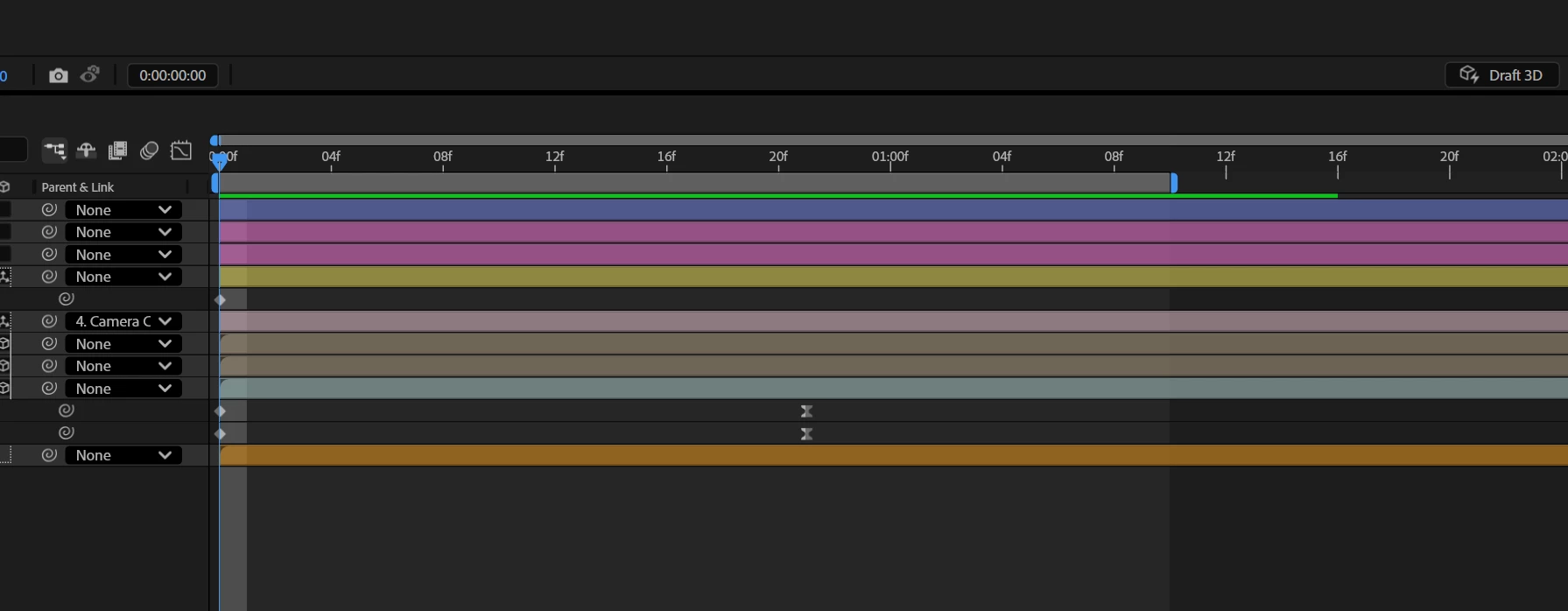


This has been happening in every project for months. It's like I have to have my Work Area set before starting a render because if I stop the Ram Preview before it reaches the end of the Work Area I have to re-render the whole thing. Sometimes, if I quit and restart After Effects it'll work like normal again, simply playing the parts I've already rendered. 

What's going on? Is this a bug? I can't imagine this is intentional. Is this happening to anyone else? 


Windows 11
After Effects 25.4
120GB Ram
Rendering using CUDA Acceleration


3 replies

Community Manager
October 29, 2025

Do you see any difference in behavior if you were to turn ON/OFF "Enable Disk cache" option which is under Settings -> Media & Disk Cache ?

dparsons85
Legend
October 27, 2025

I tried resetting the the preview settings, the problem persists. 


I tried clearing my cache and this fixed the problem temporarily but I have no doubt it will come back since I clear my cache about twice a day and this problem has persisted for a while now. 

Strangely, when I clear my cache, it renders the scenes so much faster. I had a 3 second scene After Effects was rendering rather slow. Once it rendered 2 seconds and 10 frames I stopped it, changed the work area to be just those 2 seconds that I rendered, and played it only for After Effects to move frame by frame, re-rendering the scene it just renedered (the green bar above the timeline still extended 2 seconds and 10 frames). I cleared my cache and tried re-rendering it and instead of every frame taking 10 seconds to render, it rendered the full 3 seconds in about 10 seconds. 

What is going on here? I feel like I'm dealing with multiple issues at once. The scene is question was just a 4k video I motion tracked, a camera, and some text. No effects were used so I don't think starting in Safe Mode would help with this one.

nishu_kush
Community Manager
Community Manager
October 23, 2025

Thanks for writing in and sorry to hear about the issue. 

Can you try resetting the preview settings and clicking the Reset button in the preview panel? If that doesn't help, try clearing media cache (Edit > Purge > All Memory & Disk Cache) and running After Effects in Safe Mode with third-party plug-ins disabled.

Let me know how it goes.


Thanks,
Nishu