


Participant
December 25, 2024

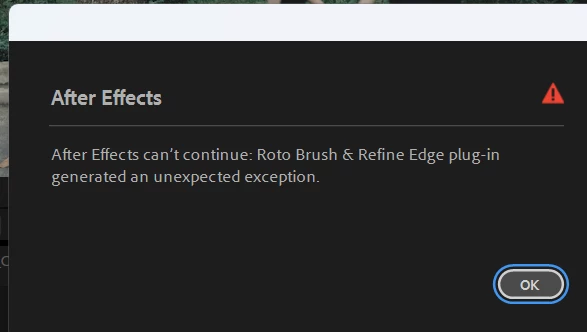
After Effects can't continue: Roto Brush & Refine Edge plug-in generated an unexpected exception.

  • December 25, 2024
  • 8 replies
  • 1509 views

Hello!

I'm Henry

The thing is, this morning when I opened the file, there was a warning that rotobrush had some error that I don't know about, and when I opened the same file, it was normal. I hope someone can help me. Thanks.
8 replies

Participant
October 21, 2025

I was able to resolve this by importing the corrupted project into a new one, then sneaking my way up to the comp that causes the error, the one with the rotobrush effect in it. Then i deleted this effect. Had to redo the roto brush though, but didnt lose the rest.

Participant
August 22, 2025

I have the same problem...

Inspiring
June 3, 2025

Found out what it was. It was being caused by Premiere being linked to After effetcs using the linking tool premiere provides in software.....Even if I closed out premiere it was till linked behind the scenes and cauging crash.....I had to render out the original file from premiere as its own copy then restart the whole after effects edit from that file in order for it to woor....pretty frustrating and cost me a lot of time

Inspiring
June 3, 2025

I am having the same issue.....Roto crashing with the same error message.

Praveen_gd_
Participant
May 19, 2025

I have faceing same issue., but i try this steps but i can't solving the issue., what i do??

That error can be frustrating, but let's troubleshoot it together! Here are some steps you can try:

  1. Restart After Effects – Sometimes, a simple restart can resolve temporary glitches.
  2. Update After Effects – Ensure you're using the latest version, as updates often fix bugs.
  3. Clear Cache – Go to Edit > Purge > All Memory & Disk Cache to remove any corrupted cache files.
  4. Disable GPU Acceleration – In Preferences > Display, try switching off GPU acceleration.
  5. Reinstall After Effects – If the issue persists, reinstalling the software might help.


Participant
February 8, 2025

Hi, I have the same issue. I can't open my project. 
I have reinstalled AE and runned in safe mode, nothing change. 

JohnColombo17100380
Community Manager
Community Manager
January 21, 2025

Hi @Sweat31055282ani9,

Thank you for reporting this issue, and thanks for your patience with our response. Are you still experincing this error with Roto Brush when you open your project?


Thank you for any additional info,

- John, After Effects Engineering Team  

Participant
December 25, 2024

The thing is, this morning when I opened the file, there was a warning that rotobrush had some error that I don't know about, and the same file last night was fine. I hope someone can help me. Thanks.