


Known Participant
January 23, 2025

After Effects crashes when importing or creating a 3D layer

  • January 23, 2025
  • 16 replies
  • 1922 views

I noticed that if file browser is in "List" mode, import files (even obj) is OK. But as long  as in "Icon" mode AE will crashed immediately. Anyone has the same problem? 

I've been tried AE 2023~2025 and results are the same. Is this AE's problem or Windows??
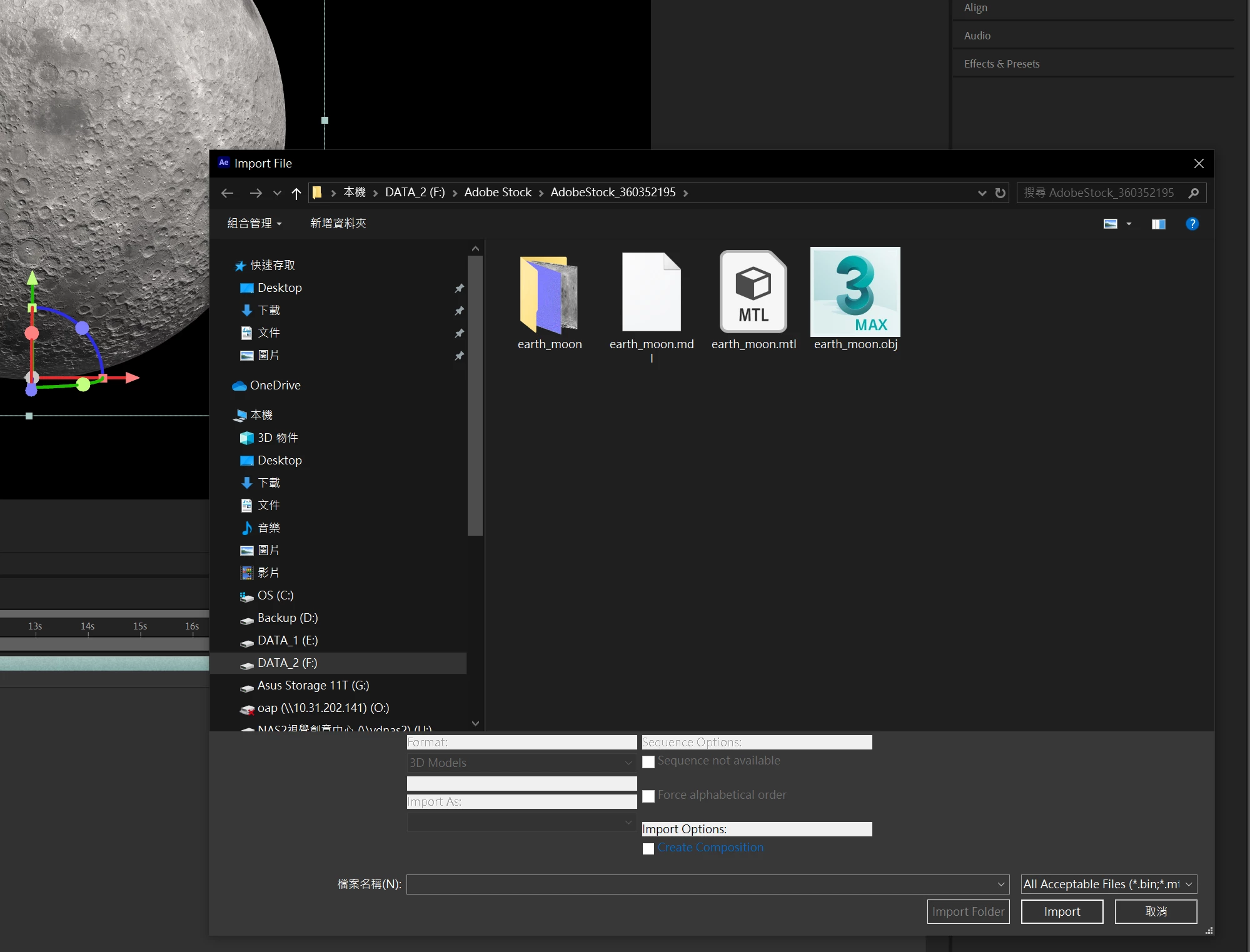
  AE crashed here

16 replies

David.Arbor
Community Manager
Community Manager
May 7, 2025

If you're not even reaching the splash screen, that means the failure is happening very early in the launch.

  1. Is it possible that you have anti-virus software running that could be blocking the launch? If so, can you temporarily disable it, or at least check to see if it's blocking After Effects?
  2. Could you try updating to the latest GPU driver (make sure to use the Studio driver if you have a Nvidia GPU).
  3. Do you have any font management software outside of Creative Cloud? That type of software can sometimes cause issues with launch.
  4. You can also try clearing your preferences at launch, but I'm not sure that will work since you aren't reaching the splash screen. It's still worth a try—hold down Ctl+Alt+Shift when launching to reset the app preferences.


Thanks,
- David, After Effects Engineering Team


bearflyAuthor
Known Participant
May 7, 2025

Dear David, 
1. After I clicked "beta", a wait cursor appeared and disappeared after a few seconds, but nothing happened—no error message window appeared, not even a splash screen. There was also no related application running in Task Manager.

2. No error report appeared; Windows behaved as if I never clicked anything.

3. I haven’t updated my GPU drivers.

4. I have both the 2023 and 2024 versions, and the programs can launch, but they crashed when imported from the folder (contained *.obj ) ONLY in ICON mode.

Task Manager (when launch beta):

Thank you for help.

David.Arbor
Community Manager
Community Manager
May 6, 2025

Thanks @bearfly, unfortunately, none of those screenshots provide the exact build number. A few clarifying questions:


  1. Does anything happen when you open AE beta, whether its the splash screen briefly appearing then disappearing, it showing up in the Task Manager, but still not opening, or you getting any error?
  2. Do you get the Crash Reporter asking you to fill out a message and your email? If so, please fill that out with your email and you can privately message me your address so we can see what's happening.
  3. Did you update your GPU driver before it stopped working?
  4. Does AE 2025 or any other version you have installed still open?

    - David, After Effects Engineering Team
bearflyAuthor
Known Participant
May 6, 2025

Dear David,

Yes, I'm pretty sure it's 25.3.0. As I mentioned Beta is not running anymore so I can't print the screen from AE for you.screen.

David.Arbor
Community Manager
Community Manager
May 5, 2025

Hi @bearfly is this still happening to you? If so, please verify that you have build 64 or later of AE (Beta) 25.3.0. You can confirm this from the About Adobe After Effects screen.


Thanks,
- David, After Effects Engineering Team

bearflyAuthor
Known Participant
May 2, 2025

1. I installed V25.3.0 from C Cloud and it's still crashed in Icon mode.
2. I uninstalled beta and reboot my computer. 
3. I reinstalled again. Then AE beta WON'T START ANYMORE no matter press start from windows desk top or C Cloud ! 
It is too bad !! I'm freaking out.

David.Arbor
Community Manager
Community Manager
April 30, 2025

Hello everyone,


I'm pleased to say that this issue has been identified, and a fix can be found in version 25.3.0x64 of After Effects (Beta). Head over to the Creative Cloud Desktop app and grab AE from the "Beta" section.


Please let us know you're able to use Advanced 3D after this! Note, this will not affect the "release" version of After Effects (the purple app icon), which is currently on version 25.2.2. You must have build 64 or later of the Public Beta to get the fix. 


Thanks,
- David, After Effects Engineering Team

Participant
April 30, 2025

Hello David, yes after effect say me to save the project and close. And after i have save it, when i retry to open, that say me again to  save the project and close. 

It's my user folder on the pic, can you help me ? 

Participant
April 30, 2025

Hello David, yes after effect say me to save the project and close. And after i have save it, when i retry to open, that say me again to  save the project and close. 

It's my user folder on the pic, can you help me ? 

bearflyAuthor
Known Participant
April 24, 2025

Thank you Nishu, I hope you can fix the bug ASAP.
Please let me know when the bug fixed.