



Participating Frequently
November 4, 2024

After Effects crashing on Save every time

  • November 4, 2024
  • 12 replies
  • 1333 views

I have an issue with AE since updating my Mac and AE to the latest versions, I get the following message:


Last log message was: <1939574> <RenderTaskManager> <1> Destructor: GetOriginalProject() is null

Then I have to force quit. I've uninstalled and reinstalled it, removed lal my plug ins and restarted my mac, this has been going on for over a week. PLEASE FIX.


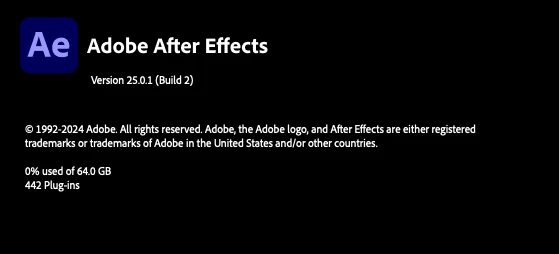
Vewrsion 25.0.1 (build 2)

12 replies

bheindnp
Participating Frequently
June 6, 2025

Tuning in. Same issue. Whenever a video file is imported or used in a composition AE starts to get stuck, when exiting or trying to save I encounter the problems mentioned above.

Participant
April 7, 2025

Thanks! This seems to have solved my problem so far.
Had the same issue - included a video file into my project and from then on AE keeps on crashing. Even if doing nothing, just opening the project and wait a couple of seconds.

Participant
March 24, 2025

Maybe not for everyone, but what helped me, was to turn off "Multi-frame rendering" in the Setting in the "Memory & Performance" Tab. Let me know if this also helps somebody else.

Participant
March 14, 2025

I'm having the exact same issue and can't work on a very important project: <RenderTaskManager> <1> Destructor: GetOriginalProject() is null

Participating Frequently
March 8, 2025

@nishu_kush @Kevin-Monahan 

In this forum people are having the same error as in the link below, we have not yet had any answers about a possible correction for this problem 😕😕

https://community.adobe.com/t5/after-effects-bugs/after-effects-2025-crashing-when-importing-video/idc-p/15180143#M14355

Participating Frequently
March 8, 2025

Same problem here. It's so annoying wasting hours per week with Adobe software (there are also so many issues with their other programs like InDesign, etc.). I'm using an M2 Max / 96GB Mac / macOS 15.3.1 / AE 25.1. I'm on a tight deadline and can no longer use pre-rendered files in my project or downgrade my project to use AE 2024. I've tried importing MOVs (Lossless with Alpha) or MP4s (H.264) – both crash AE. I have never received a solution from Adobe experts in this forum—problems are usually solved by user workarounds. Great job again, Adobe!

Participant
February 24, 2025

Same problem, I haven't been able to work on my project today 

El último mensaje registrado ha sido: <72963> <RenderTaskManager> <1> Destructor: GetOriginalProject() is null

:'(

Participating Frequently
February 20, 2025

@janief95934133 I'm also using AE 25 Beta and it's still the same. I'm having to use AE 24 to do my projects, because it's simply impossible to use AE 25.

Participant
February 20, 2025

I've had the same issue as well. AE 2025 is crashing or freezing while using, saving and rendering. I have talked with 3 different adobe specialists and none of them have had any good suggestions other than updating preferences and reinstalling with no success. I have only had this issue in  2025.1,  so I hope that whatever is causing this get fixed in the next update. It's really difficult to work. 

Participating Frequently
January 24, 2025

I have the same problem here, just importing a video causes the crash. I couldn't find anything that could solve it. The same thing is happening with After Effects 2025 beta.