


Inspiring
Jun 10, 2024 5:34 PM UTC
Released

After Effects Mercury Transmit Flips Image, Generally Glitchy 4K

1. Enable Transmit to 4K display. 

2. Entire comp is upsidedown and flipped. 


Comp viewer

 

4K transmit display: 


Flipped. 

AE. 24.4.1 

Nvidia 2080ti

Nvdia Driver 555.99

Threadripper 3960x 


Simple comp with solid and text layer. 


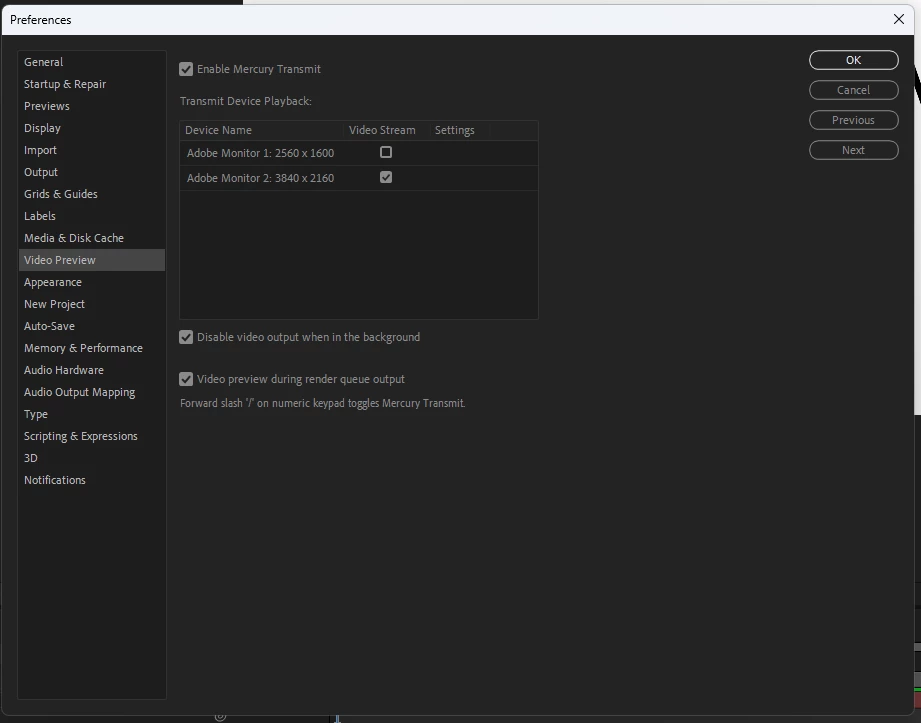
Transmit settings: 


This topic is closed to new replies. Start a new post to keep the conversation going.

19 replies

Participating Frequently
Sep 2, 2024 2:42 PM UTC

Thank you very much! I have .tested with different projects that had fails and now I can work with cuda and video preview working well.

Translate
Aug 29, 2024 10:38 PM UTC

Fixed in 24.6.1 and above.

Translate
Aug 29, 2024 10:38 PM UTC

This issue is fixed in 24.6.1 or above. 

Translate
Participant
Aug 29, 2024 10:17 PM UTC

Change "Wokring Color Space" to None. To me happened after change this.

Translate
Participating Frequently
Aug 2, 2024 7:33 AM UTC

In addition to what tcszabics says. "I'm getting the same issue. However, it seems to only do it while Video Rendering and Effects is in Mercury Software Only mode. GPU Acceleration (CUDA) is where it flips out (pun intended)."
I've found that it only does this with projects from older versions. Projects started in 24.5 work fine even using CUDA.

Translate
Aug 1, 2024 11:11 PM UTC

We a fix in testing now and hope to have it into Beta builds next week, and in the next non-Beta release when that is released.

Translate
Participant
Aug 1, 2024 10:20 PM UTC

I'm getting the same issue. However, it seems to only do it while Video Rendering and Effects is in Mercury Software Only mode. GPU Acceleration (CUDA) is where it flips out (pun intended).

Translate
Jul 9, 2024 7:17 PM UTC

Looks like we finally found a repro this morning. Working on understanding the change to figure out a fix.

Translate
Jun 29, 2024 1:31 AM UTC

We've been trying to repro the issue internally but have not been able to. We've tried NVIDIA hardware, AMD hardware, various monitors, 4K resolutions, etc.


If you haven't, can you make sure you update to 24.5 and see if the problem still reproduces? Do you have anything special set in your monitor (rotation or scaling or anything else)?

Translate
Participant
Jun 24, 2024 4:13 PM UTC

Same issue. Running 2080ti

Translate