

After Effects project (.aep) disappeared/removed after quitting Ae
Hello I have a really critical problem: My After Effects Project just immediately being removed after quitting Ae. I lost everything I've done in the past several hours.
Steps:
1. Save everything in After Effects: The title bar does not have the "*" character. Everything is saved.
2. Cmd+Q. Close After Effects. Done
3. Back to Premiere Pro (which is openning and has linked comps) by Cmd+Tab.
4. All linked comps are offline.
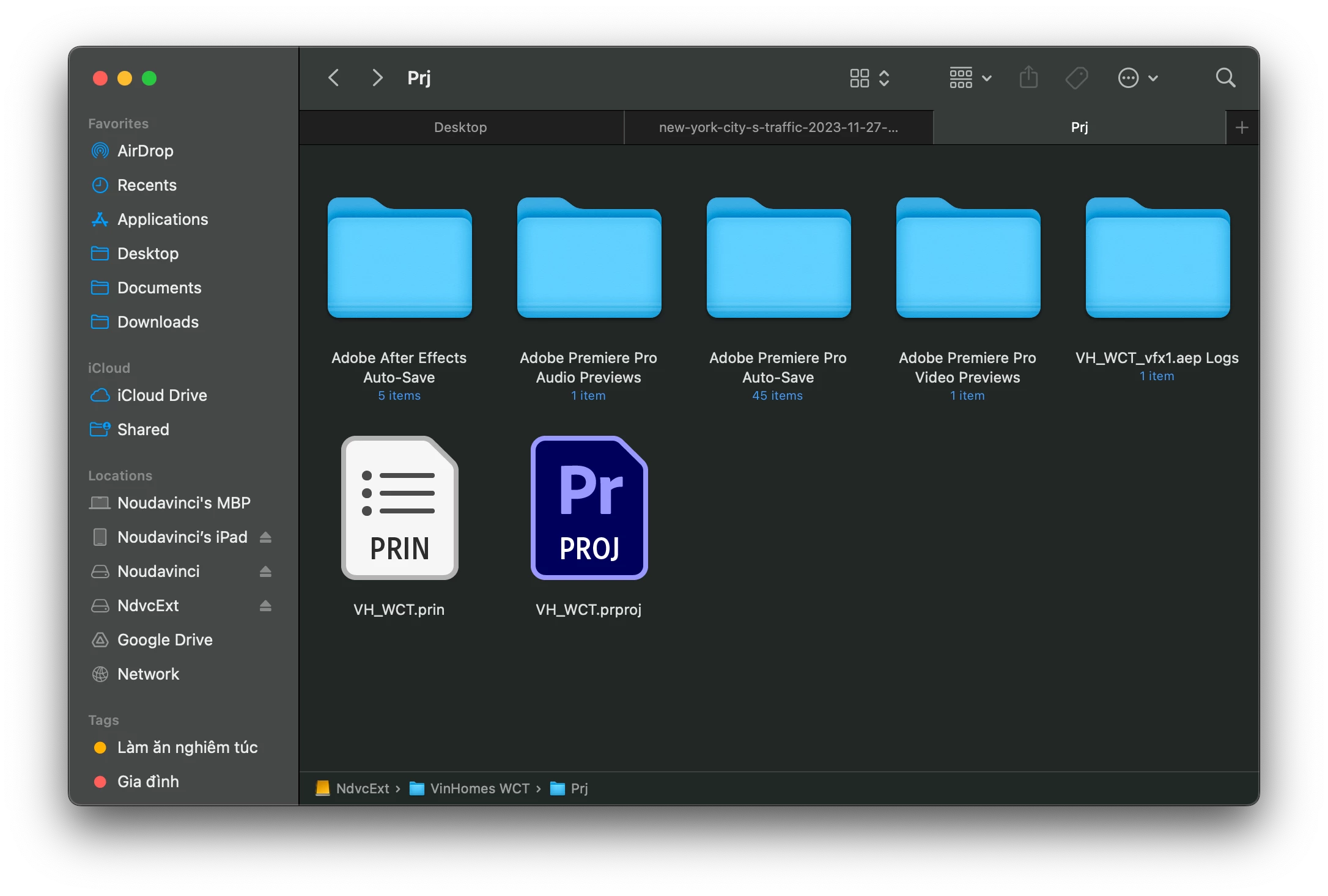
5. Link media => browse to the project folder => the After Effects file is now lost.
6. Re-check by Finder: lost file confirmed.
What should happens: The AEP file is there.
What actually happened: The AEP file is lost.
Third-party plugins: of course I have some. But it does not seems to be the cause. I have those plugins on my Windows PC too, never experience this.
My working context:
Macbook Pro 14 inch M1 Pro, 32GB RAM. MacOS 14.7.5.
After Effects 2025.2.2. Installed via Creative Cloud.
Projects are on external nvme drive: Samsung 970 2TB. Connected via USB type C directly to the macbook. Formatted in ExFAT (to work on both Windows and MacOS).
I wil confirm that this problems happened several times before, like 3-4 times in the last 3 months, but it was in hurry, and I remade it myself. After that I forgot to write a ticket.
Here are screenshots: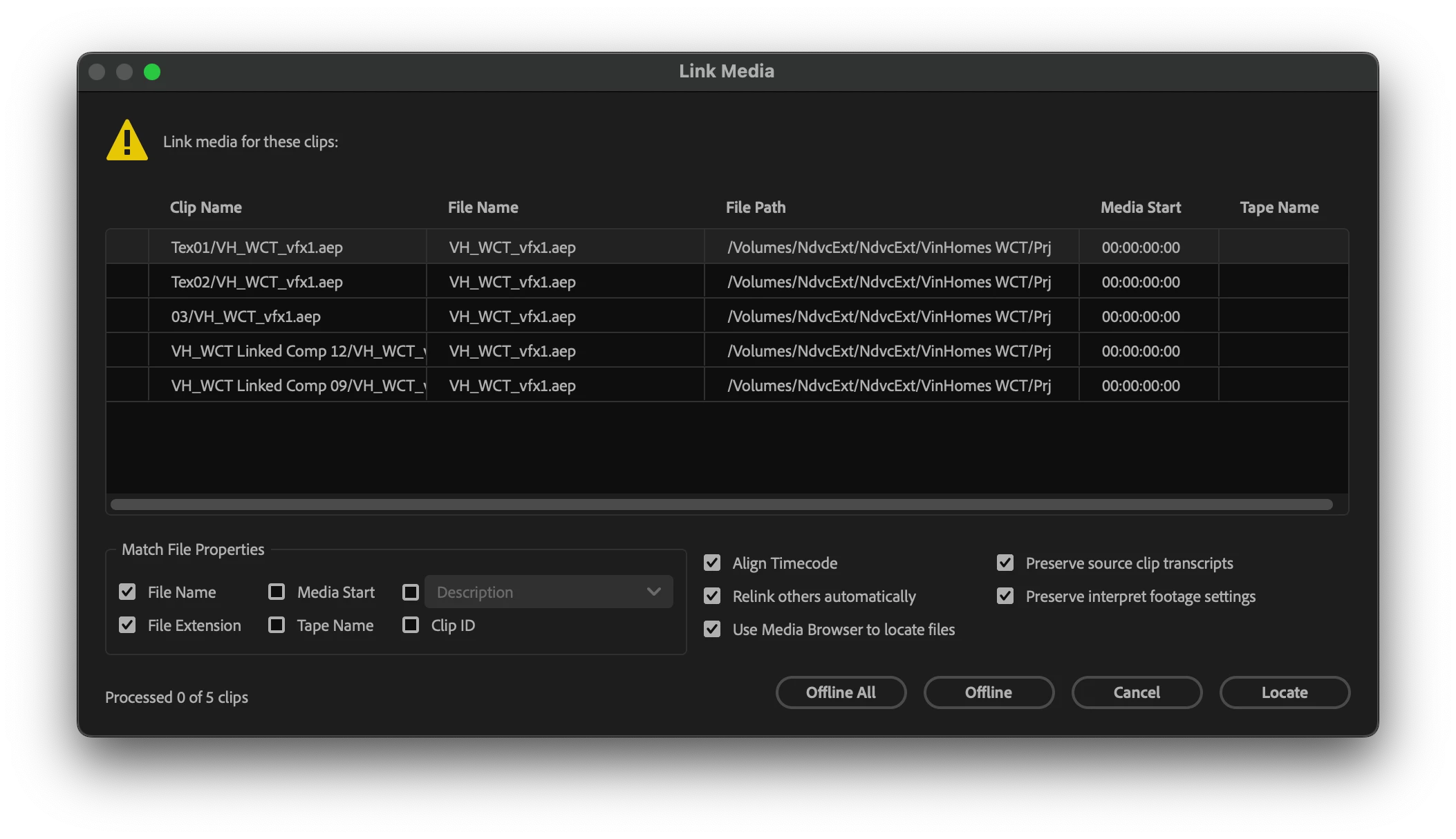
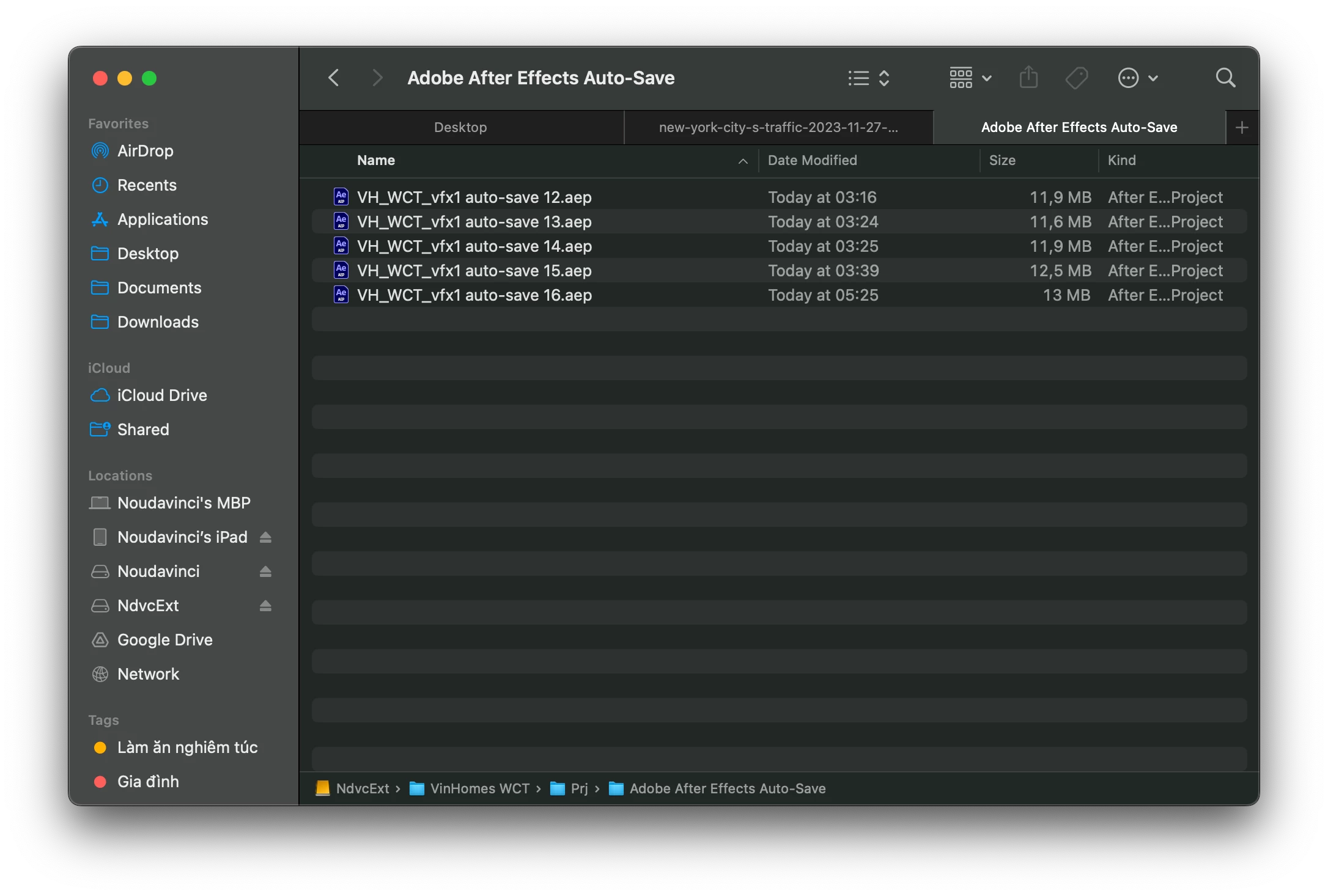
This is the auto-save folder (which has been created when I do rendering) => I actually have that .aep file:
Please help! I cannot work while I don't know whether my project file are safe/persistent or just automatically being removed for nothing.
 AdChoices