
ucsJAM
New Participant
February 1, 2023

Audio Files cutting out while previewing and slowing down preview load time

  • February 1, 2023
  • 4 replies
  • 196 views

So when I preview my project it plays perfectly fine until it reaches a specific clip on in the comp and audio cuts off. Whenever I delete the clip and preview again the audio just cuts out at another clip later on. Also whenever I preview starting at a clip where the audio cuts out it takes forever to load the preview, then the clip plays fine but the same issue occurs and audio cuts on another different clip. I have tried purging Memory & Disk Cache many times, I even converted the audio files because they were .WAV and I thought that was the issue. Restarting and Reinstalling haven't worked either, and it isn't a high framerate issue I believe. When I delete all .MP3 files from the comp the preview plays flawlessly with no freezing or slowing down. 


Using a Desktop w/ Windows 10, 32GB of RAM

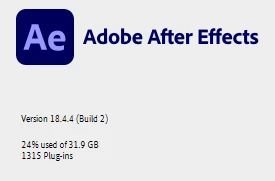
AE 2021 (Version 18.4.4)


Any suggestions?

4 replies

ucsJAM
ucsJAMAuthor
New Participant
February 2, 2023

This issue occurs even with cable based speakers, and even then it only happens with this specific project.

Mylenium
Brainiac
February 2, 2023

Start by using cable-based speakers. AE has been known to loose conenction with Bluetooth devices like Airpods and speakers like yours.


Mylenium

ucsJAM
ucsJAMAuthor
New Participant
February 1, 2023

Here is my Cache, Rendering, Previews, Audio Output, and Audio Hardware settings. Please let me know any other psecific settings you may need to see.


Mylenium
Brainiac
February 1, 2023

Without exact info about your audio preferences, preview settings, cache settings and all that stuff we can't realyl tell you much. Simply sounds like your audio devices are generally not configured suitably for AE and you may need to play with buffer sizes, latency settings and the drivers' general configuration options.


Mylenium