


Open for Voting
[BUG] Extendscript duplicated effect
In After Effects 2025 and Beta, under certain circumstances, when adding an effect to a layer from an external composition using ExtendScript, the effect is duplicated, and the effects panel is activated even though the layer’s composition is not active.
code used in the video:
function comp(name) {
    for (var i = 1; i <= app.project.numItems; i++) {
        if (app.project.item(i) instanceof CompItem &&
            app.project.item(i).name == name) {
            return app.project.item(i);
        }
    }
    return null;
}

function addShape(){
    var shapeLayer = comp("Comp 2").layers.addShape();
    shapeLayer.name = "Shape Layer";
   var shapeGroup = shapeLayer.property("ADBE Root Vectors Group").addProperty("ADBE Vector Group");
}

function addEffect(){
    //comp("Comp 2").openInViewer();
    comp("Comp 2").layer(1).Effects.addProperty("ADBE Point Control").name = "Position";
}

addShape();
//addEffect();
BONUS:
It may not be a bug, but it can be confusing.
When you lock 2 viewers (Comp 1 and Comp 2), you can have Composition 2 active in the viewer while Composition 1 is active in the timeline.
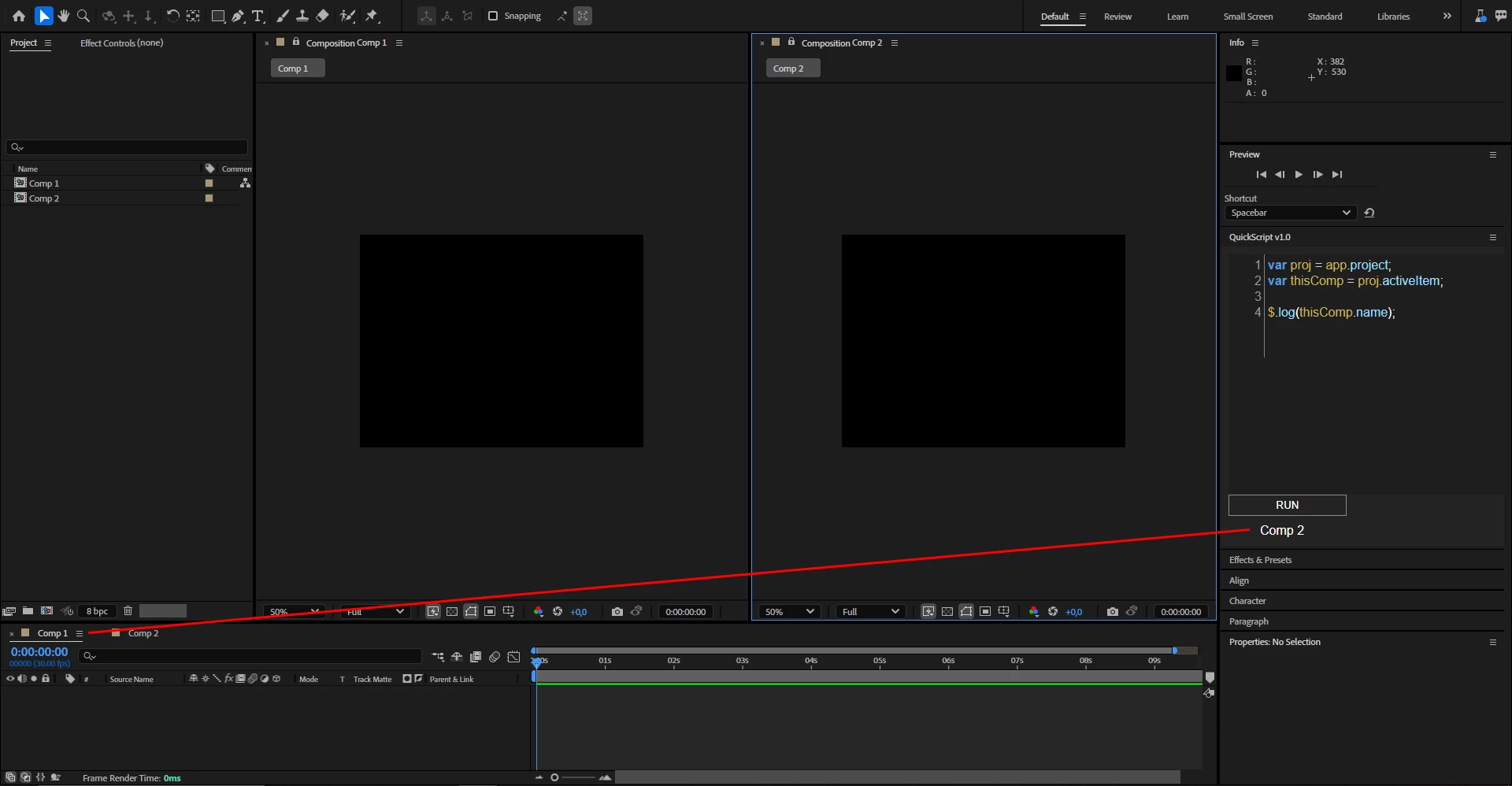
When the viewers are not locked, there is no confusion
 AdChoices