


Participant
December 8, 2022

Content Aware Fill error "Content-Aware Fill Error: Initialization Failed"

  • December 8, 2022
  • 1 reply
  • 496 views

When I try to do a content aware fill on a video clip located on an external SSD, I get the following error when I click the Generate Fill button:


After Effects warning: Content-Aware Fill Error: Initialization Failed
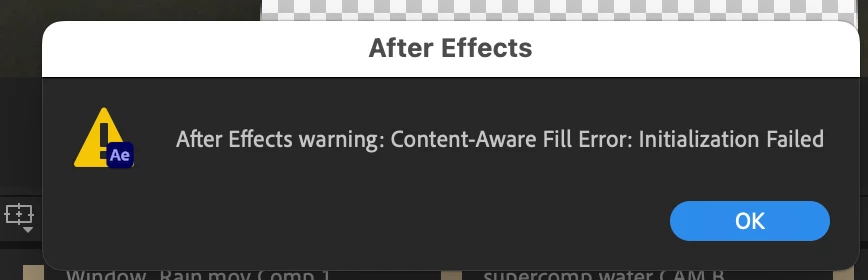
If I copy the media file to my local drive, and my .aep file to my local drive, the error does not happen.

Same media file, same process, no error.


I'm on MacBook Pro 16 inch 2021 running MacOS 12.6 and After Effects 23.0.0 Build 59.

This topic has been closed for replies.

1 reply

JohnColombo17100380
Community Manager
Community Manager
December 20, 2022

Hi @Tom5E0F,

Thank you for reporting this issue. We unfortunately aren't able to reproduce the same error/failure when using Content-Aware Fill on our in-house macOS test systems.


When CAF starts, it first will analyze the composition before rendering fill frames. This is indicated by the text above the progress at the bottom of the CAF panel. Does the error show up for you at the start of the Analysis phase or later on during the Rendering phase?


Is it possible that permissions on your external SSD are preventing the CAF from creating the rendered Fill frames? By default, CAF renders these frames in a "Fills" folder next to your project file. If this folder can't be created, it would cause CAF to fail. Try explicitly setting the destination for fill frames to somewhere on your local hard disk by going to "Content-Aware Fill Settings..." in the hamburger menu of the CAF panel, then changing Output Location from "Project Relative" to "Absolute" and choosing a path on your local drive.


Thanks again for reporting this issue and for any further information you can provide, 

- John, After Effects Engineering Team