
Font Samples Not Loading
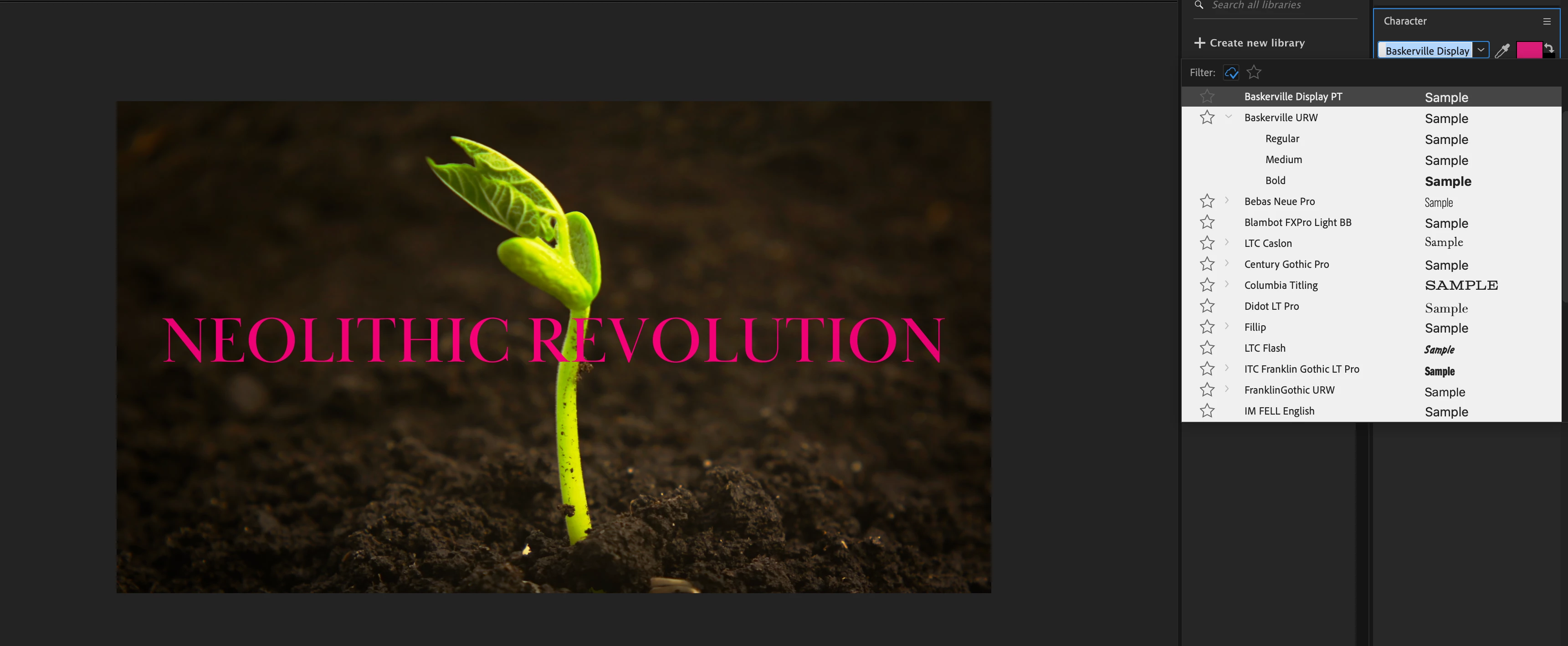
For many fonts in the Character window's dropdown, the "sample" is incorrect. For example, in my screenshot, you can see that Baskerville's sample is a generic placeholder sans-serif font, whereas Baskerville is actually serif (as shown in the actual comp on the left). And, I'm using Adobe Typekit's version of Baskerville. If there's any font sample they should get right, I figured it should be that one. There are many other Typekit font samples appearing incorrectly too. I've tried updating and rebooting many times. This is an ongoing issue. Is there any way to make these samples appear correctly?
I'm using...
- AE, 24.2.1
- Mac Sonoma, 14.3.1
Judging by other forums, it looks like this problem has been going on for years, but posting it here anyway. Hopefully someone can help. (Maybe @Douglas_Waterfall ?) Thanks in advance!


 AdChoices