


Participant
February 8, 2023

I can't open AE: "Advertencia de After Effects: Unknown ExceptioN"

  • February 8, 2023
  • 3 replies
  • 200 views

I have installed Creative Cloud and the latest version of After Effects, but every time I try to start it from CC it won't open, it won't even sleep the software. However, if I open it by going to the installation folder and starting from "AfterFX.exe", the startup screen appears but after a couple of minutes it just shows:
"After Effects Warning: Unknown Exception".


I have tried uninstalling After Effects and Creative Cloud, deleting all folder files, including temporary and data files, and nothing works. Please, I need urgent help for my work.
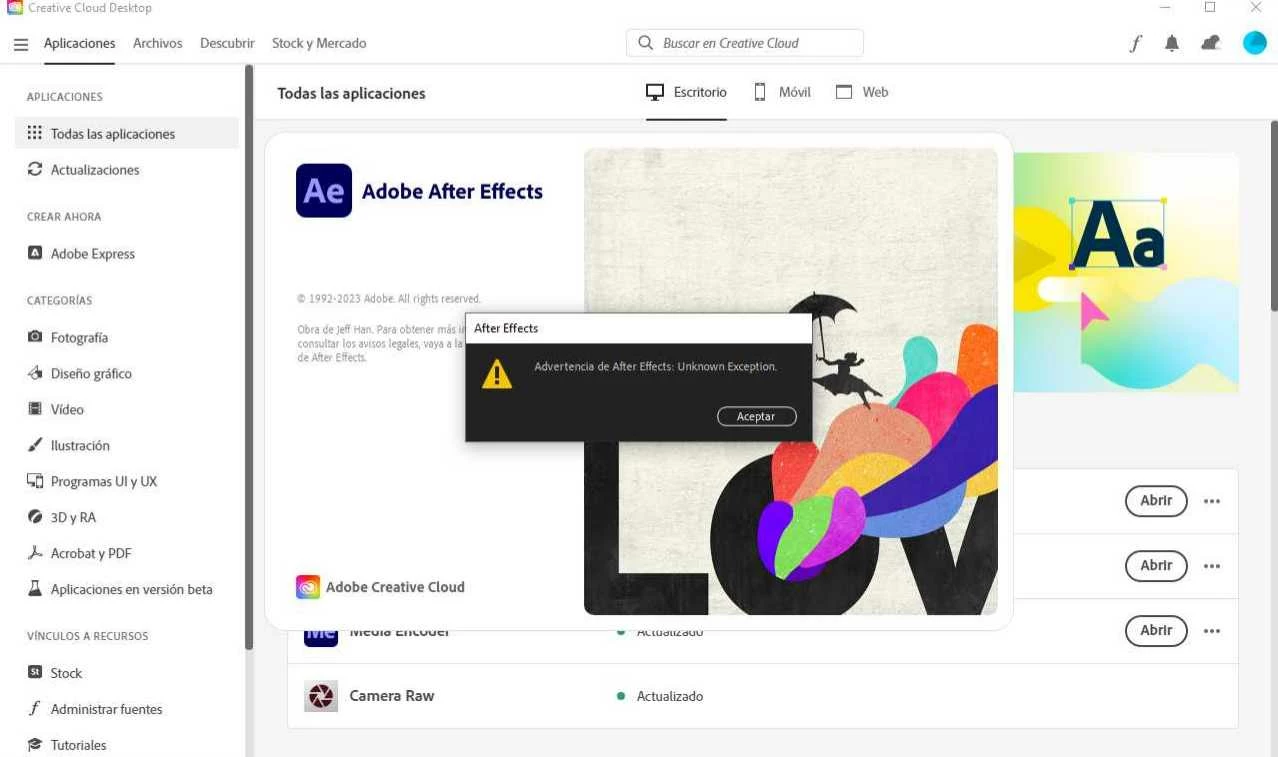


If you need any log file or something, please let me now.

After Effects 23.2

Windows 10 x64


3 replies

Mylenium
Legend
February 8, 2023

Check your Windows Update and in particular also install the correct versions of the MSVC and .NET runtimes. A lot of that stuff doesn't get installed by default.


Mylenium

Participant
February 8, 2023

The screenshot was timmed only to show the Error Message, my actual resolution is 1920 x 1080 (32 bit) (60Hz).

Checking the System Requirements, I have:
- AMD Ryzen 5 2600 Six-Core Processor (12 CPUs), ~3.4GHz
- Memory: 16384MB RAM

- Radeon (TM) RX 470 Graphics


And as I said, weeks ago I was able to initiate the program without problem, but now after reinstalling the OS and cleaning everything, now I have this trouble.

Mylenium
Legend
February 8, 2023

If this screenshot is representative of the actual screen resolution, then it's most definitely too small and this will never really work. refer to the system requirements.


System requirements | After Effects


Mylenium