
Participant
October 15, 2024

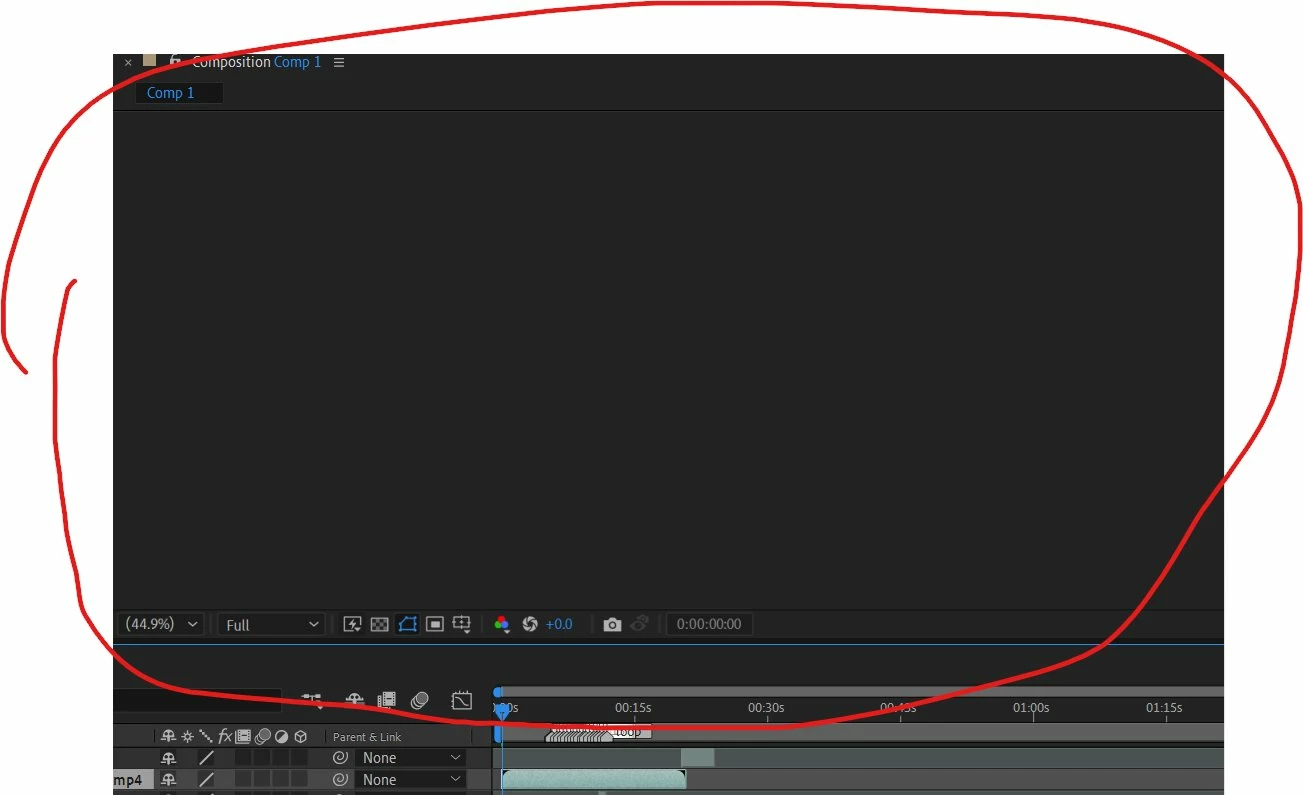
I can't preview in after effects

  • October 15, 2024
  • 2 replies
  • 366 views

This  happens every time I try to look at a preview in after effects in the 2021, and 2024 version as well as premiere pro 2023. It does not happen in after effects 2020 for some reason. I have already tried the basics like reinstalling drivers, updating windows, updating all my drivers, reinstalling, etc and nothing seems to work. For some reason I do get a preview when I disable my nvidia gpu, but when I reenable it the preview freezes and then turns like this again when I restart after effects. Does anytone know a fix? 
This topic has been closed for replies.

2 replies

Community Manager
October 21, 2024

Hello @haltae 

Thank you for reporting this issue.

Aside from @nishu_kush's recommendations, d
o you encounter these issues in the new version of AE - 25.0?

Are your video drivers current as well?

All the best,
Jessica 
AE Engineering

All the best,Jessica McMillan - AE Engineering
nishu_kush
Legend
October 15, 2024

Hi there,


Thanks for writing in. Can you try clearing media cache (Edit > Purge > All Memory & Disk Cache) and resetting the preferences of After Effects (Press Ctrl + Alt + Shift (Command + Shift + Option on Mac) and launch After Effects)?

Let us know if that brings any change.


Thanks,
Nishu