Participant
October 1, 2026

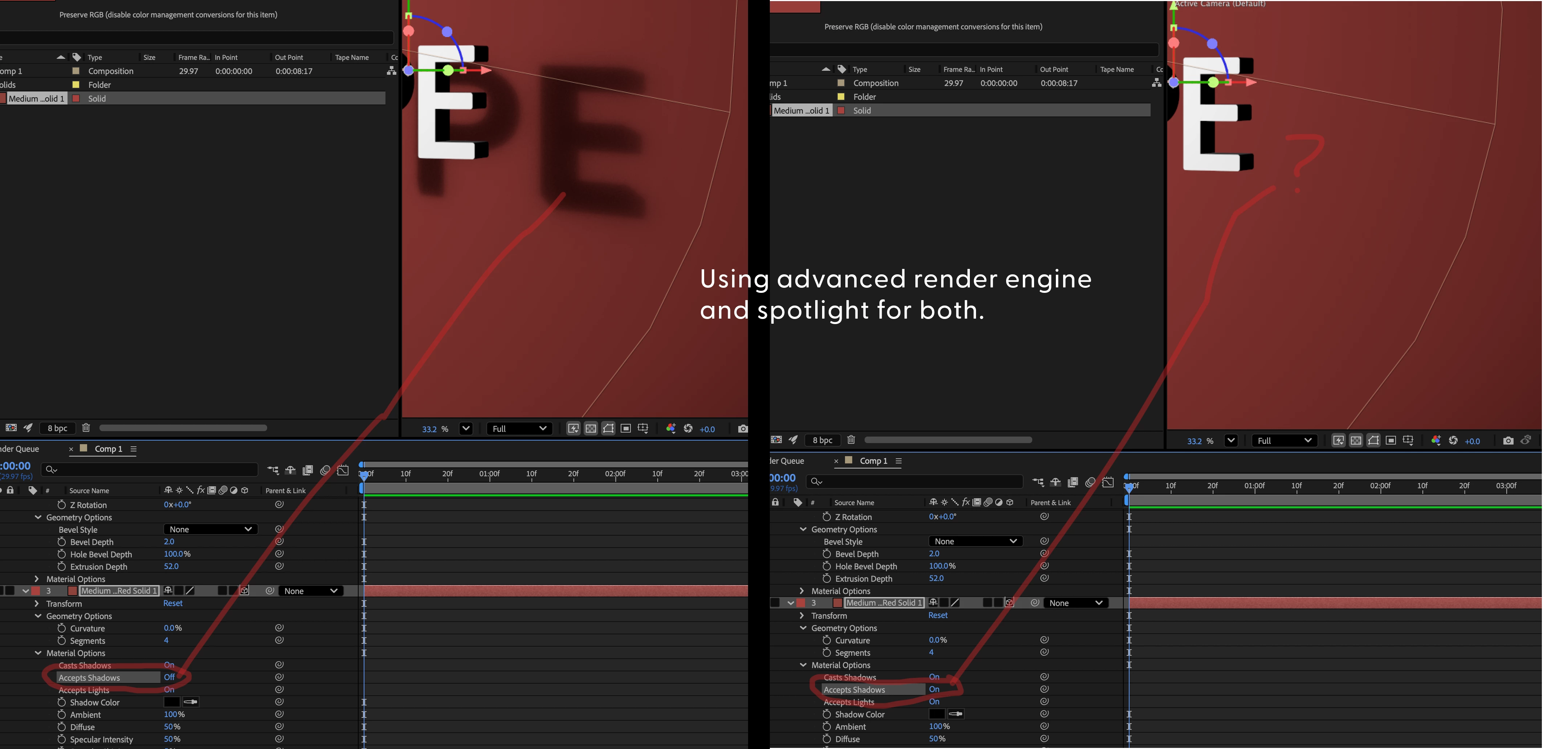
In advanced render engine "accept shadows" makes shadows disappear.

  • October 1, 2026
  • 4 replies
  • 24 views


Pinned Reply By David.Arbor

Excellent, glad that did the trick! 26.0 is from last October. It might be worth enabling Auto-update from the Creative Cloud desktop app to make sure you have the latest and greatest version. 


In addition to bug fixes, we also released a ton of new features this year. Check out what made it into 26.2, 26.3, and the most recent 26.5 updates: https://helpx.adobe.com/after-effects/desktop/what-s-new/whats-new.html


-David, After Effects Engineering Team
4 replies

David.Arbor
Community Manager
Community Manager
October 2, 2026

Excellent, glad that did the trick! 26.0 is from last October. It might be worth enabling Auto-update from the Creative Cloud desktop app to make sure you have the latest and greatest version. 


In addition to bug fixes, we also released a ton of new features this year. Check out what made it into 26.2, 26.3, and the most recent 26.5 updates: https://helpx.adobe.com/after-effects/desktop/what-s-new/whats-new.html


-David, After Effects Engineering Team

David.Arbor
Community Manager
Community Manager
October 1, 2026

Hi ​@Ted27416952v1pm ,


What exact version of AE are you using? I just tried this same setup in 26.5.0x89 and it works as-expected. Would you mind sending me your project?


Thanks,

David, After Effects Engineering Team

Participant
October 2, 2026

The exact version is 26.00 and it looks like I need an update. Here’s that file. 

Participant
October 2, 2026

Updated and the issue was fixed!