


Incorrect Glyph Rendering for Unicode U+0069 (‘i’ Character) and Inconsistent Letter Case Display in
Hello. I am experiencing a persistent text rendering issue in Adobe After Effects that affects the lowercase Latin ‘i’ character (Unicode: U+0069) as well as some general letter case behavior.
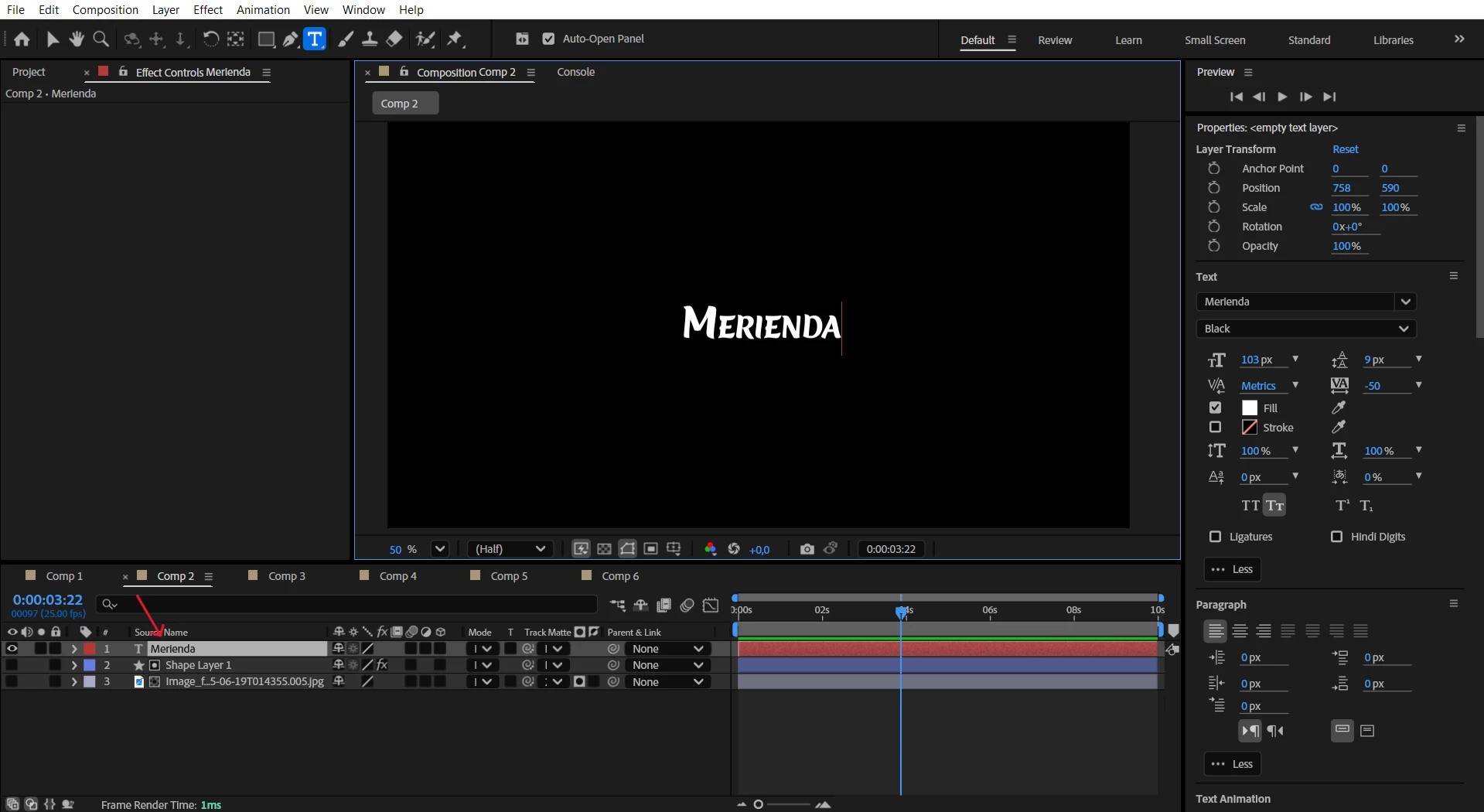
Issue Summary:
When I type the lowercase ‘i’ character in After Effects, the text layer internally registers it correctly as U+0069, and this is also reflected in the layer name and Character panel.
However, on the composition screen, the rendered character visually appears as the Turkish dotless ‘ı’ (Unicode: U+0131), even though I did not type that character.
This behavior occurs consistently across multiple third-party fonts.
I have confirmed that the same fonts display the correct 'i' character in other design platforms such as Canva, so the issue appears to be isolated to After Effects.
Additionally, I’ve observed that some lowercase characters are rendered as uppercase in After Effects without any capitalization settings or transformations being applied.
System and Environment Details:
After Effects version: 25.3.0 (Build 71)
Operating System: Windows 11 Home (Turkish interface)
Keyboard layout: Turkish Q
After Effects Language: English
Laptop Model: Lenovo LOQ 15IRX9
RAM: 16 GB DDR5
As a test, I also switched the keyboard input to English (US) layout to rule out input mismatches — the issue still persists.
In Preferences > Type, there is no option available to change the text engine (e.g., to “South Asian and Middle Eastern”) in this version of After Effects
Could you please investigate whether this is a rendering bug within After Effects’ text engine, a compatibility issue with Unicode characters under Turkish locale settings, or something else?
I would greatly appreciate any clarification, suggested workarounds, or confirmation if this is a known issue.
Thank you in advance for your help.
 AdChoices