

Inspiring
October 1, 2025

Newest After Effects requires old C4d

  • October 1, 2025
  • 1 reply
  • 191 views

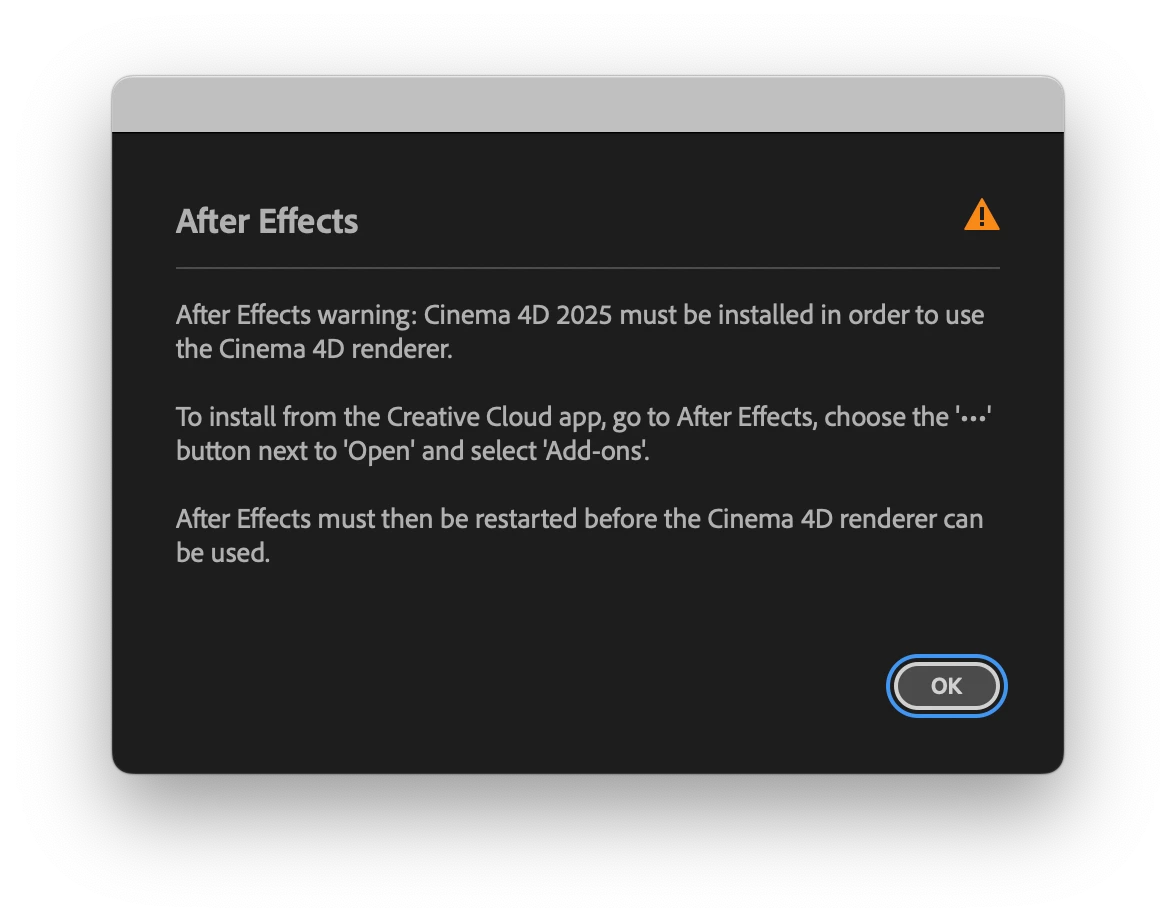
When opening my Ae Project in Ae 25.5, a message pops up that it needs C4d 2025 installed.

Why doesn't it work with C4d 2026 ?

I'm on MacOS Seqoia 15.4 / Mac Studio M3 Ultra.


1 reply

David.Arbor
Community Manager
Community Manager
October 1, 2025

Hey @Jaydude-wb,


The Cinema 4D comp renderer uses components from the version of C4D that Maxon provides us and we ship with AE.


If you want to use that render engine, you'll have to install C4D from the "Add-ons" section of AE in Creative Cloud Desktop app. This video shows a slightly older version of Creative Cloud, but the steps are generally the same today: https://youtu.be/0nipDGanPu0?si=PQhYlEj0FlngNi8y&t=35


That aside, I'd love to hear what you're working on with that engine. Have you tried Advanced 3D? It's much faster and supports all of the new 3D developments we've been adding. I know you're opening an old project, so it might not make sense to switch renderers, but I just figured I'd ask as long as I was here.


Thanks,
- David, After Effects Engineering Team
