


No correct display of RGB under OCIO
Hello Community,
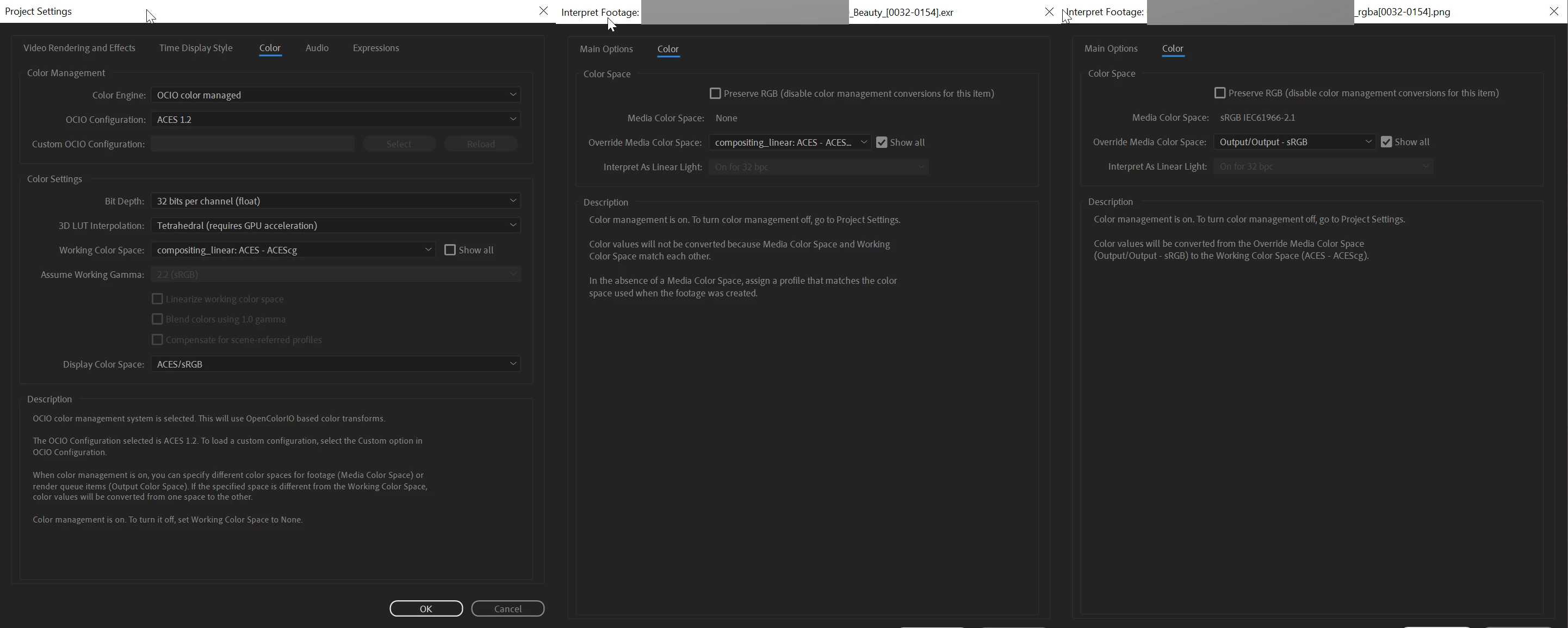
in my company we often work with 3d renderings in ACEScg color space, combined with footage from other sources mostly in sRGB. I have set up the Project Settings in After Effects as described in Adobe Help, Color Engine: OCIO color managed, OCIO Configuration: ACES 1.2, 32 bits per channel, Working Color Space: compositing_linear: ACES-ACEScg, Display Color Space:ACES/sRGB.
I set my ACES exr 3D renderings under Interpret Footage to compositing_linear: ACES-ACEScg and my sRGB png images to Output/Output-sRGB.
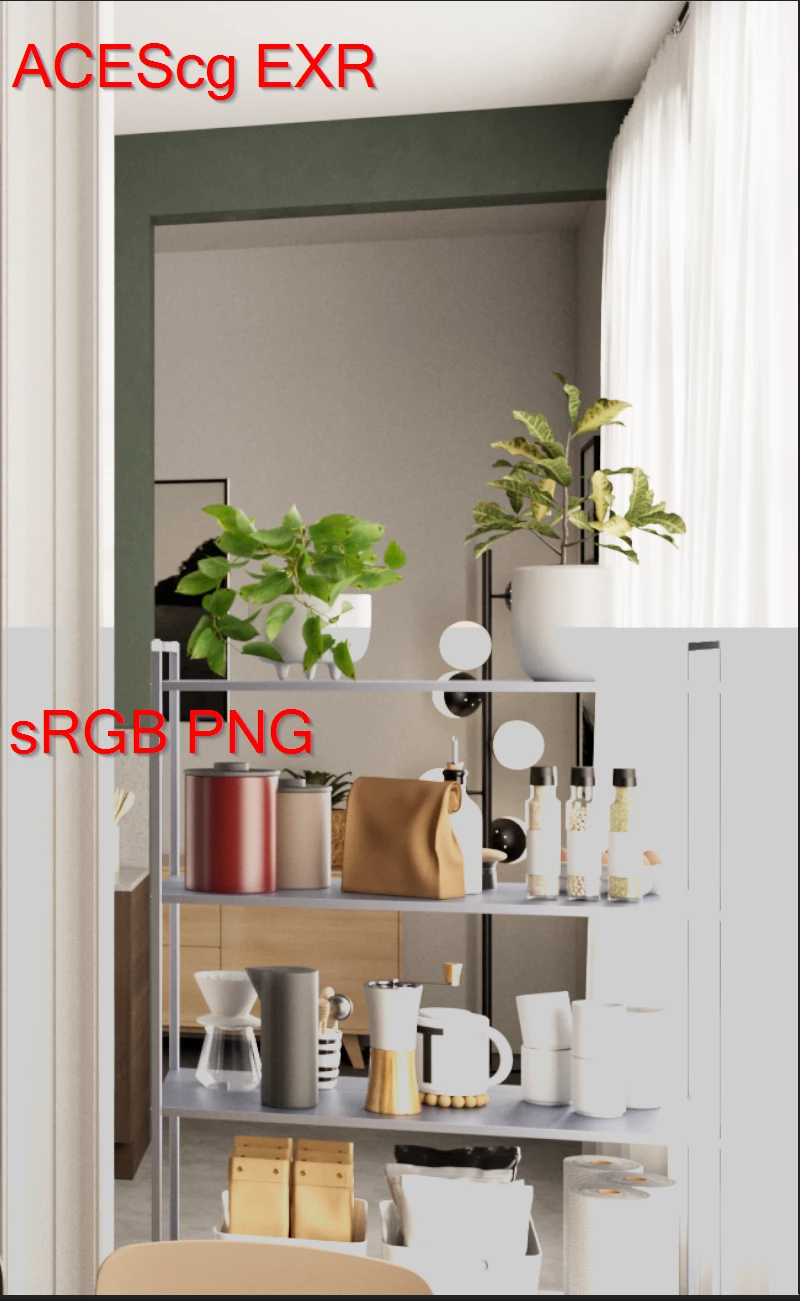
Now when I view both in a composition, the highlights of the sRGB png lose information. In parts of the image where previously fine gradations in the highlights are now a plain white withe the value 1 as you can see in the attached image in this post.
All further attempts with other settings in the OCIO plugin brought no success.
To check if with the images are correcly I use Nuke.
After Effects 23.2.1 (Build 3)
Windows 10
Best
Sven
 AdChoices