


Open for Voting
Not all installed scripts are visible in the shortcut key editor, which poses two problems.
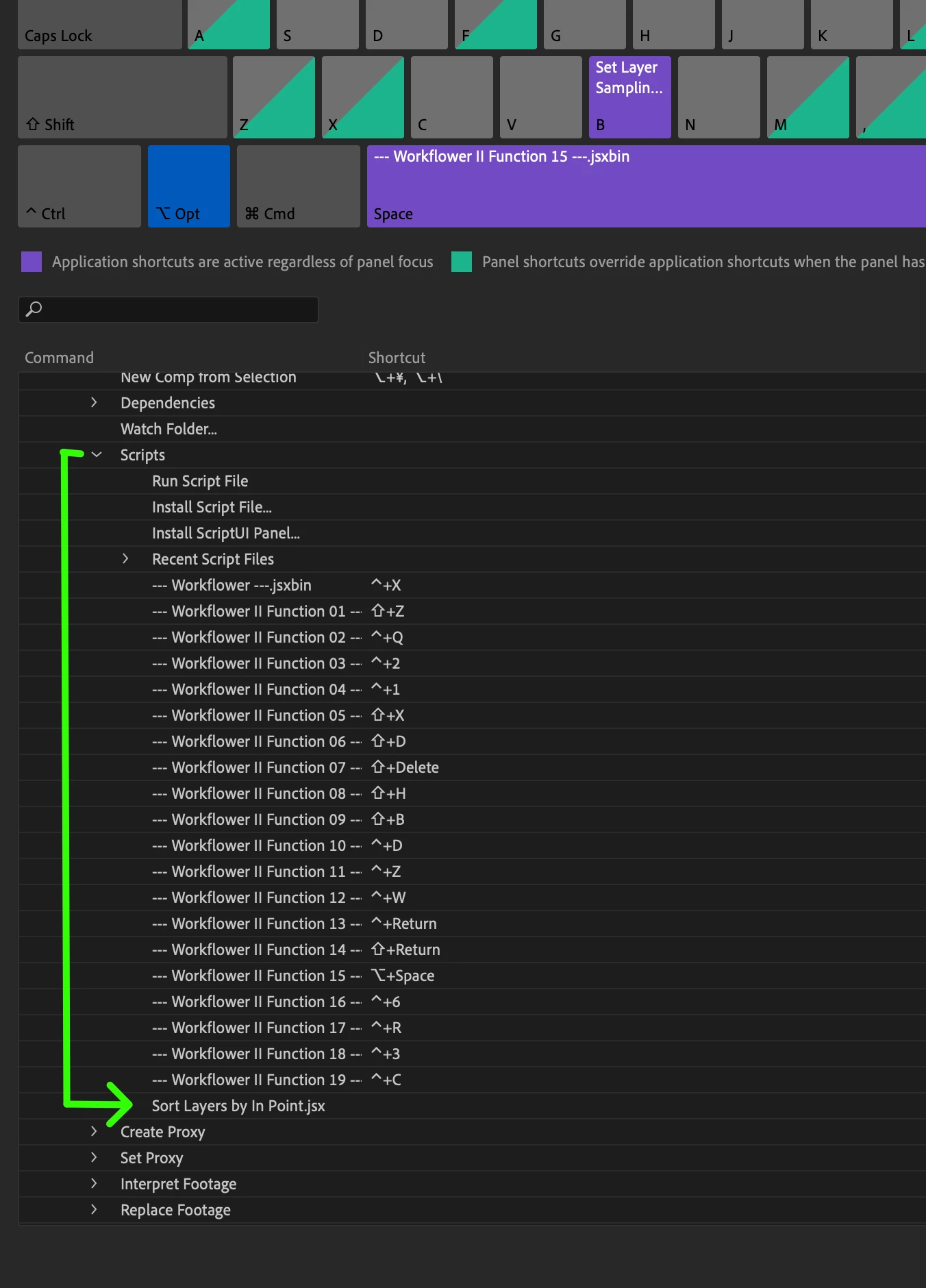
- Issue -When there are too many scripts in the application scripts folder, not all scripts are listed in the keyboard shortcut panel, making it impossible to set shortcuts for desired scripts.
- Adobe After Effects version number - 23.5
- Operating system - mac os 13.2.1
- Steps to reproduce - Put many scripts in scripts folder, look it up in the shortcut key editor under applications/file/scripts
- Expected result - Not all scripts that are in the scripts folder are accessible under applications/file/scripts in the shortcut key editor
- Actual result - Not all scripts that are in the scripts folder are accessible under applications/file/scripts in the shortcut key editor
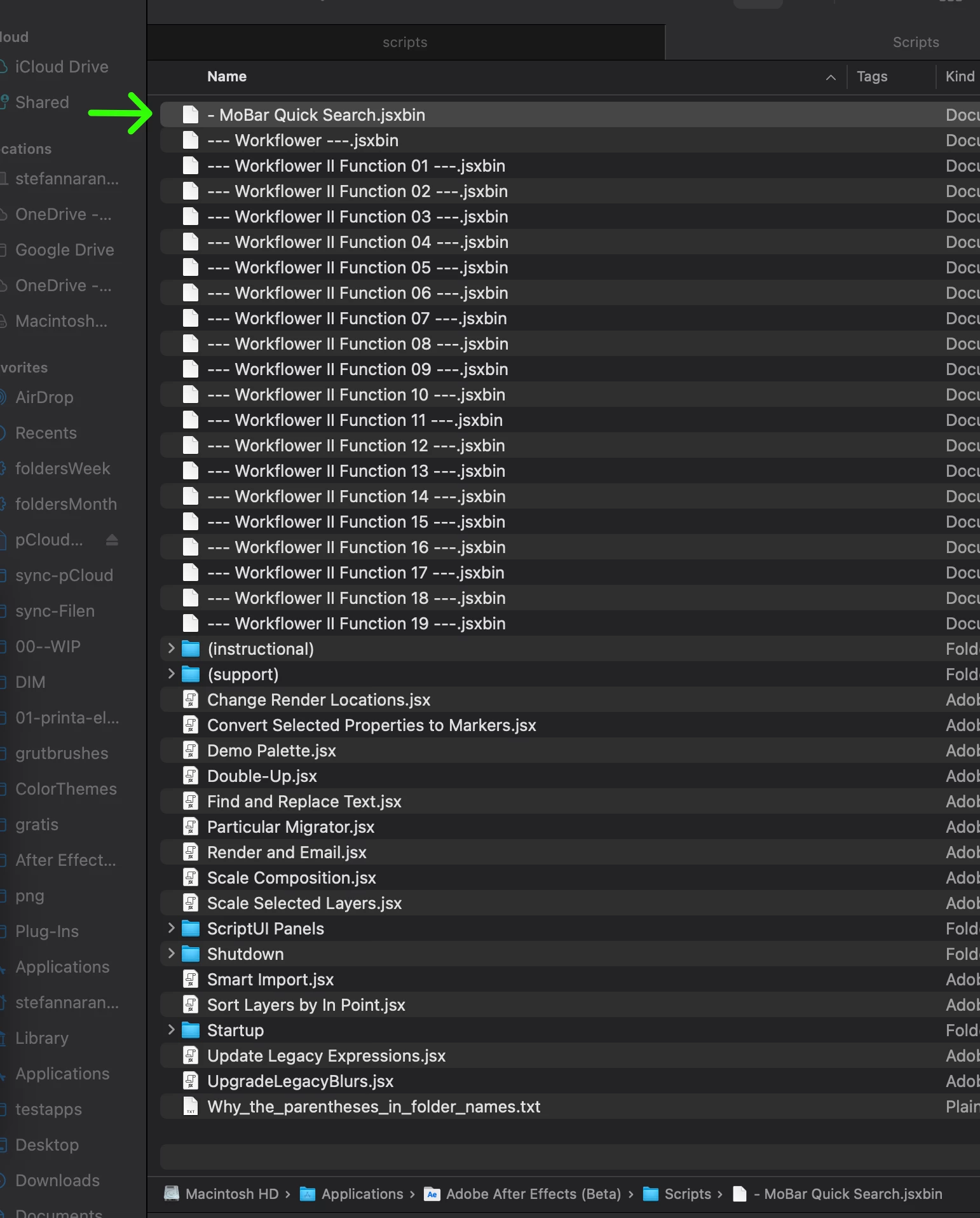
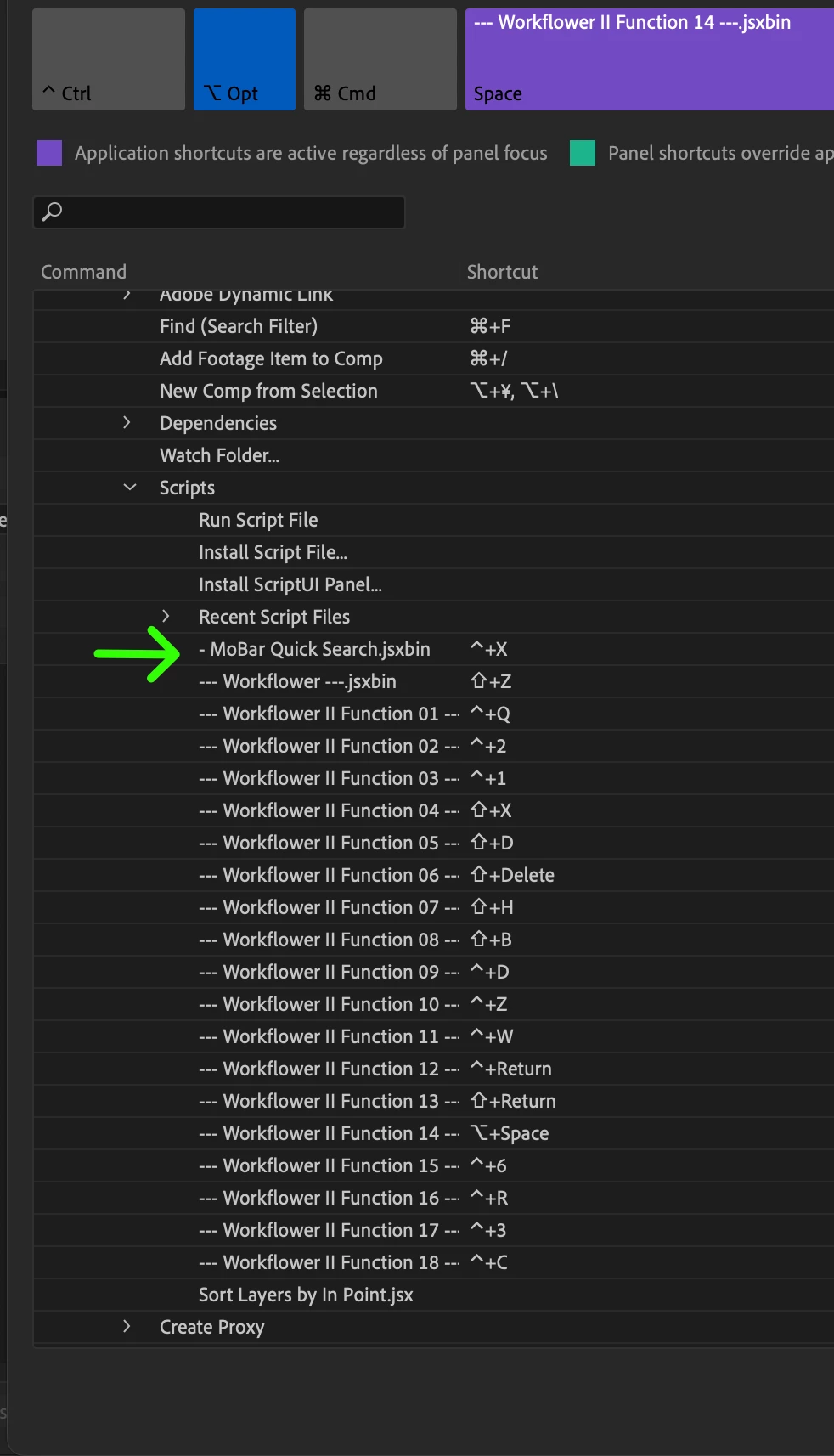
Optional but useful: In the screenshots, I renamed a script that wasn't initially visible to make it appear first in the name sorting order. This was done to demonstrate that it is being loaded, even though it's not accessible unless the script order is rearranged. However, the remaining invisible scripts remain hidden. Another issue is that the renamed script inherits the shortcut key commands from the previous script sorting order. This poses a problem as it disrupts the shortcut keys intended for other operations.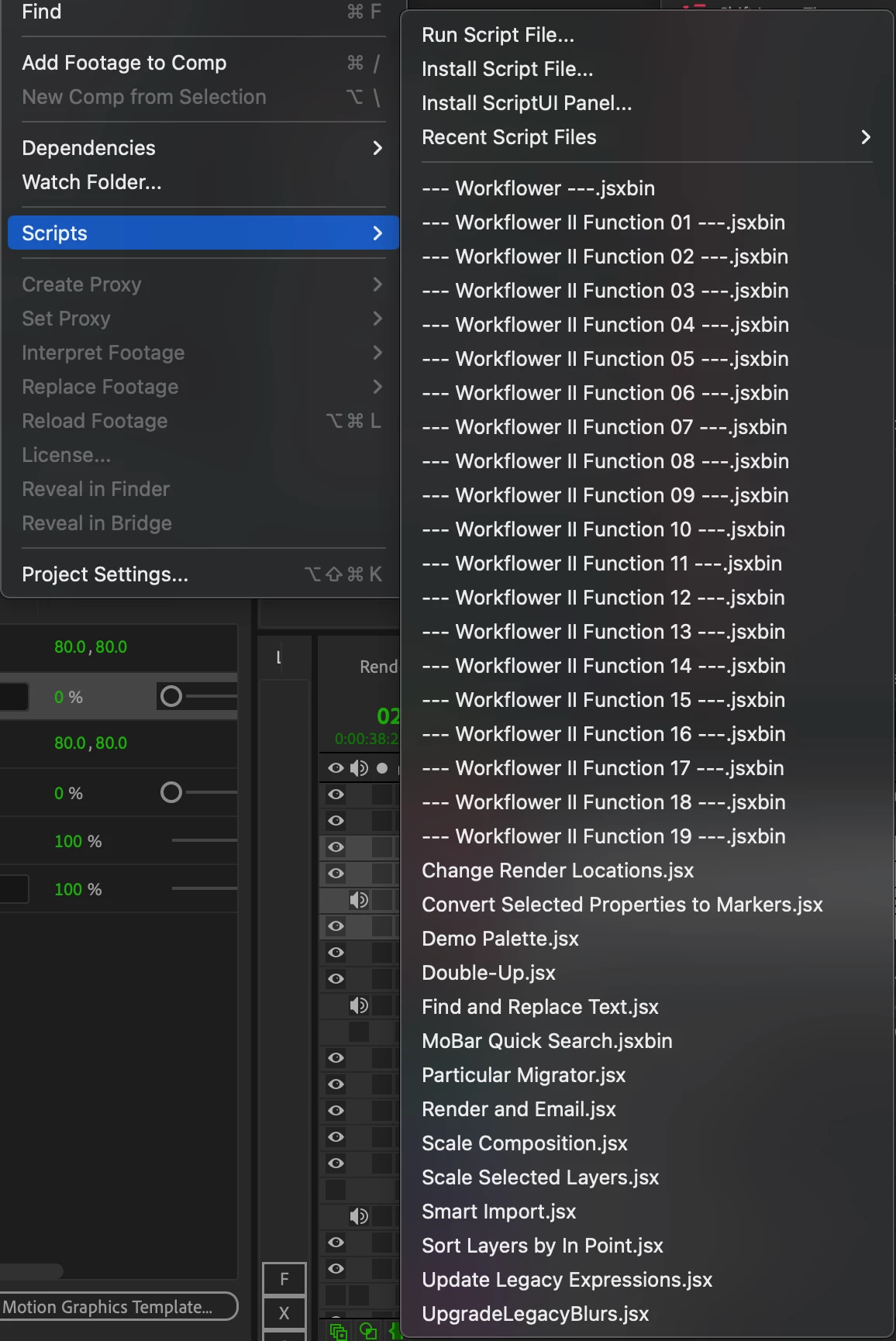
 AdChoices