


Panasonic V-Log/V-Gamut footage overexposed in After Effects but correct in Premiere Pro
Issue
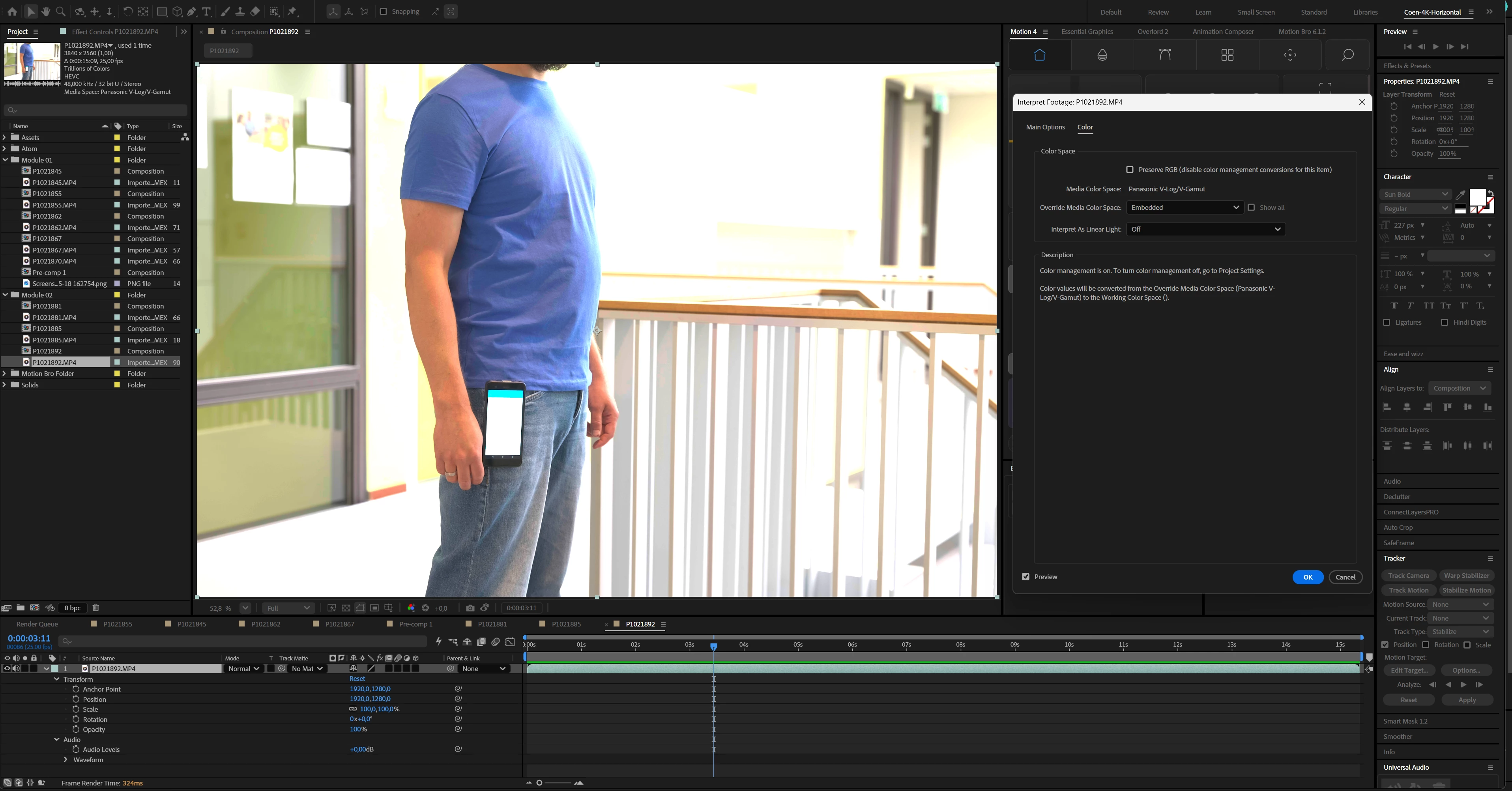
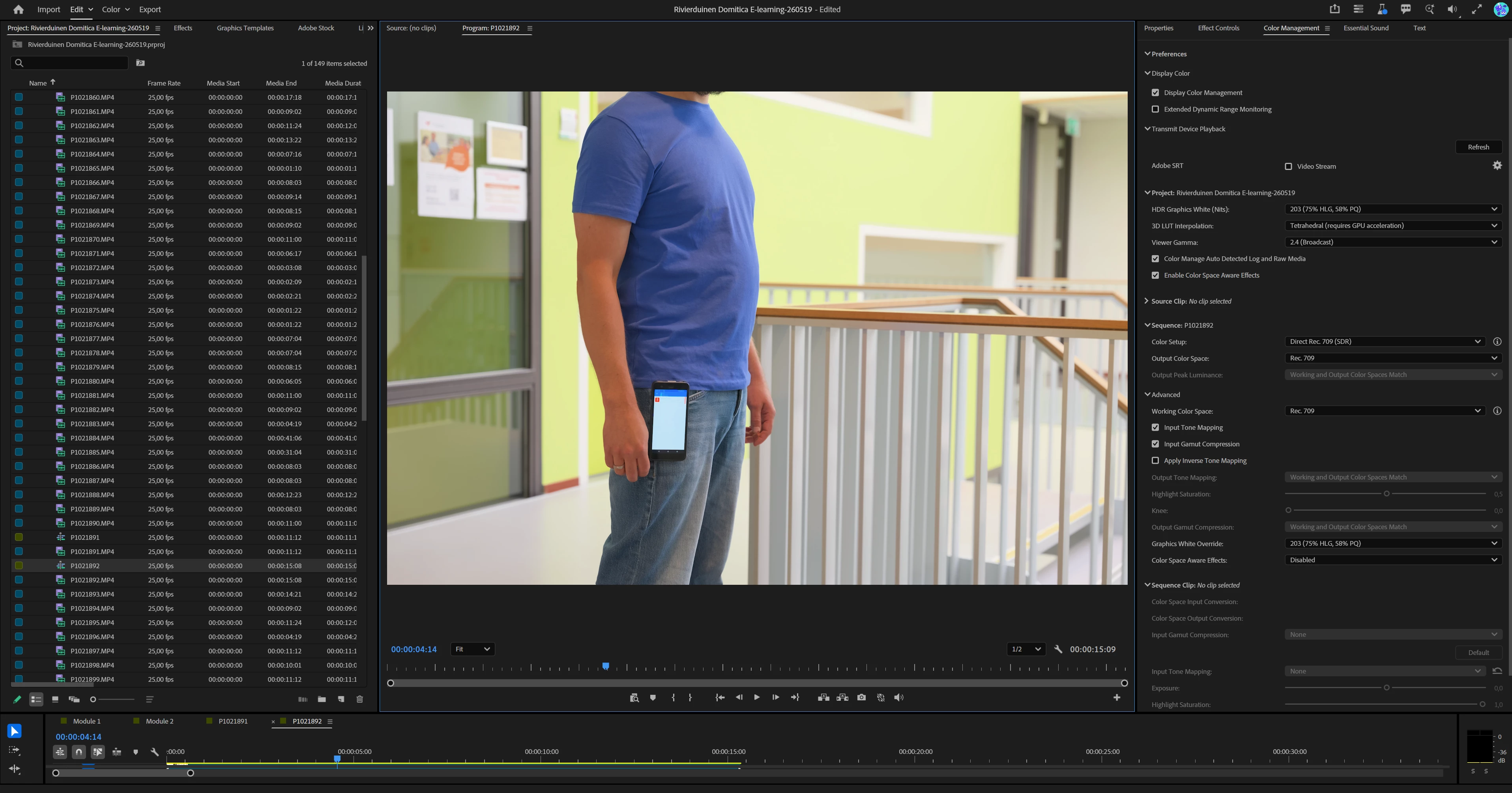
After Effects inconsistently interprets Panasonic V-Log/V-Gamut footage using the Embedded / Media Color Space workflow. One clip is converted correctly, while another clip from the same camera/project becomes extremely overexposed in After Effects. The same clips are interpreted correctly in Premiere Pro.
Steps to reproduce
- Open After Effects 26.2.1 or After Effects Beta 26.5.0.
- Create a new project.
- Set Project Settings > Color to:
- Color Engine: Adobe color managed
- Working Color Space: Rec.709 Gamma 2.4
- Compensate for scene-referred profiles: enabled
- Import the two Panasonic Lumix S1 II V-Log/V-Gamut MP4 clips included here:
https://bestanden.debeeldbrekers.com/shares/zGR8Tw - Open Interpret Footage > Color for the clips.
- Confirm that After Effects detects:
- Media Color Space: Panasonic V-Log/V-Gamut
- Override Media Color Space: Embedded
- Preserve RGB: disabled
- Interpret As Linear Light: Off
- Place both clips in compositions.
- Compare the result in After Effects.
- Import the same clips into Premiere Pro Beta 26.5.0 with color management enabled.
- Compare the result.
Expected result
Both clips should be interpreted consistently in After Effects. Since both are Panasonic V-Log/V-Gamut clips from the same camera/project, they should both be converted normally to Rec.709.
The result should broadly match Premiere Pro, which interprets both clips correctly.
Actual result
One clip is interpreted correctly in After Effects, but the other becomes extremely bright/overexposed.
This happens in both:
- After Effects 26.2.1
- After Effects Beta 26.5.0
Changing Override Media Color Space from Embedded to manually selected Panasonic V-Log/V-Gamut does not fix the issue.
The same affected clip looks correct in Premiere Pro Beta 26.5.0 using its color management workflow.
Versions
After Effects: 26.2.1
After Effects Beta: 26.5.0
Premiere Pro Beta: 26.5.0
OS: Windows 11
Video format
Camera: Panasonic Lumix S1 II
Profile: V-Log/V-Gamut
Codec: HEVC
Resolution: 3840 x 2160
Frame rate: 25 fps
Container: .MP4
Sample clips:
https://bestanden.debeeldbrekers.com/shares/zGR8Tw
Additional note
This appears to be specific to After Effects’ implementation of the Embedded / Media Color Space workflow. Premiere Pro handles the same clips correctly, while After Effects produces inconsistent results between clips that should be interpreted the same way.
 AdChoices