WalterAF85
Inspiring
November 14, 2025

Premiere to Replace AE Composition does not bring footage to After Effects 25.6

  • November 14, 2025
  • 10 replies
  • 207 views

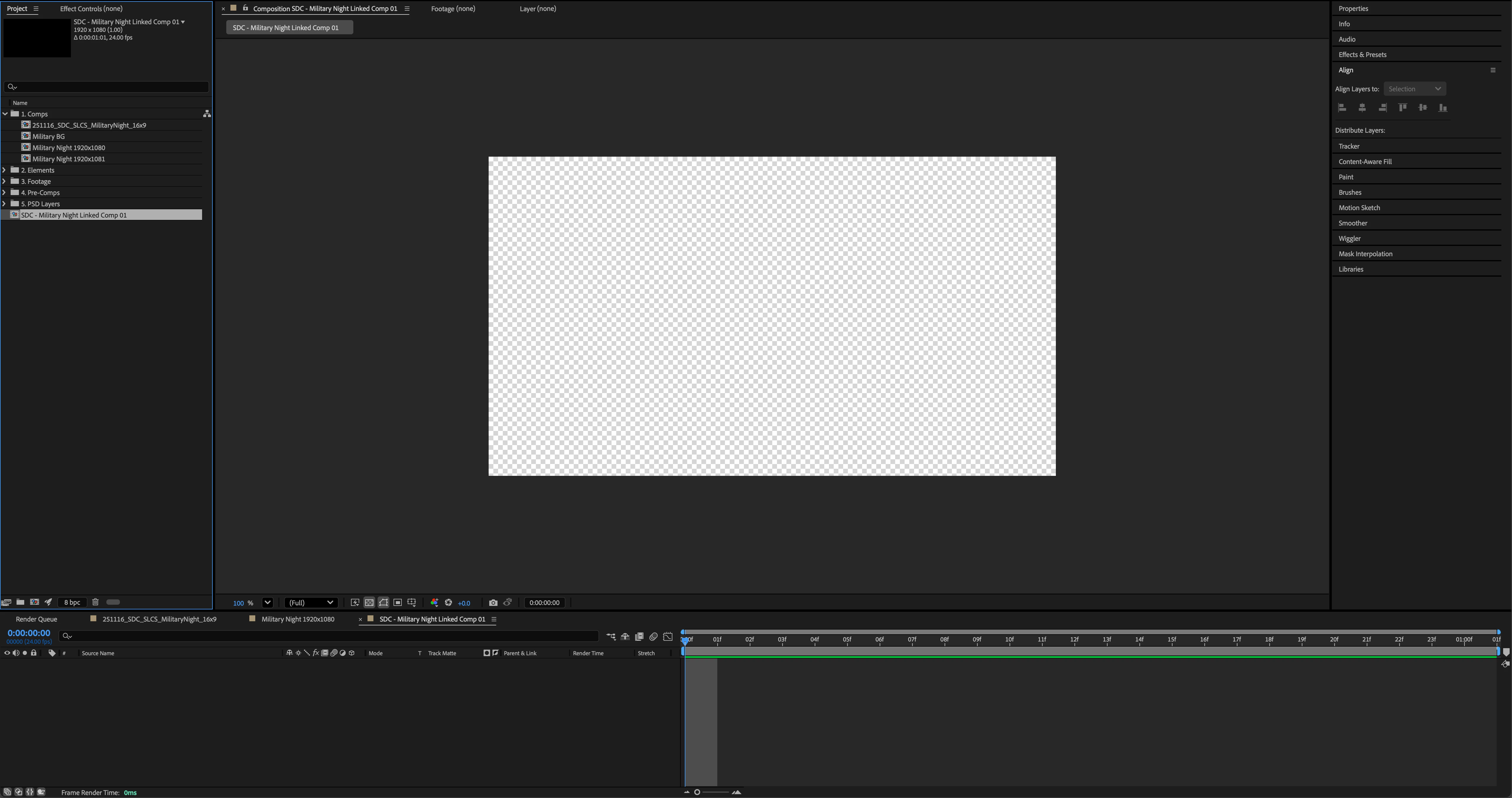
I recently updated my Premiere & After Effects to 25.6.


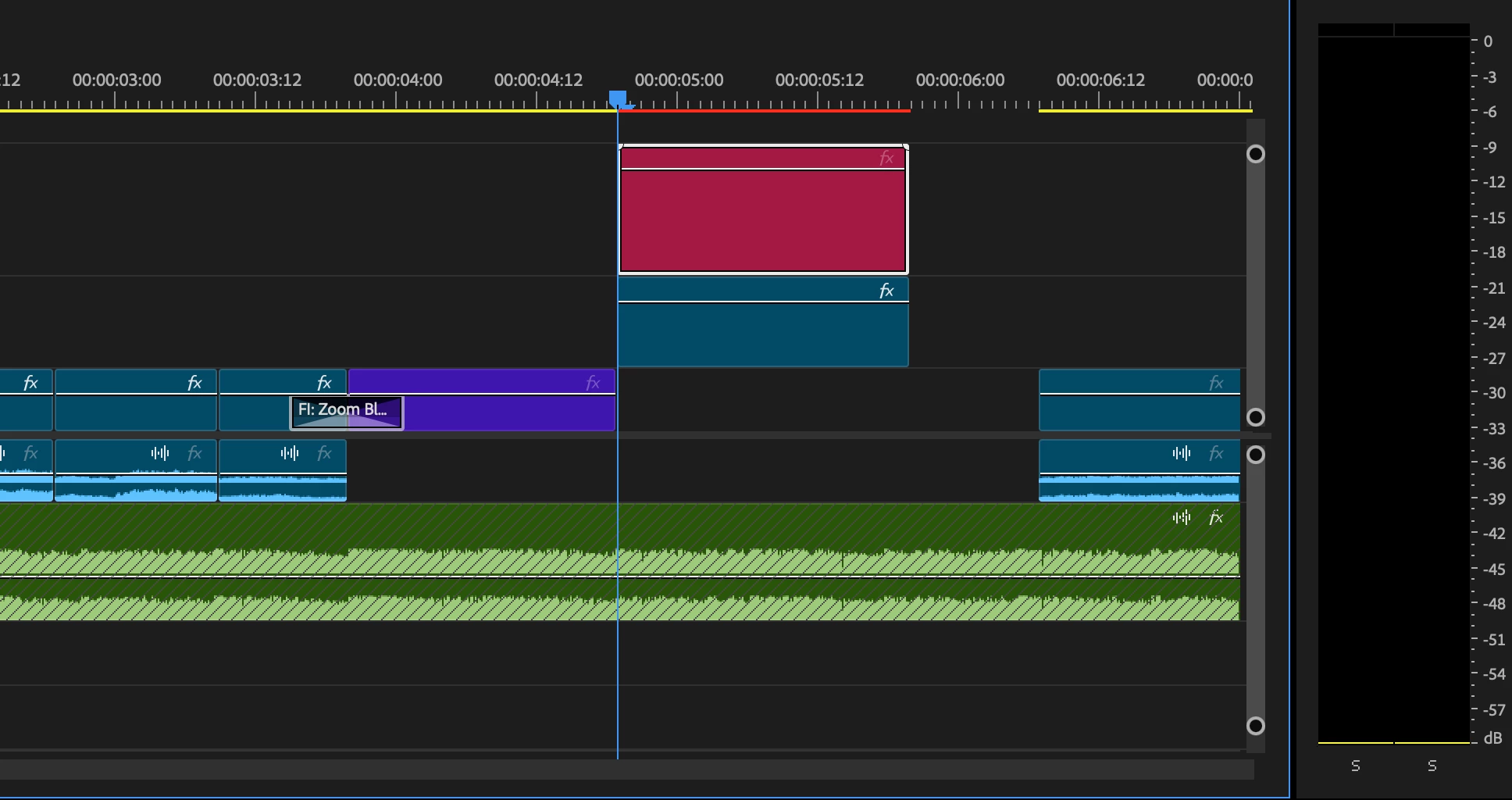
I would normally duplicate my footage in my sequence on the above layer, then right click and click "Replace to After Effects Composition."


Normally, it would place the footage in the After Effects software, but now it doesn't show it at all.


Is there a fix to this?

Photos included.
  

10 replies

WalterAF85
Inspiring
November 20, 2025

Hey @nishu_kush @David.Arbor ,


Updated Premiere to 25.6.1 and thankfully it worked out.


However, upon update my Premiere Projects have given me new problems which I will send to the Adobe Premiere Community Post.

Photos of what I came across:


Thankfully, most of my recent projects are duplicated from 25.5.0, so I am okay.


Thank you all for your help and I appreciate receiving feedback and responses in a timely manner.

nishu_kush
Community Manager
Community Manager
November 20, 2025

Premiere Pro 25.6.1 is now available for all users. Let us know if installing the latest version helps.


Thanks,
Nishu

David.Arbor
Community Manager
Community Manager
November 17, 2025

Sorry to hear that didn't work for you. I have some good news, though. I just found out that this is actually a known issue, and we have a fix. In the meantime, you have two options:


  1. Roll back to 25.5 until the patch of Premiere (25.6.1) is released.
  2. It actually looks like that rollout has begun, so if you have PR 25.6.1 in your Creative Cloud desktop app, install it and see if the issue is gone. Note, there won't be a corresponding update for AE since the issue existed inside of Premiere. 


Thanks,
- David, After Effects Engineering Team

WalterAF85
Inspiring
November 17, 2025

Hey @David.Arbor 


I just tried out restarting my computer both ways:

1) When my computer was on, and I went to restart.

2) When I shut down my computer, and then started it up.


Unfortunately both did not work just now.


Thank you for all the support and test runs.

David.Arbor
Community Manager
Community Manager
November 16, 2025

Thanks for that basic test. It's helpful to narrow out any red herrings. Given that I was able to do the same thing successfully, I wonder if the DynamicLinkManager is hanging.

You can quit both apps, then force quit that process, but the easiest way to restart all processes (in case others are hanging) is to restart your computer. 

Has your machine by any chance been on for awhile without a restart? 


Thanks,
- David, After Effects Engineering Team

WalterAF85
Inspiring
November 16, 2025

Hey there,


Actually I started it with an AE project already created so it can be moved into that AE project.


I tested it where I made a new project as well without having After Effects opened, and it still did not work.

WalterAF85
Inspiring
November 16, 2025

Hey David,


Yeah to answer your question it's just a simple clip I selected on Premiere, duplicated that clip and placed it above the original clip, and then Replace After Effects Composition. So yes, it's just an .mp4 video.


I tested a new project with new video which was a 4K (3840x2160 59.94fps), made a new project in After Effects, and unfortunately it did not work.


Thank you for your timely respone.

Participant
November 15, 2025

Experiencing the same issue after upgrading to 25.6. "Replace with After Effects Composition" does not bring the two images I have selected into After Effects. (I have tried this with After Effects closed and After Effects open prior to my attempts).

David.Arbor
Community Manager
Community Manager
November 15, 2025

Hi @WalterAF85,


What kind of footage are you working with? Is this a special clip or is there anything going on other than it being a piece of footage? 

As a test, can you try a new project and send a single clip from PR > AE? I just confirmed this worked on my end in 25.6 of both apps.


Thanks,
- David, After Effects Engineering Team

Community Expert
November 15, 2025

Is After Effects closed when you start this process? Is After Effects opening and asking you to save the project?