


Known Participant
December 18, 2024

Project File Created in AE 2023 Broken in AE 2024. Help Please.

  • December 18, 2024
  • 15 replies
  • 1769 views
Need urgent help please.
 
A project file that I am currently selling in a marketplace is now BROKEN in After Effects 2024 / 2025. It was created using AE 2020 / 2023, and still works fine in those versions.
 
I've spent many hours trying to figure it out, and not many answers.
 
The project is essentially a flip board, with a series of tiles that have a Start set of text animating to reveal an End set of text. It works great as designed in AE 2023, but in AE 2024/2025 the text in the tiles goes all wrong: the wrong letters appear in the tiles at seemingly random times; even empty tiles that should contain no letters will show letters in some frames. Or, letters will disappear then reappear.
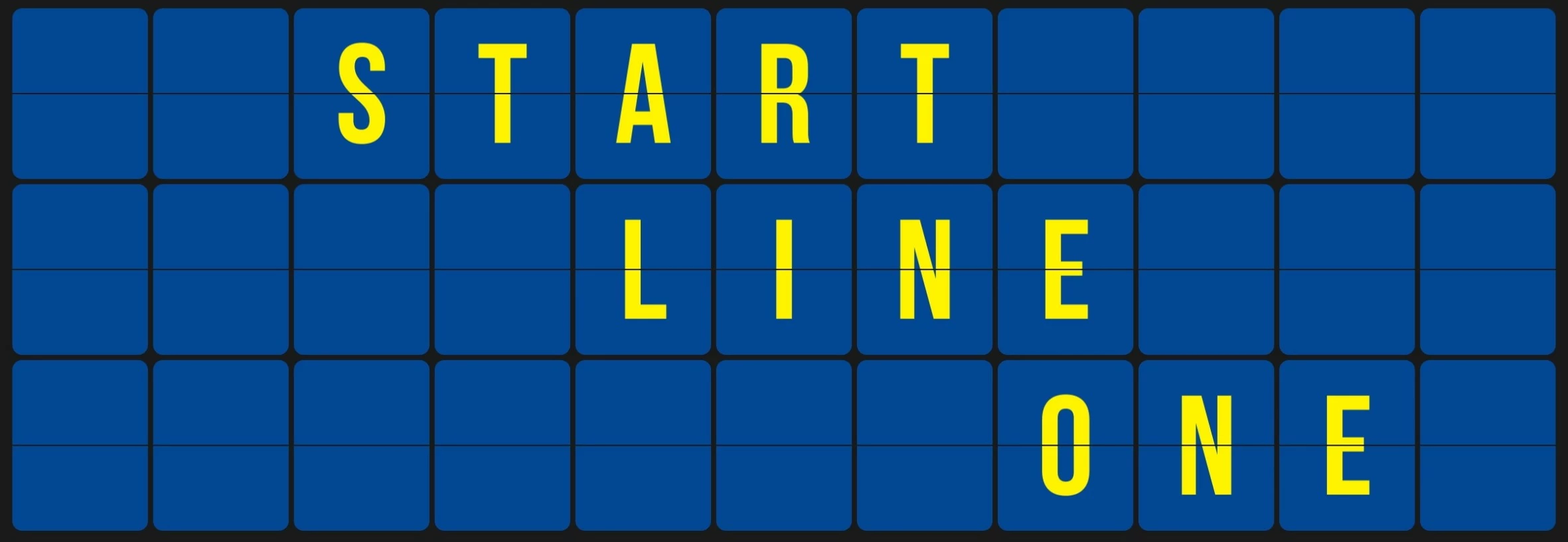
 
 
Using a Purge > Memory & Disk Cache seems to shuffle the problematic results. So it seems that the glitches are fairly random, and a cache purge will produce different problematic results.
 
I've provided a stripped-down version of the project with text already inserted. I've also provided two video files, one showing the correct render out of 2023, and one showing an example of the problems in 2024.
 
Adobe, please check out the project file in 2023 / 2024 and let me know what is going on. I need answers as quickly as possible so I know a path forward with the project on the marketplace. (Preview / render the "Flip_Board" composition).
 
Ae 2023 / 2024 / 2025
Windows 10
 
Thanks,
-Adam

15 replies

May 19, 2025

It's very unlikely this will get patched back into 24.*. The lifetime of support on that release is coming toward the end, and the fix is buried deep in some shared technology that we haven't been able to figure out whether it can be backported into 24.*. 

FizzrockAuthor
Known Participant
May 18, 2025

I just tested the project in AE v24.6.6, and the bug still exists.

Can you please just reply and let me know if it will be fixed in v24?

FizzrockAuthor
Known Participant
April 3, 2025
I have verified that AE v25.2 did indeed fix the text bugs in my flip board project file.
HOWEVER, it is still broken in AE v24.6.5
Why was it not fixed in your latest v24 update?
 
So currently, my project will work fine in AE 2023 and older, and in 2025, but is still broken in 2024... 
Can you put the fix in 2024?? 
Why make 2024 the only version that still has the bug, especially when EARLIER versions of 2024 worked fine, and it was one of the 2024 updates that introduced the bug and broke the project?
 
As you know, many (if not most) AE users will use older versions of AE, often due to certain plugins not working with the newest AE versions.. So with AE 2024 still having the bug, many users will not be able to use the project file... 
 
Sébastien Périer17107209
Community Manager
After Effects Sr. Quality Engineer
April 2, 2025

Hi everyone, 

This issue has been fixed in the new After Effects 25.2. release.

Please let us know if you're still experiencing it after upgrading. 

As always, you can check all the fixed issues here: https://helpx.adobe.com/after-effects/kb/fixed-issues.html

Sébastien Périer
After Effects Quality Engineering

JohnColombo17100380
Community Manager
Community Manager
January 6, 2025

Thanks for that confirmation, @Fizzrock. Changing this status to Started since the issue is fixed in the Beta builds.


- John, After Effects Engineering Team  

FizzrockAuthor
Known Participant
December 19, 2024

I installed AE Beta and tested the project file, and it does indeed seem to have fixed the text problems.

I will continue to test more, and will report if I see any lingering problems.


Thank you very much for your quick response to this issue, much appreciated.

December 19, 2024

After more testing today, we think this may have been fixed for our next release of AE. If you're able, you can install the AE Beta from the Creative Cloud Desktop app. That has the fix in it that may have taken care of this. If you want to download and run the Beta to test, that would help us know if it is just us or if this is fixed for others as well. 

December 18, 2024

Thank you for doing that. That helps confirm what we are seeing. 

FizzrockAuthor
Known Participant
December 18, 2024

Just tested one of my projects using a line of hardcoded text, with no Source Text expressions.

All of those hardcoded text tiles worked fine in the tests using AE 24.

December 18, 2024

In the investigations we've done so far with other reports, we've seen the issues more often occur with expressions that are driving the character font or display. Is it possible to see in your comps if just hardcoding the text instead of expressions (again just as a test) makes the situation better?