



ThatKidCreate
Participant
June 12, 2026

Right clicking keyframes causes enlarged panel

  • June 12, 2026
  • 2 replies
  • 66 views

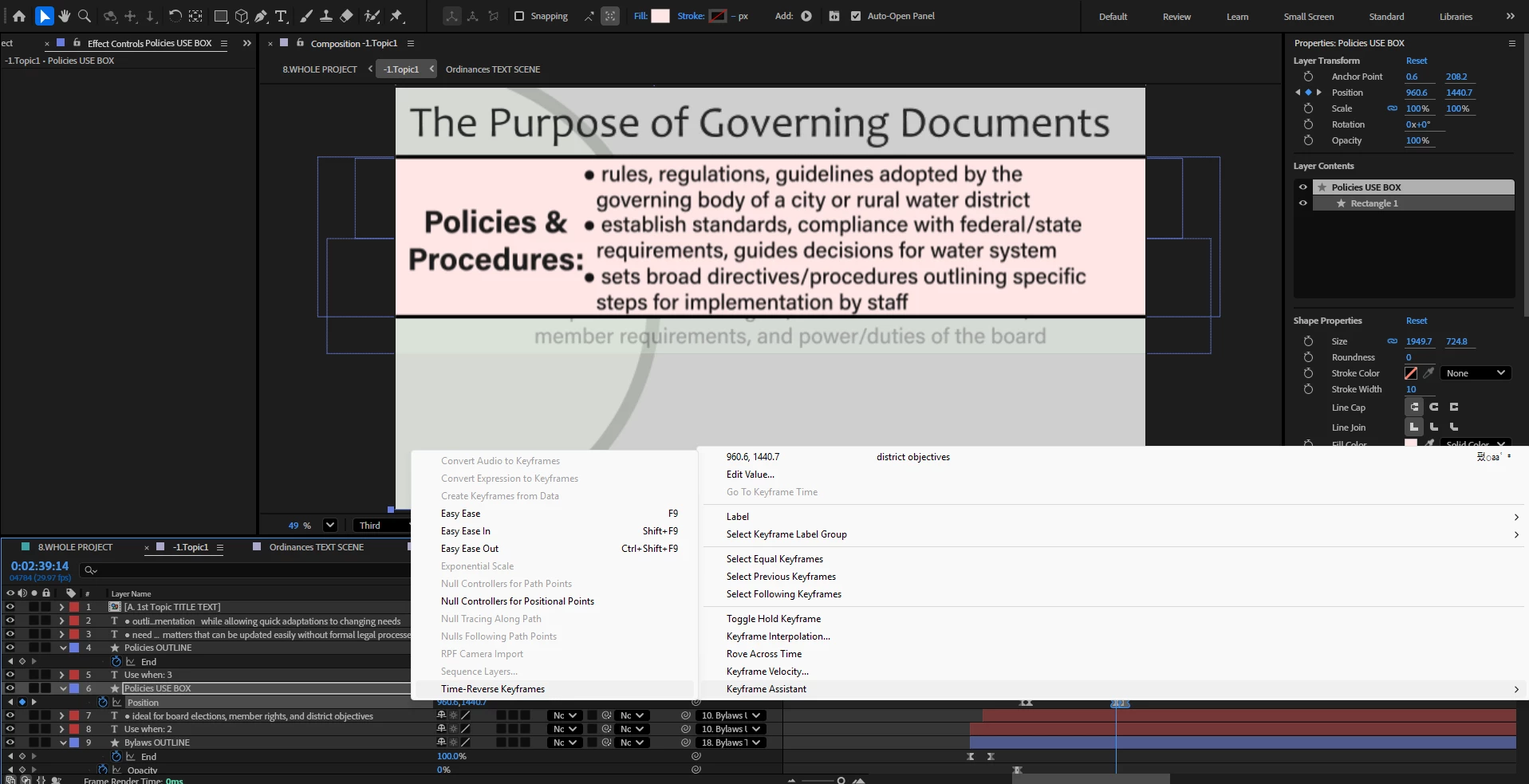
Right clicking keyframes on any layer is causing the menu that pops up to stretch across the entire screen and not remain it's normal size. It's showing random text that's in the project within the window that appears after right clicking any keyframes. It also includes random Chinese characters within the pop up window panel. I’ve purged data/cache and restarted. Goes away for a little, then right back.
 

    2 replies

    Community Manager
    June 12, 2026

    Hi ​@ThatKidCreate,

    Have you tried resetting preferences yet?


    Thanks,
    Kevin

    ThatKidCreate
    Participant
    June 24, 2026

    Hi Kevin,

    I have done this and it’s ok for now, but I’ll reply to this thread if this weird panel enlargement and text data appears again. It very well may because it would go away for a short time when clearing the cache and data but then happen randomly again. Not sure why it tries to hold onto random text data from a layer not involved with the keyframes being clicked.


    Thanks for the reply and I’ll keep it updated if it changes.

    Nishu Kushwaha
    Community Manager
    Community Manager
    June 26, 2026

    Glad to hear that helped.

    This thread is open. Feel free to reach out anytime.


    Thanks,

    Nishu

    ThatKidCreate
    Participant
    June 12, 2026

    normal size it should be, notice no random text or characters by the “edit value”/values at the top right of the panel