


Rotation Copy With Property Links bug
If you create a new comp, add two layers, name the top one Control, the second layer Follow, then press "r" to reveal the rotation property, select Control/Transform/Rotation in the timeline, then use Edit/Copy With Relative property links, then select Follow and paste, the rotation of the Follow layer will follow the rotation of Control. The expression looks identical to one that would be created if you just use the Link/Parent column to point the rotation of Follow to the rotation of Control.
Now, if you go to the Project Panel and duplicate the comp, then open the comp, and you change the rotation property of the Control layer, the values in the Follow layer change, but the preview in the comp will not change. The bounding box changes, the values change, but the layer is still in the original position.
To fix the preview problem, all you have to do is grab the rotation property of the Follow layer and try and change it. It immediately snaps back to the value generated by the expression, and the preview bug is gone.
You do not have that problem if you create the rotation expression with the Pickwhip or manually type it in. The problem also goes away if you save the project, close it, then open it again. Rotation is the only property that the bug seems to affect.
The bug also exists in the latest release of AE.
After I made the screen recording. I renamed Comp 1 in the Project panel and got this weire error message for both expressions:
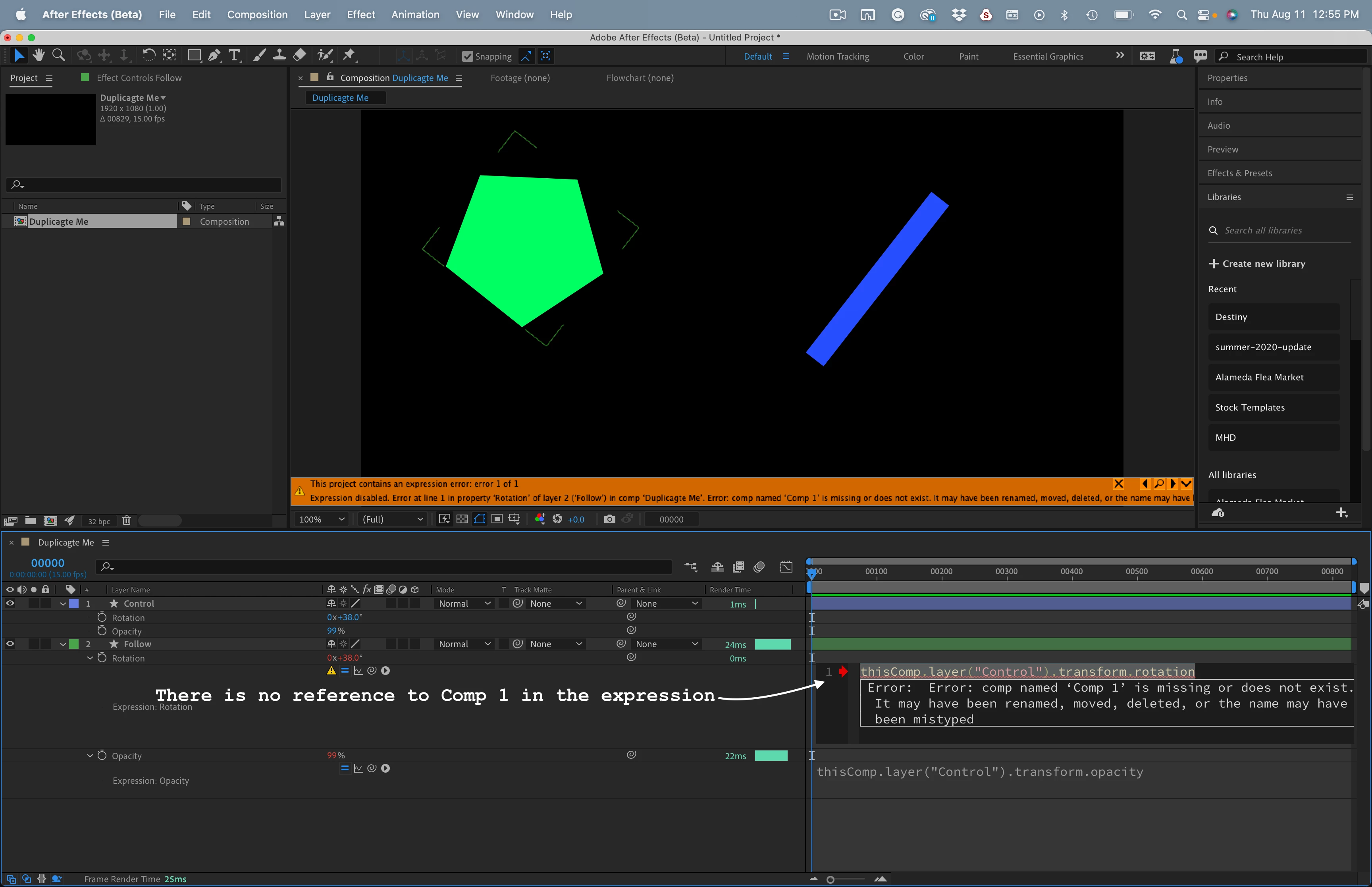
Give the comp a try and see what you get. Try renaimng the comp, try duplicating the comp.


 AdChoices