


Rotobrush crashing AAE on DNG sequence (Makes it unusable)
Hi,
I have a very frustrating problem. I just shooted some advanced VFX video I need to have done in one month, I just wanted to start the VFX work, started After Effects, imported footage (DNG sequence from Blackmagic Cinema Camera 2.5K), clicked Rotobrush, tried to draw a circle around the actors head, but then - nothing happened.
The cursor just changed to the “loading” and After Effects stopped responding.
Tried it several times in several AAE versions (24.6.3 & 25.0), tried both Mercury software only & CUDA, tried to restart the computer several times, tried to clean the cache & database, tried to update the graphic drivers, but NOTHING helps - the Rotobrush tool still crashing like this - it doesn’t even shows a line when “drawing” - it just freezes from the first mouse click when in Rotobrush tool.
I tried to do some Rotobrush stuff on the .braw footage from BlackMagic Pocket 4K and the Rotobrush worked without a problem. So I think the problem must be somehow related to the DNG sequence from BMCC. My Camera Raw version is 17.0. I tried to install the older 14.5 version, but the problem is still happening no matter what AAE/ACR version I use.
Until now I did a lot of complex AAE compositions based on this type of footage using Rotobrush and never had this issue. I don’t think the reinstall of AAE could make any difference as the problem persists even in the brand new 25.0 version (this is the first time I started it), but I have the same problem with older 24.6.3 AAE.
Later today I will try to do the same thing on my more powerful desktop, but as I said, I think this must be the software issue. I know someone could say "Then transcode the sequence to another format", but I don't see this as long term solution.
Thank you for any advice.
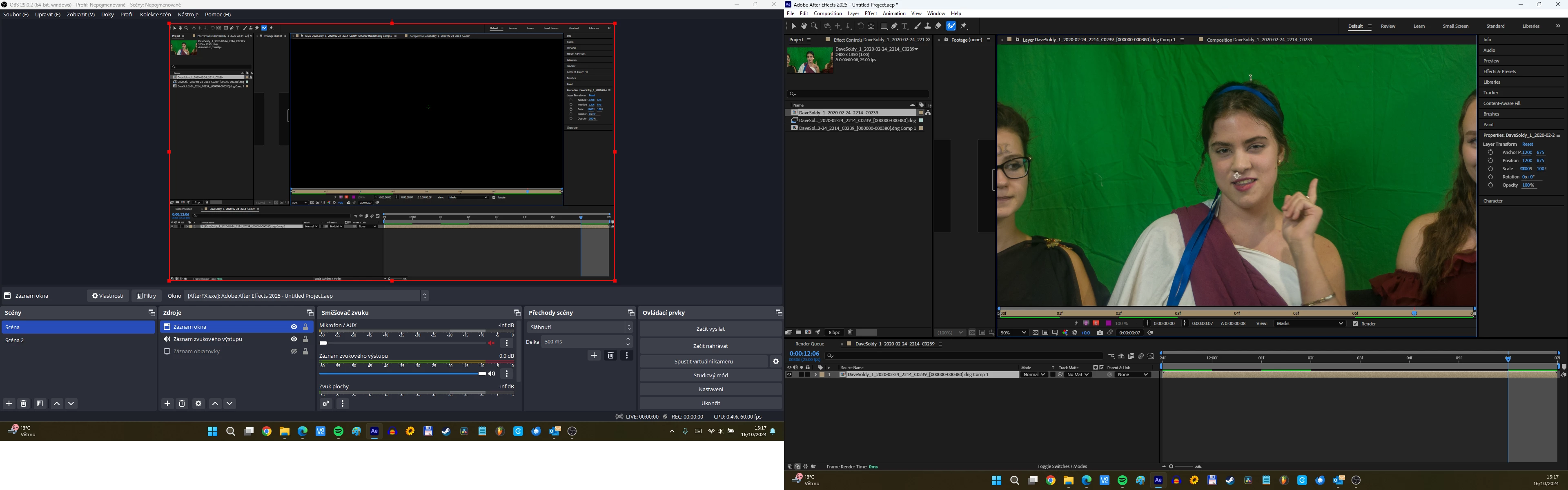
PS: I wanted to grap the screen recording of the problem but found out that in OBS the AAE Preview windows is fully black although in the AAE the image is normal. I don't know if it means something in connection to this problem, but wanted to mention it anyway.
Windows 11
Asus TUF Dash F15, 16 GB RAM, Core i5-12450H, GeForce RTX 3050
 AdChoices