

Saving files and Open Recent nonsense PLEASE FIX!!!!!!!!!!!!!!!!!
See image below.
Issue: Save new project in folder A. Save another new project in folder B. Go to use Open Recent of project in A. Make changes and Ctrl-Shift S to save under ammended name, and it save not where the file resides but where I last saved a file in folder B. This is nonsense! If I use Open Recent, then when saving WE SHOULD ALREADY BE IN THAT FOLDER WHERE OPEN RECENT FOUND IT!!.
I lost work because of this BS. I made changes to a file Open Recent, Saved As a new file but didn't realize it went into a totally different folder of a project I worked on recently. That project was finished, packaged and archived, with the work folder deleted. SAME FOLDER THAT AE SAVED AS TO, and I didn't realize. It also save a back-up file in that other folder.
PLEASE FIX THIS!!!
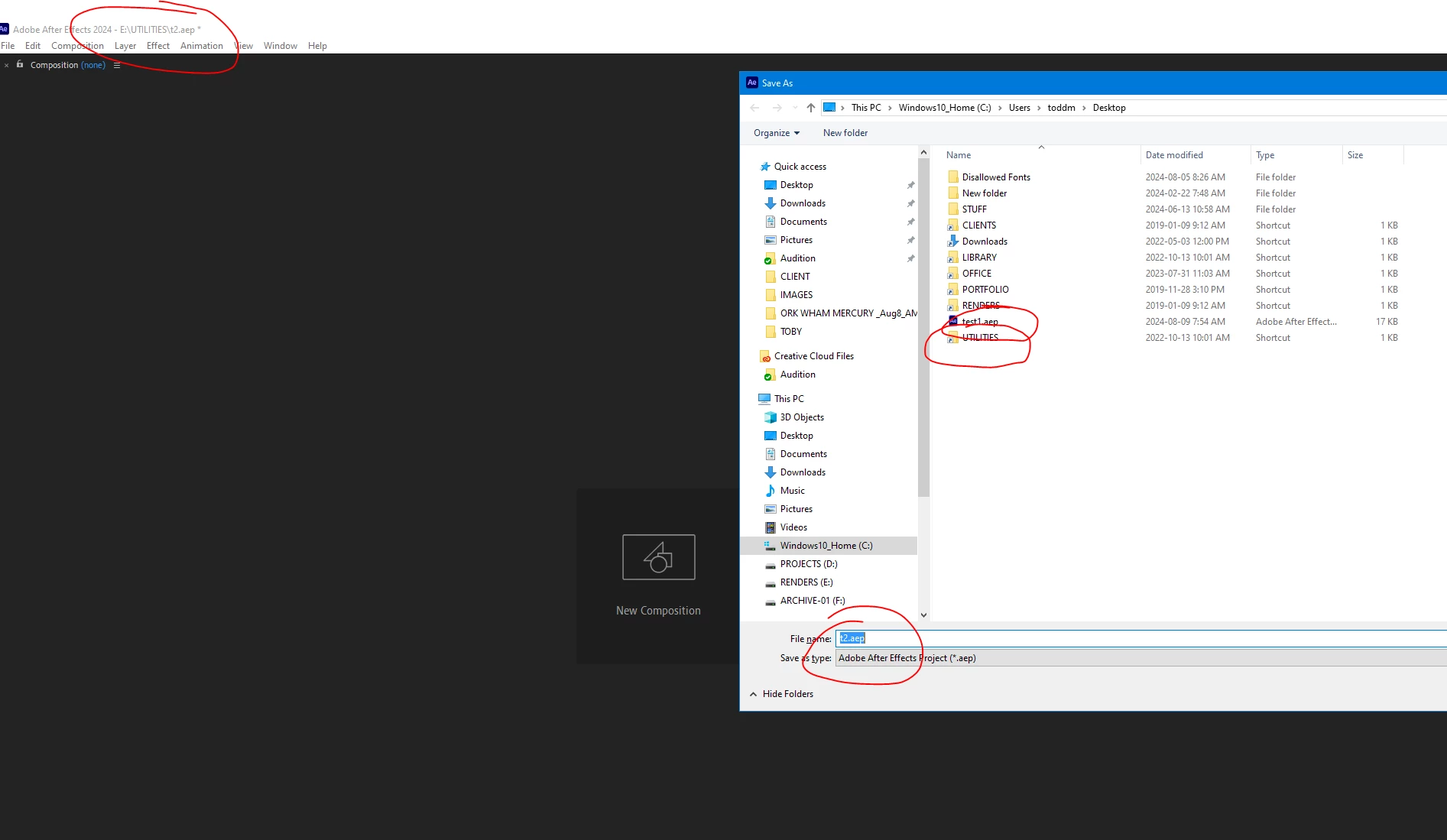
In the screengrab above you can see what I mean.


 AdChoices