


Participant
November 24, 2025

Shortcuts wont work on Search Bar / Replace Dialog Box / MacOS

  • November 24, 2025
  • 2 replies
  • 100 views

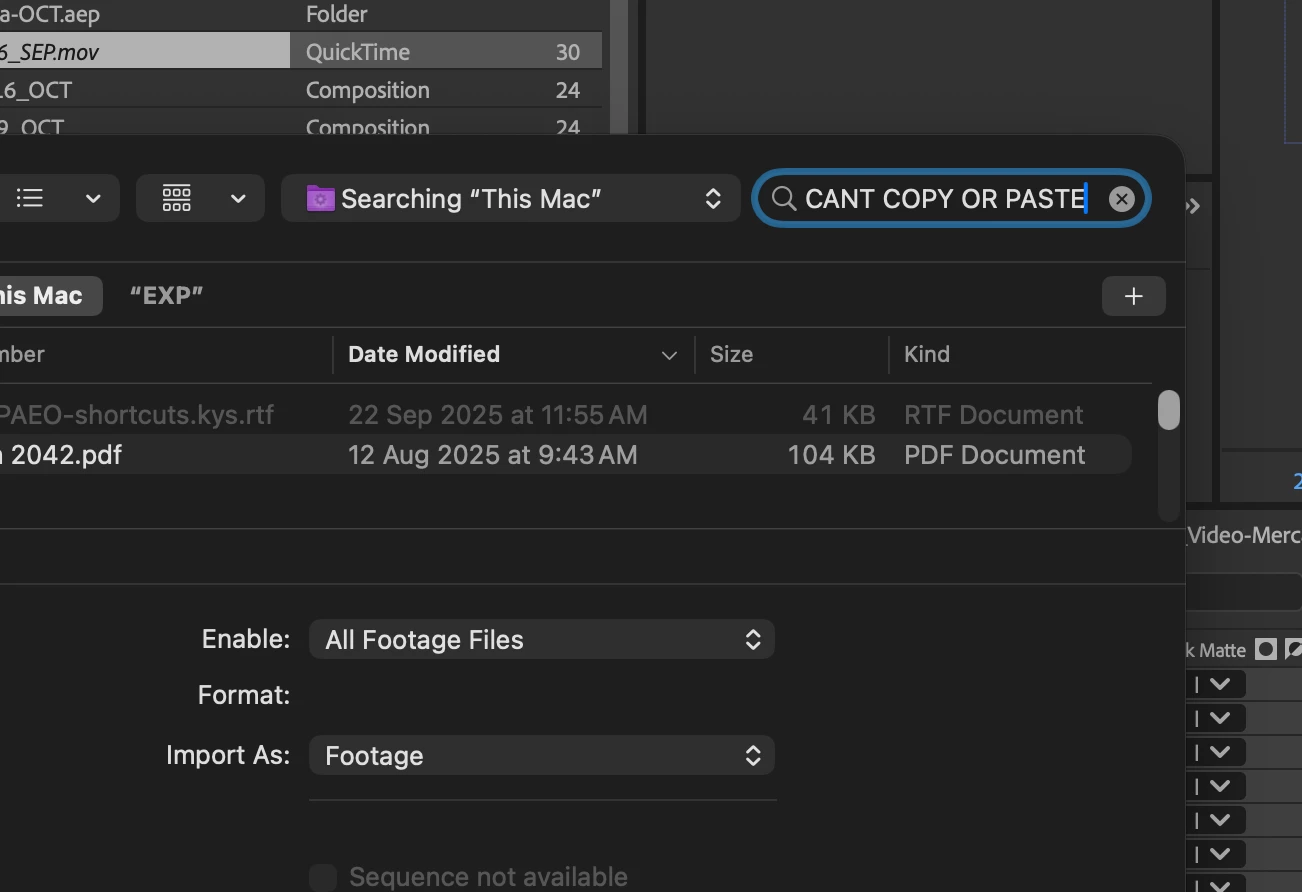
I am unable to interact with shortcuts on the search bar on the "Replace Footage/File" Dialog Box from the Project panel. After effects 25.5.0 Build 4
Meaning I cannot paste the long file name I just copied and have to manually type. I cannot copy or select the text neither. 
It has happened on both macOS Tahoe and also macOS Sequoia. 
Please fix this
 

865841i665FC709D5D71DF7.png

2 replies

Community Expert
July 9, 2026

not a solution, but a workaround, you can right-click and select Paste, and that should paste it, to avoid having to type it.

I’m having the same issue on mac sequoia with Ae 2026.3 and that’s what I’m doing to avoid having to type everything manually.

I am a Community Expert for Adobe
JohnColombo17100380
Community Manager
Community Manager
November 24, 2025

Hi @Jose354797733c8p

Thank you for reporting this issue. We are also able to confirm the bug behavior and now have a ticket open for further investigation.


Thanks again for reporting this issue,

- John, After Effects Engineering Team