
Known Participant
October 29, 2024

Stencil Alpha breaks when two shapes are perfectly aligned and not quite overlapping

  • October 29, 2024
  • 2 replies
  • 330 views

load this file. I'm using AE 24.6.2 build 2 on windows 10.


At half resolution the top shape correctly masks the bottom one, and it's invisible.
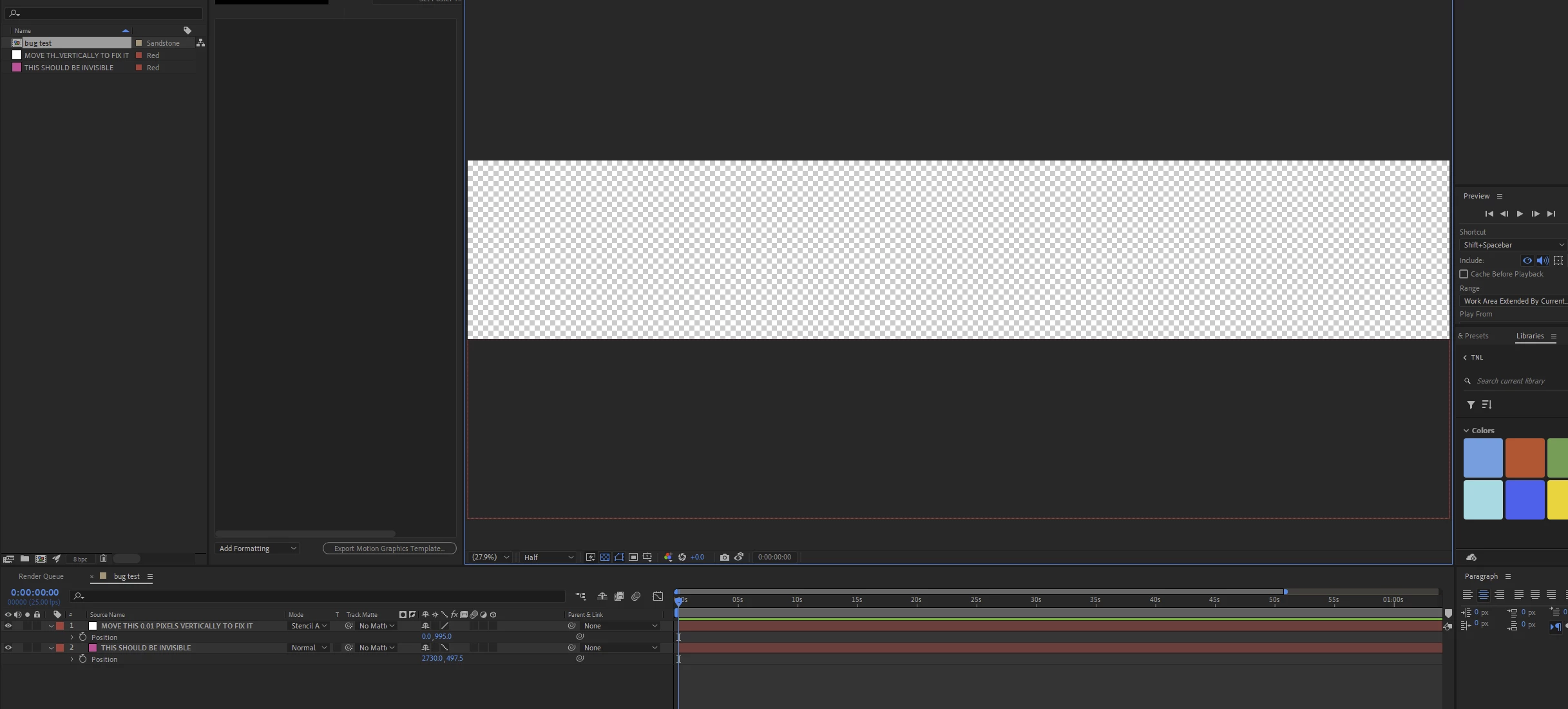
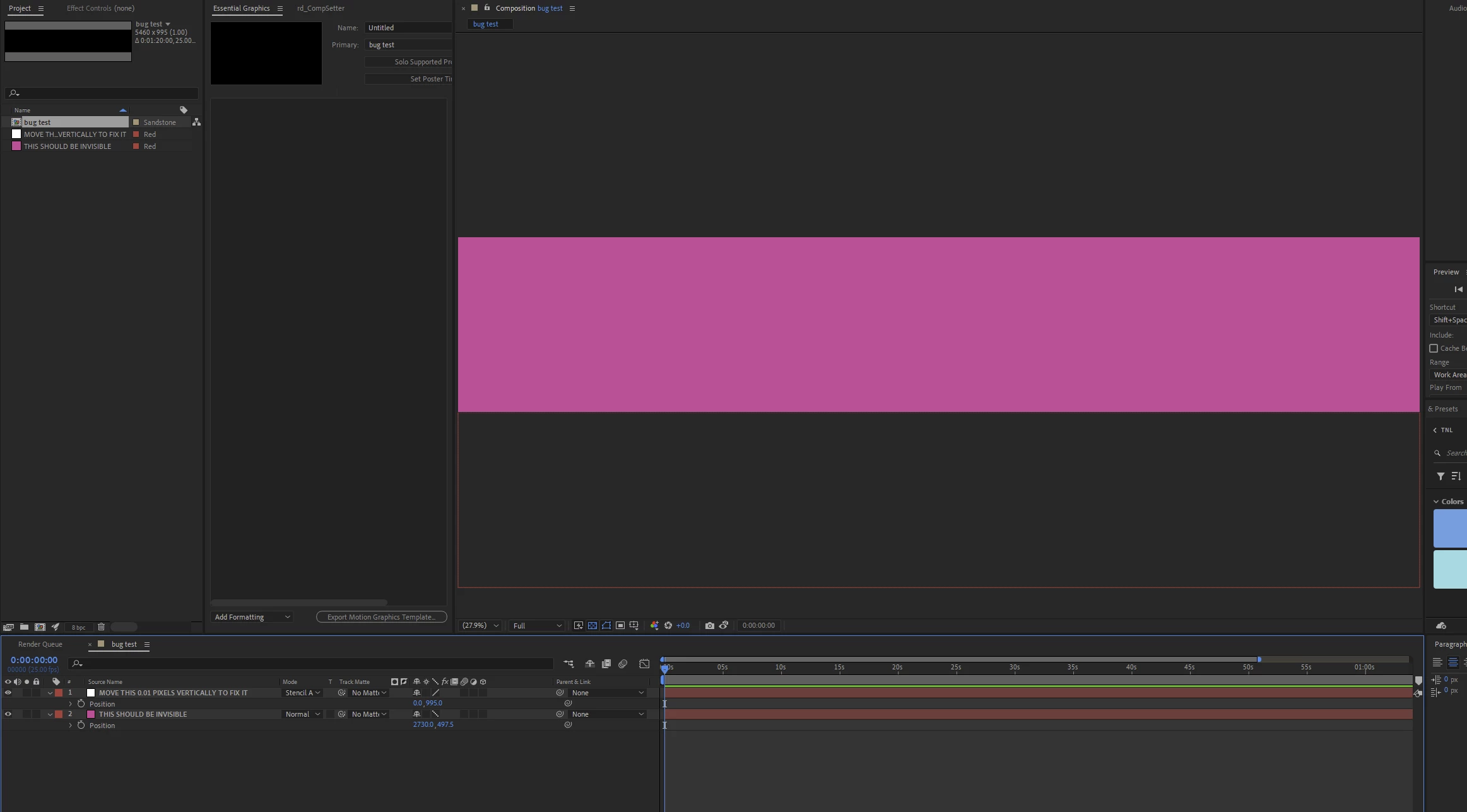
Switch to full resolution and suddenly it's visible
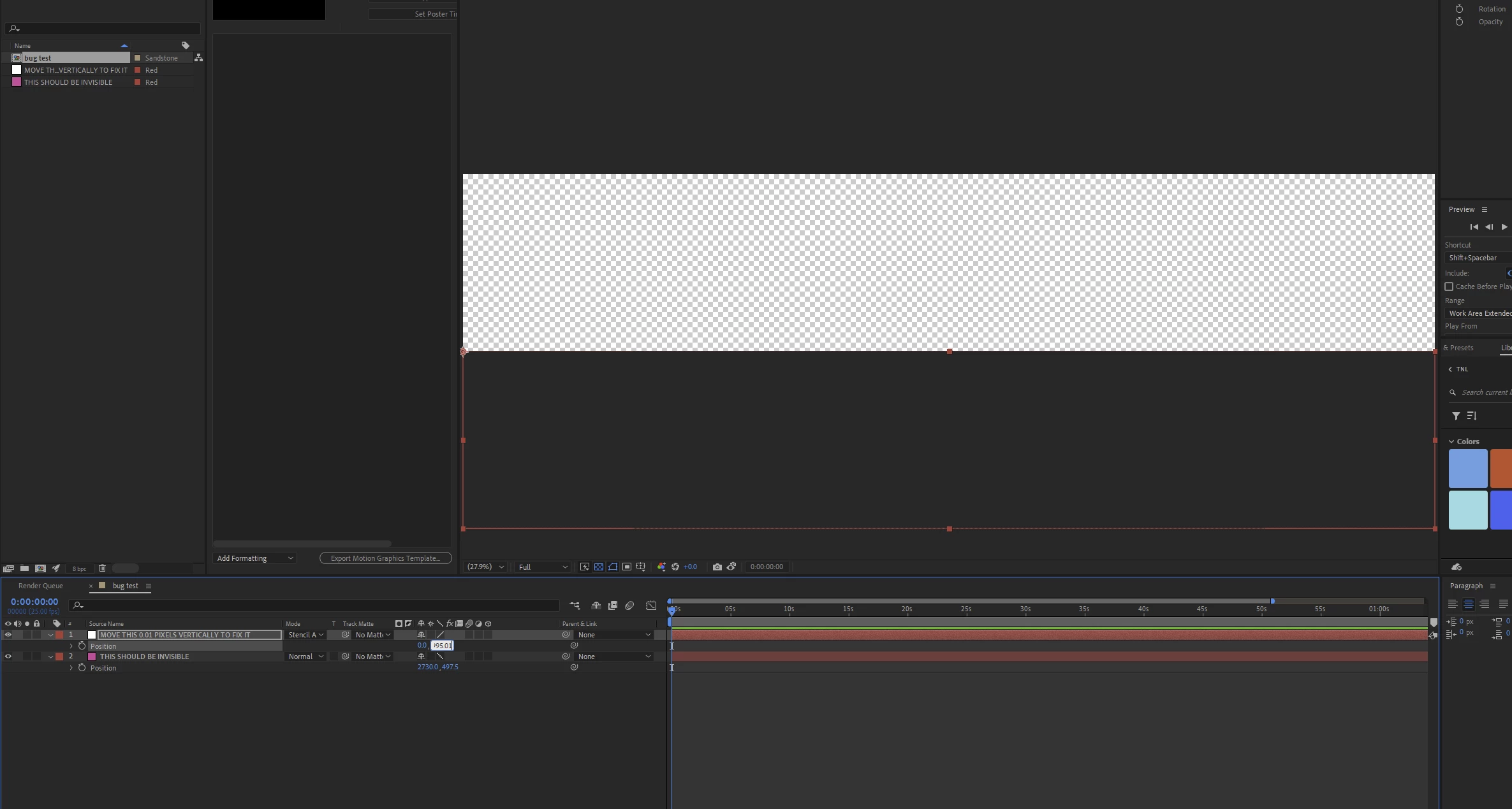
Move the mask 0.01 pixels vertically in either direction and it works again.
Gonna say....it's a bug! And it broke my renders and I have a deadline 😅

This topic has been closed for replies.

2 replies

Community Expert
November 2, 2024

If you set the composition to have an even number of pixels, the problem disappears. Something funky going on with an odd number of pixels in the composition.

Community Manager
November 2, 2024

Hello @davef62278925 

Thanks for posting here to the forums, and sorry this issue has caused issues for your deadline.

I took a look at your project and can reproduce this in the current build after updating your project to 25.0. Likely has to do with 0 of the pixels of the Stencil Alpha mode layer overlapping the visible composition. While I was initially able to see the difference at 50% and 100%, I can no longer reproduce it. 

I've opened a bug internally for this to be looked at, both in concern for inconsistency across zoom levels as well as what the correct behavior for a non overlapping stencil alpha layer should be.

Thanks again.

All the best,
Jessica
AE Engineering

All the best,Jessica McMillan - AE Engineering