


kerijaa59226602
Participant
September 2, 2024

Three C4D Renderer Bugs: Transformation, Transparency and ZDepth

  • September 2, 2024
  • 4 replies
  • 683 views

Hi all,
Here are three undocumented bugs of sole Cinema4D Composition Renderer (C4DCR) the Support, after a long talks and month wait, finally suggested to post to Community as they don't have an answer.


The examples use solids and native AFX plugins, confirmed by a Support agent-expert on their computers.

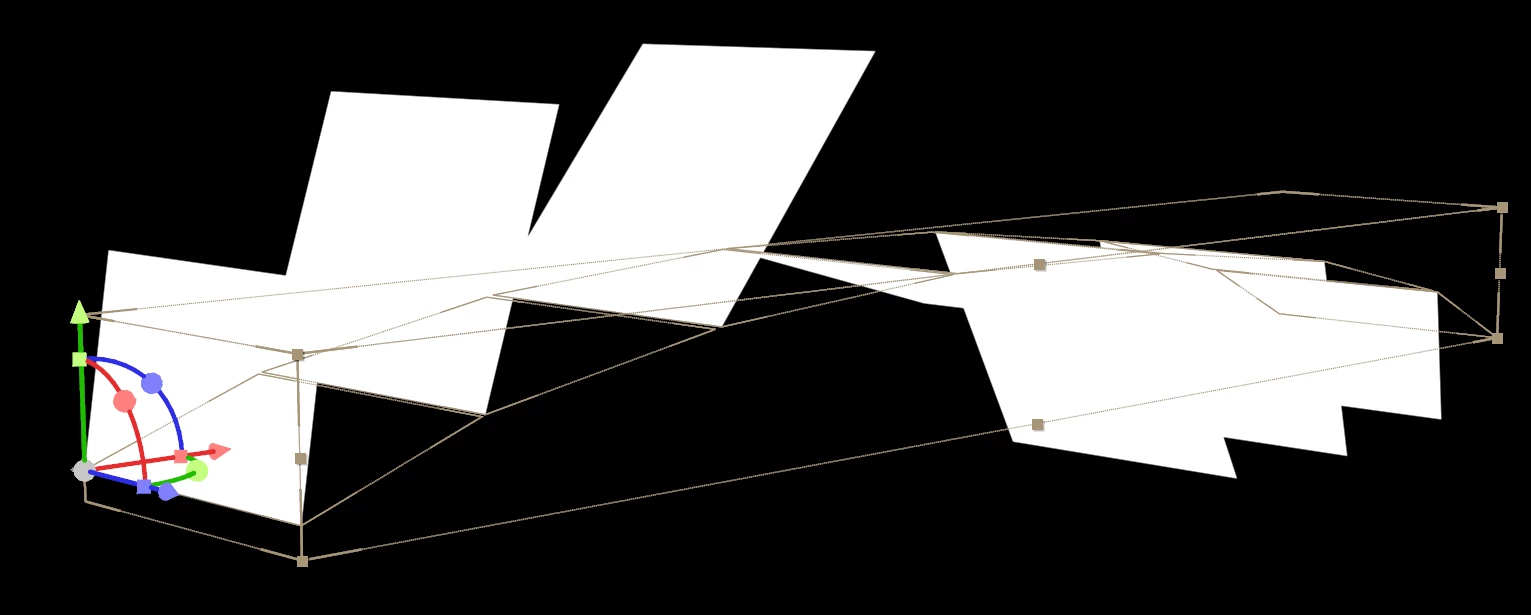
1) c4d_transformation_err.aep - the C4DCR doesn't apply transformations to the nested 3D comps. Here: when such comp is scaled on Y-axis, the rendered result is incorrect.
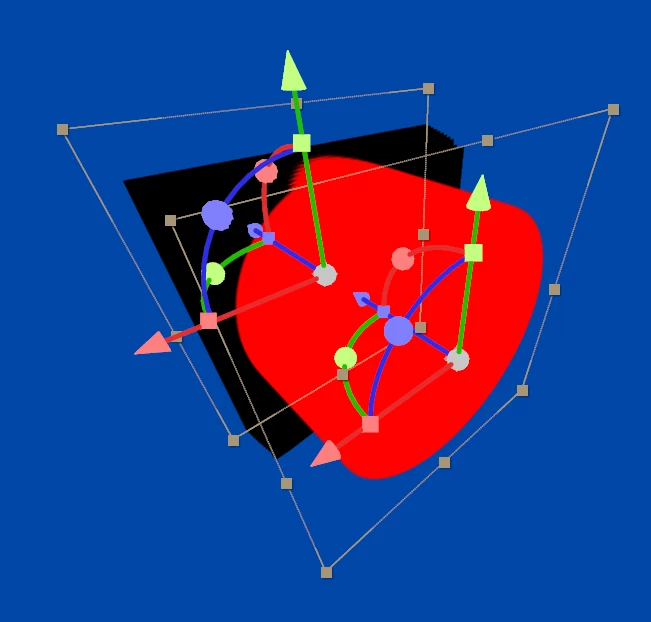
2) c4d_transparency_err.aep - the C4DCR renders artefacts when certain number of layers with transparency overlap. Here: 40 identical solids with mask produce that black box, and it is impossible to increase the number of rays, as the renderer's options are locked to single Quality slider, which can be set to max value 99.
3) c4d_zdepth_err.aep - the C4DCR clamps the Z-depth values at some 32000 limit, which makes larger scenes incompatible to such effects as DepthMatte or DepthOfField. Here: there are two perpendicular solids, and 3DChannelExtract produces a gradient that blackness value of stops at 33%, which is somewhat 32K pixels away from the camera.

 

Are you experiencing the same issues, and do you happen to know the workarounds for any of those?


The Advanced3D doesn't have no such issues, however, it is still under development and is lacking some basic things that are available in C4D and Classic3D.
I also contacted Maxon's Support, yet those guys told they don't have a say for a plugin which is developed and owned by Adobe.


4 replies

Known Participant
November 13, 2024

Hey @Olea europaea,


Thank you for this good news. Yesterday Maxon Support also noticed me that they are forwarding the issues to the devs.

If still any user input is needed, let me know.

Community Manager
November 12, 2024

Thank you very much for providing sample projects that illustrate these rendering bugs.  We will attempt to track down the causes of these errors, and engage with Maxon if necessary.

Known Participant
November 11, 2024

Hey @Tom Olsen ,


Thanks for your reply.


Contacting Maxon was the first thing I did, back in mid-July. After some resistance, they agreed to look into my report. Two weeks later, they claimed they have no say in what goes on with Adobe's products and forwarded me to Adobe Support:


The problem you describe seems to be inside After Effects itself using compositions. We are not experienced with the workflow of AfterEffects and can offer help regarding Cinema 4D, which indeed is a different program. I would recommend to start asking Adobe for help in this case. If this problem directly is related to Cinema 4D, please send a detailed step by step description to reconstruct and the c4d or aec file this is happening with, so we can reconstruct inside Cinema 4D. I hope this information helps.
Kind regards,
Sandro
Cinema 4D Technical Support Specialist 2


A month later, Adobe Support forwarded me here, to the community forums. Now, you're saying I should ask Maxon.

Feels like limbo to me. 🙂


Being clueless about the integration level, and since the About plug-in reads: Copyright 2010-2024 Adobe Systems Inc., I also believed that matters were in Adobe's hands. Specifically, I was wondering whether Adobe was able to unlock the individual Render settings, which are now all linked to one Quality slider, which would allow to increase ray levels in hope to fix the black artefacts (2).


I've forwarded a link to this thread to Sandro from Maxon. Could you suggest what else I can do to get things moving?


Tom Olsen
Community Manager
Community Manager
October 28, 2024

Adobe doesn't own the C4D plugins. The C4D renderer code largely consists of a library supplied by Maxon, and is merely integrated by Adobe in binary form. In order to get fixes, you would need to contact Maxon. It's possible that their tech support does not understand  the actual nature of the problem, though, but that's where you need to start. Adobe doesn't possess their source code, and can't debug it.