



"Tint" plugin suddenly missing (even though it's there)
Hello and Happy Day!
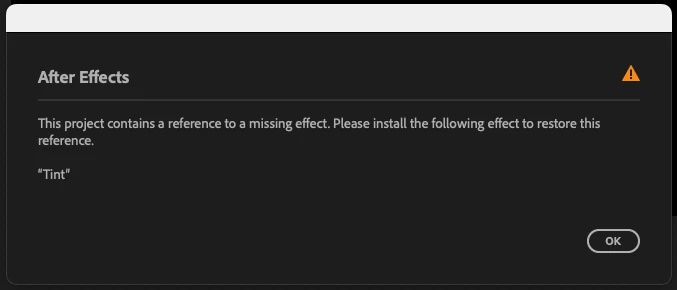
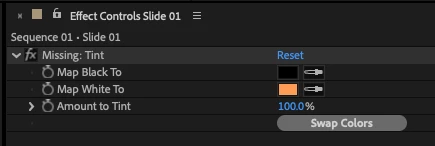
So, I was merrily working along when After Effects (25.1.0 Build 68 on a 2023 Mac Studio) gave me an error, saying I was missing the "Tint" plugin. After trying all the usual methods to rectify the situation (running about the room in a panic flapping my arms around in an alarming manner, opening the same file fifteen times in a row hoping that would magically fix things, and experimental cursing) I tried resetting my plugin manager, to no avail. I checked and the plugin DOES exist in my "Adobe After Effects 2025 > Plug-ins > Effects" folder, which confuses me a bit. I tried moving the plugin in the desktop and back into the folder again to reset things but that didn't work. I verified that my Project Settings were set to use "Mercury Software Only." I can't find the effect online anywhere to reinstall just the plugin, so finally I tried uninstalling After Effects and all my plugins altogether and reinstalling the software, but I still get the same error when I open a project wherein I used the Tint effect. And indeed, while I can SEE the tint effect in After Effects (it's now in a folder called "Missing") the effect doesn't work if I try to use it.
If anyone would have any suggestions or workarounds I'd be most grateful indeed!
 AdChoices