
Undo may trigger an internal verification error when using sampleImage() in a Color Control expression
In After Effects 2026 and later, performing Undo after assigning an expression containing sampleImage() to a Color Control property via scripting may trigger an internal verification error.
In the minimal reproduction case, setting expressionEnabled = false immediately after assigning the expression consistently triggers the issue. However, depending on the operations performed, the issue may also occur without explicitly disabling the expression.
Steps to reproduce
-
Create a new project and composition.
-
Add a solid layer to the composition and select it.
-
Run the following ExtendScript code:
var comp = app.project.activeItem;
var source = comp.selectedLayers[0];

app.beginUndoGroup("sampleImage Undo");
try {
    var color = comp.layers.addNull()
        .property("ADBE Effect Parade")
        .addProperty("ADBE Color Control")
        .property(1);

    color.expression = "thisComp.layer(\"" + source.name + "\").sampleImage([0, 0])";
    color.expressionEnabled = false;
} finally {
    app.endUndoGroup();
}-
Perform an Undo operation.
Expected result
The entire undo group should be reverted without any errors, removing the newly created null layer.
Actual result
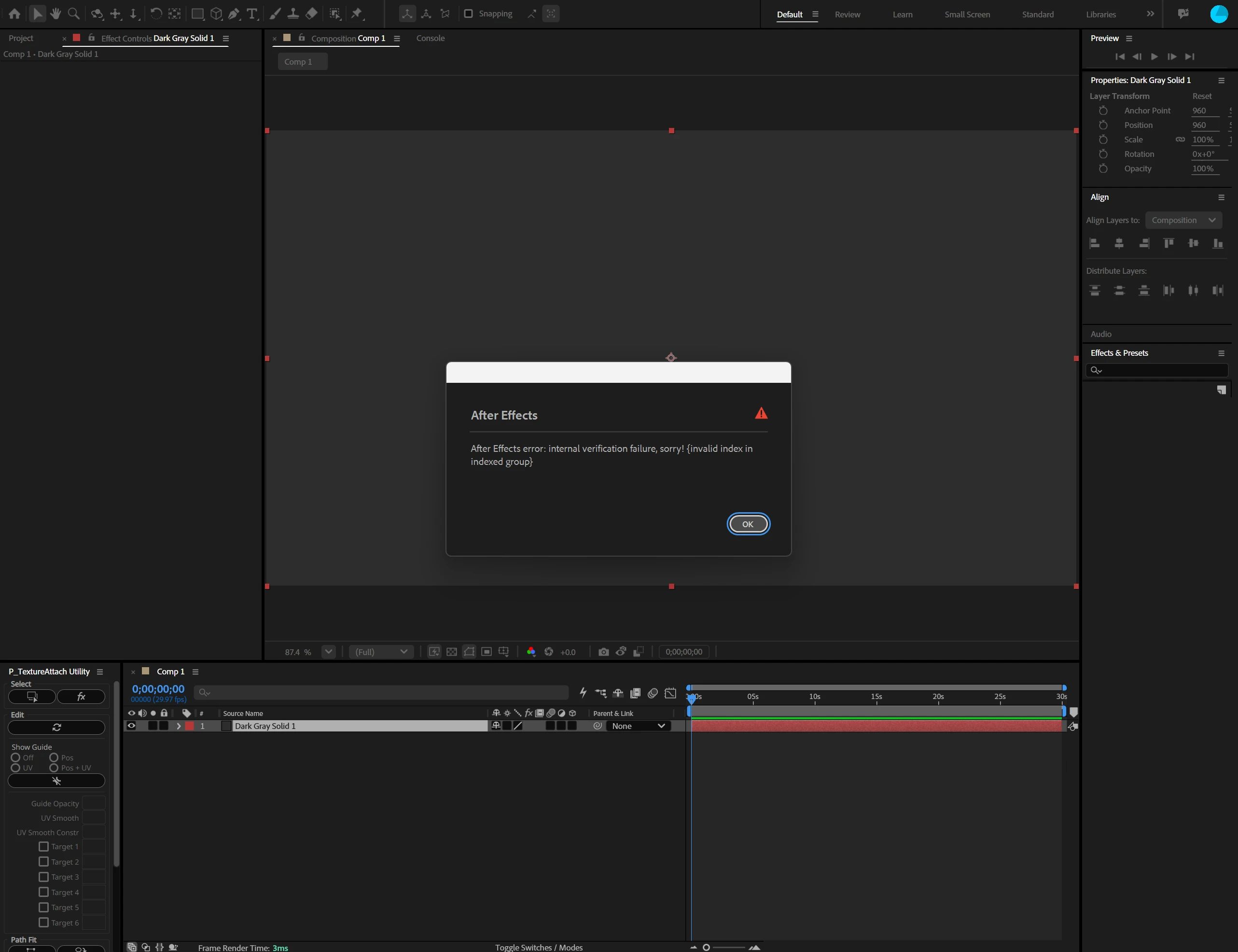
The Undo operation completes, but After Effects displays the following internal verification error:
After Effects error: Internal verification failure, sorry! {invalid index in indexed group}
The issue is reproducible 100% of the time using the script above.
Adobe After Effects version
Affected versions:
-
After Effects 26.5.3
-
After Effects 27.0
-
After Effects (Beta) 27.1 (Build57)
Unaffected versions:
-
After Effects 25.6.6
-
After Effects 24.6.8
Operating system
Windows 11 Pro 26H2
GPU driver version
NVIDIA Game Ready Driver v610.88
Comparative information
The same reproduction steps do not trigger the error in After Effects 25.6.6 or 24.6.8, suggesting a regression introduced in After Effects 2026.
 AdChoices