
Participant
March 28, 2024

Video glitches after exporting

  • March 28, 2024
  • 5 replies
  • 578 views

Hello. I've been trying to export a video from AE to AME (in H.264)  

It previews fine but when I play the exported result it looks like this:
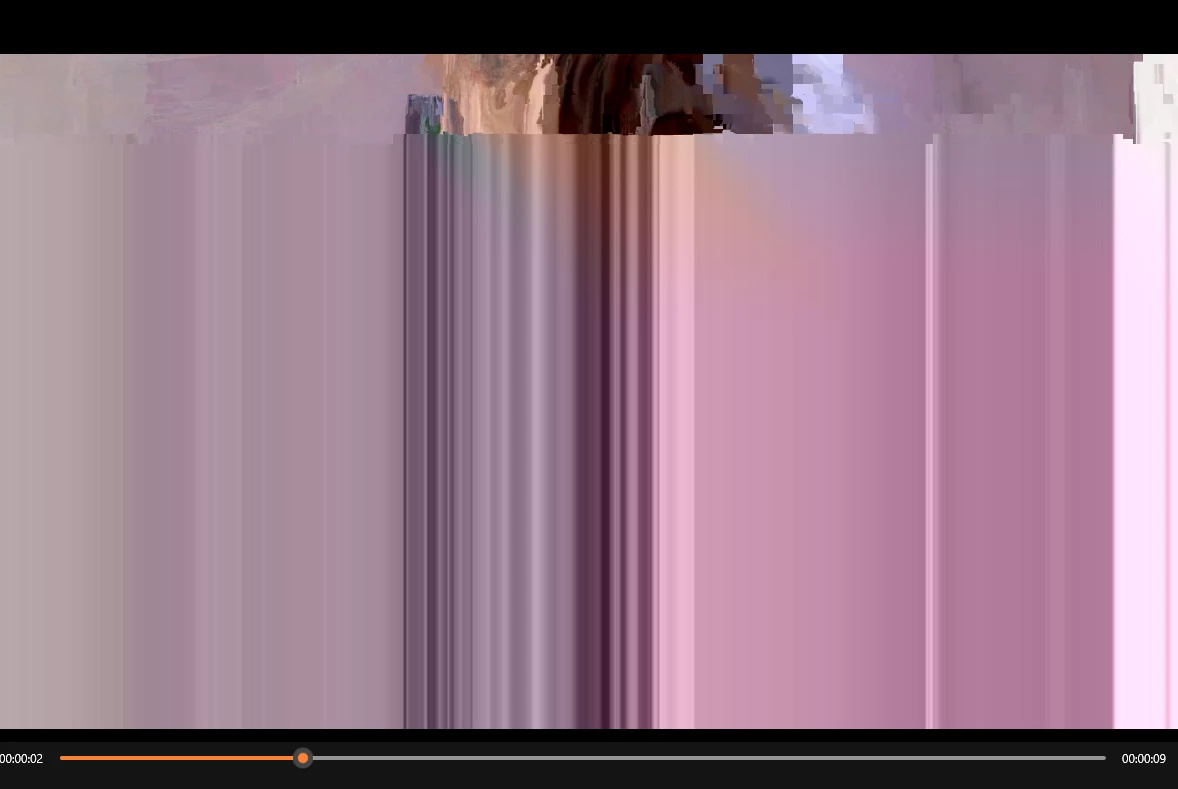


The video I've tried exporting has some rotoscoping and effects in it.

I've tried:

*exporting it without the effects and the rotoscoping

*playing it on different computers and different software (e.g. VLC)

*exporting it on different computers

*exporting it from AE directly

*creating a solid below all my layers in the AE comp

*exporting a raw video with no edits

*updating all software to the lastest version (v24.3)

and nothing seems to fix the issue. Everything I try to export looks like this and I've browsed all Adobe Community trying to find a solution. If someone could please help me I would appreciate it. 


This topic has been closed for replies.

5 replies

Community Manager
March 29, 2024

Glad it helped. Thanks for the confirmation. @emimafrey . 
Btw which Nvidia card do you have ?

emimafreyAuthor
Participant
March 29, 2024

Updated and it fixed my issue. Thank you so much!!

Community Manager
March 29, 2024

Hi @emimafrey,

Sorry for the problem. Many customers have reported similar issues with the recent Nvidia drivers. Nvidia released a hotfix driver to fix issues related to corrupted video with NVENC encode.


Please update to the latet drivers and let us know if this export problem gets fixed. 
Nvidia latest driver 551.86: https://www.nvidia.com/Download/driverResults.aspx/223498/en-us/
Nvidia hotfix driver 551.68: https://nvidia.custhelp.com/app/answers/detail/a_id/5525

If this doesn't solves the problem, you can always use Software Encoding in the Export window as a workaround for the time being.

Moreover, please let us know the Nvidia card you are using so we can try to replicate the prolem in-house in case the driver update doesn't fix it.

Thanks,
Mayjain

emimafreyAuthor
Participant
March 28, 2024

Yes, Driver GeForce Game Ready. (v 551.61). 

Jenkmeister
March 28, 2024

Are you using an NVIDIA card? What version of the GPU driver do you have installed?