Averdahl
Community Expert
Community Expert
August 20, 2024

Why does AE suggest "_mov.mov", "_mov.mov_1" as a file name?

  • August 20, 2024
  • 2 replies
  • 540 views

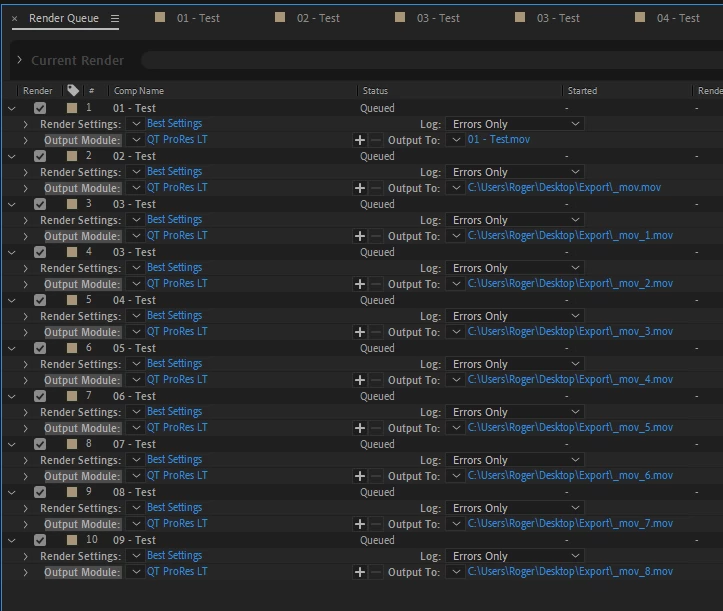
I use Ae 24.5.0 (Build 52) on Windows 11 and have noticed a while that if i for example place 10 comps in the Render Queue and select "Output To" for the first item it gets the correct name, iow the name of the Composition. This is expected.


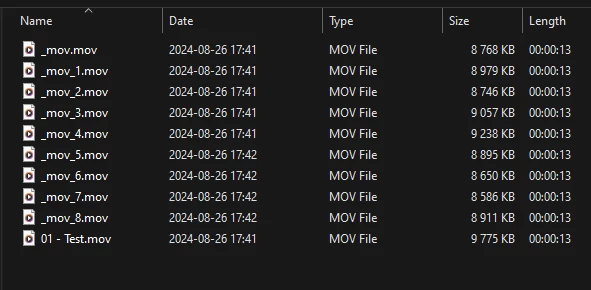
But, for some reason the rest are named "_mov.mov", "_mov_1.mov", "_mov_2.mov", etc, etc. You can see it on the screen dump and you can also see the name of the Comps. If i hit Enter to start the render the files are indeed named "_mov.mov", "_mov_1.mov", "_mov_2.mov", etc, etc and thats useless.


I have noticed that sometimes it happens, and sometimes all comps gets their correct names in one go without a glitch.


Is this a known issue?


2 replies

Warren Heaton
Community Expert
Community Expert
August 21, 2024

If a Name hasn't been set prior to clicking "Not yet specified", it still needs to be set upon returning.


That it shows whatever we clicked on while picking a Location as the Name when we return to the Render Queue from the Save dialog box is an OS side issue where clicking a folder or file can set the Filename text field. 

Warren Heaton
Community Expert
Community Expert
August 20, 2024

What happens if you select all of the queued items and then set the "Output To" pop-up menu to "Comp Name"?


Averdahl
Community Expert
AverdahlCommunity ExpertAuthor
Community Expert
August 20, 2024
quote

What happens if you select all of the queued items and then set the "Output To" pop-up menu to "Comp Name"?


By @Warren Heaton10841144


At first it seemed to work without flaws but once i hit Render i get an error message. I got the same error yesterday and it got away if i renamed the export folder from Export to lets say EExport and choosed that folder instead.


EDIT: I just resetted the Prefs and nothing changed, i get the same issue.


Warren Heaton
Community Expert
Community Expert
August 20, 2024

In your screenshot, item #3 and item #4 are both Comp "03 - Test" with the Output To name set to "03 - Test.mov" for each.

Assuming you only want one render of Comp "03 - Test", select and delete either item #3 or item #4, save, and then click Render.