I did what you suggested - uninstalling, deleting C:\Program Files\Adobe\Adobe After Effects folder, and reinstall it.
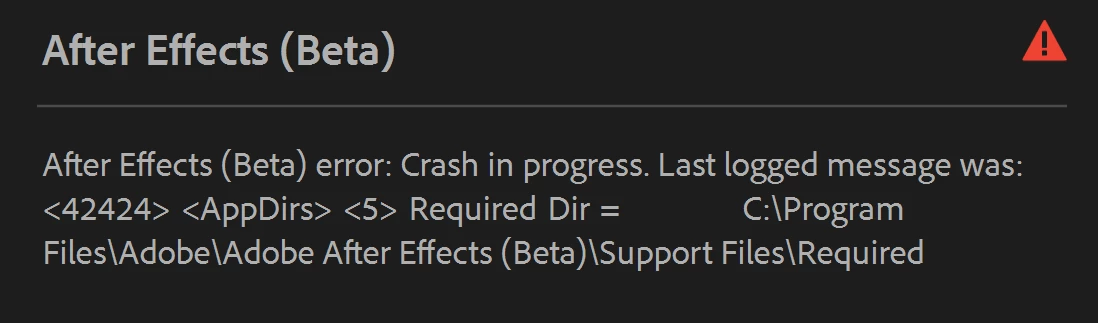
Unfortunately, I got the same exact error. I checked the Required folder, and everything seems to be there.
I can't send crash reports because the Adobe Crash Dialogue doesn't pop up, and I believe because the program doesn't actually crashes, it flat out fails to start, because it thinks it doesn't have enough requirements.
Premiere Pro and Media Encoder are even worse, as they stop loading the program once they try to load AE dependencies, meaning I don't get any info unlike After Effects, which at least tells something.
Just FYI, all regular releases work fine.
EDIT: I will add screenshots of the two dialogues AE opens up plus the Required directory. EDIT 2: I tried to revert to Adobe After Effects Beta 25.1, but the same exact issue still persist.
After the crash occurs, do you see an "Adobe Crash Dialog" that appears? If so, can you make sure to set your email and submit that? We may be able to find the crash in our backend and help understand what is going on.
That said, any crash that happens looking around the Required folder likely means an incomplete install. You could try uninstalling AE and then making sure the C:\Program Files\Adobe\Adobe After Effects folder has been cleared out completely.



 AdChoices