

Frank_B
Inspiring
March 19, 2024

"Unexpected data type" error in After Effects (Beta)

  • March 19, 2024
  • 4 replies
  • 937 views

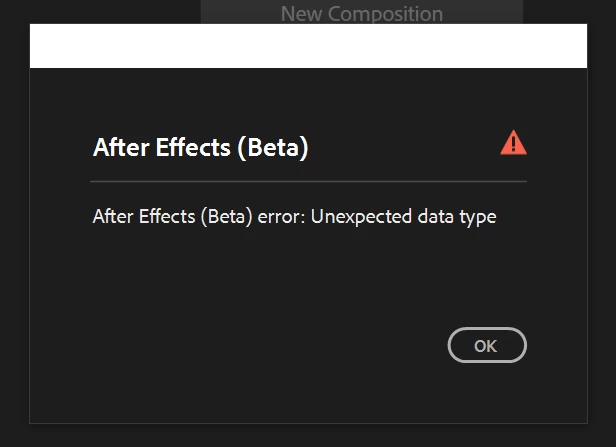
After today's Beta update there's a pop up window upon the application launch (see the image attached).
There's no way to close the window and proceed to start using AfterEffects.
In results the app has to be forced shut down from the Windows Task Manager.
 

This topic has been closed for replies.

4 replies

JohnColombo17100380
Community Manager
Community Manager
May 14, 2024

Hi all,

You should find this is fixed in the latest 24.5 Beta builds. Please let us know if you continue to encounter it.


Thanks again for reporting this issue,

- John, After Effects Engineering Team 

Frank_B
Frank_BAuthor
Inspiring
March 19, 2024

@JohnColombo17100380Thank you for the reply.
It worked. I've removed the said folders and run AE Beta in Safe mode.
Trying to open third-party script panels triggered the error pop-up window.

JohnColombo17100380
Community Manager
Community Manager
March 19, 2024

Hi @Frank_B,

Thank you for reporting this error. We are aware of this issue with certain third-party script panels in the latest Beta builds. We are actively working on a fix for this.


If you delete the ModifiedWorkspaces and OriginalUserWorkspaces folders in the preferences to reset the workspaces, you should be able to open After Effects (Beta) without encountering the error. If you then open third-party panels one at a time, you will be able to determine which one(s) are causing the error, which should allow you to continue using the Beta.


Thanks again,

- John, After Effects Engineering Team 

AtaurRaziq1
Known Participant
March 19, 2024

error message says 

Unexpected data type


JohnColombo17100380
Community Manager
Community Manager
March 19, 2024

Hi @AtaurRaziq1,

Thank you for reporting this. We are aware of this issue and actively investigating. I'll be merging this report with another existing thread.


Thanks again,

- John, After Effects Engineering Team 

Community Manager
March 19, 2024

Hi Frank.

There seems to be an issue with PNG files on Windows. We're investigating and hope to update you soon!