


Participating Frequently
May 29, 2025

Concerned audio file is corrupted

  • May 29, 2025
  • 22 replies
  • 541 views

Hi everyone,

I'm experiencing a frustrating issue in Adobe Audition when listening back to my recorded audio file. After exporting to file to see if that fixes, I noticed that the exported files have no sound, even though the file size suggests there's audio data present ( see screen shot)
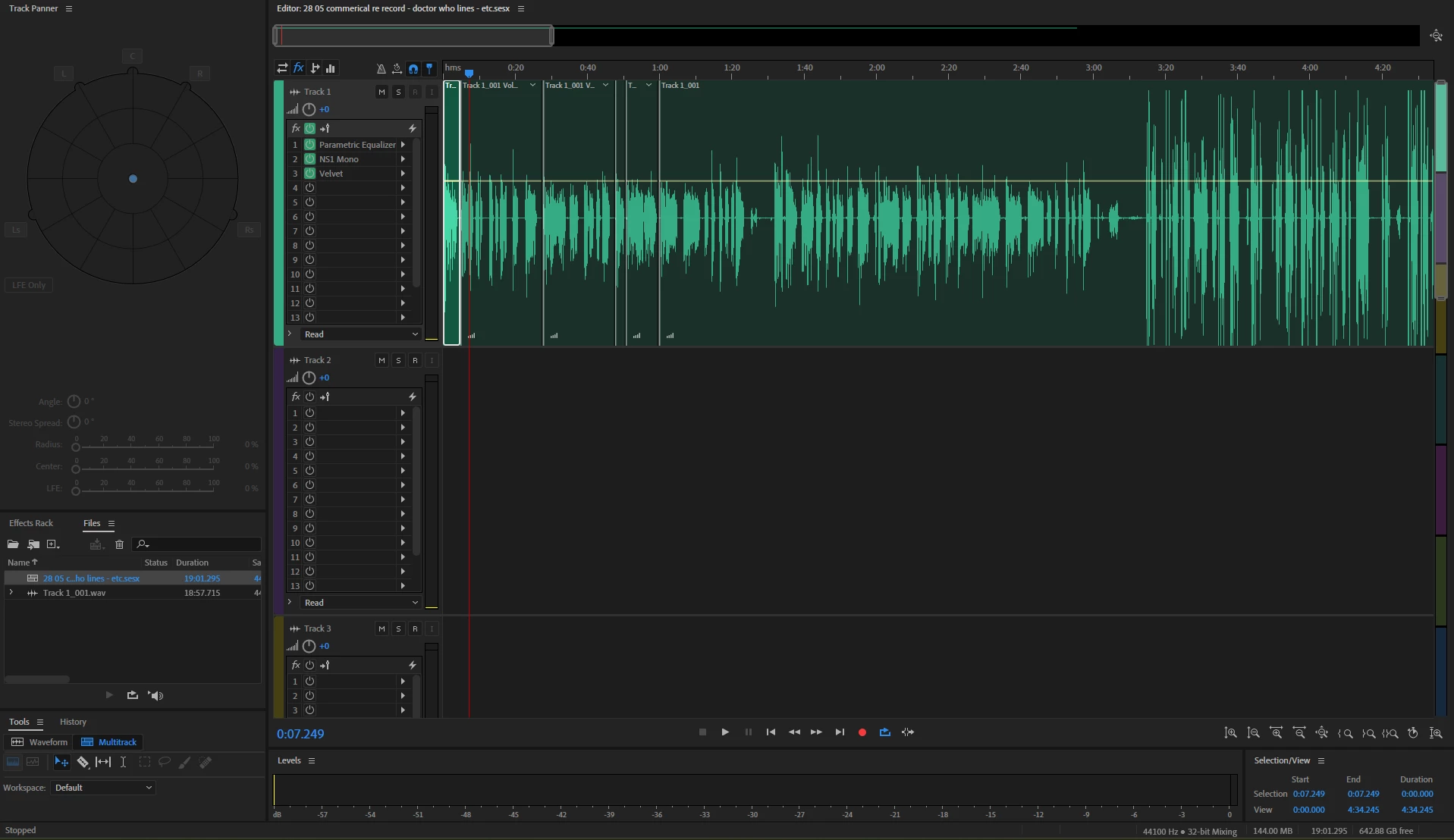
Here’s what I’ve tried so far:
Checked Master (mix) Channel & Track Outputs – No change
Verified Export Settings – Everything seems fine (format, sample rate, bit depth).
Tried Different Formats – WAV, MP3, FLAC—same muted result.
Restarted Audition & Reimported – No change.
Checked Audio Hardware Settings – My system plays other audio files normally.
Bypassed Effects & Plugins – No accidental gating or muting applied.
Reset Preferences – No luck after resetting Audition.

At this point, I’m stuck! Has anyone encountered this issue before, or does anyone have additional suggestions?
I'm now cocnerned that the file has corrupted somehow.


Thanks in advance! 


22 replies

JHRedden
Inspiring
March 7, 2026

I dragged it into Premiere Pro to see if it would play there. I was then a flat line. All audio was gone. Audition is corrupting the very files it records. 

JHRedden
Inspiring
March 7, 2026

I recorded a test file today, it worked until it sat open in Audition for a few minutes, then it also showed the same error message as the one I attached. 

JHRedden
Inspiring
March 7, 2026

I just downloaded Audacity on the same computer. Signed in and opened the same file. There is no waveform anymore. flat line. All gone but the same length. 

JHRedden
Inspiring
March 7, 2026

I am having this same problem on multiple files. I have re-recorded what I lost two days ago. It seemed fine when I shut down last night. I opened today, and while I see the waveform, no audio. I have attached the error message. I do Voiceover and am about to lose work. Please help. 

tom_savvyAuthor
Participating Frequently
May 30, 2025

It's a odd one indeed.


ive re recorded and backed up the wav file so its fine now. Will keep a close eye on it for future recordings 

SteveG_AudioMasters_
Community Expert
Community Expert
May 30, 2025

It's almost as though the audio has been deleted (somehow...) but the .pkf has remained. If you reopen the file and save it again, then the .pkf will update itself and display as above, assuming that the file really is empty. And the 'data' thing is a bit misleading - a silent file will display the same values as a noisy one; the file size is dependent on the bit rate and depth, and the number of channels. So ten seconds of silence as a 32-bit stereo file at 48k still gives a file size of 3.66MB, even though there's nothing to show for it!

tom_savvyAuthor
Participating Frequently
May 30, 2025

Yes it's just blank 

SteveG_AudioMasters_
Community Expert
Community Expert
May 30, 2025

Completely gone? I have to say that I'm a bit suspicious about your file now!

tom_savvyAuthor
Participating Frequently
May 30, 2025

As i opened the original file today, its completely gone now.

Its ok, i've mentally prepared myself that I'll have to re-record it!

Thank you for your time and offerings

tom_savvyAuthor
Participating Frequently
May 30, 2025

Morning


oh I see what you mean. I'll put a file in this session and see what happens.