


Participating Frequently
May 29, 2025

Concerned audio file is corrupted

  • May 29, 2025
  • 18 replies
  • 451 views

Hi everyone,

I'm experiencing a frustrating issue in Adobe Audition when listening back to my recorded audio file. After exporting to file to see if that fixes, I noticed that the exported files have no sound, even though the file size suggests there's audio data present ( see screen shot)
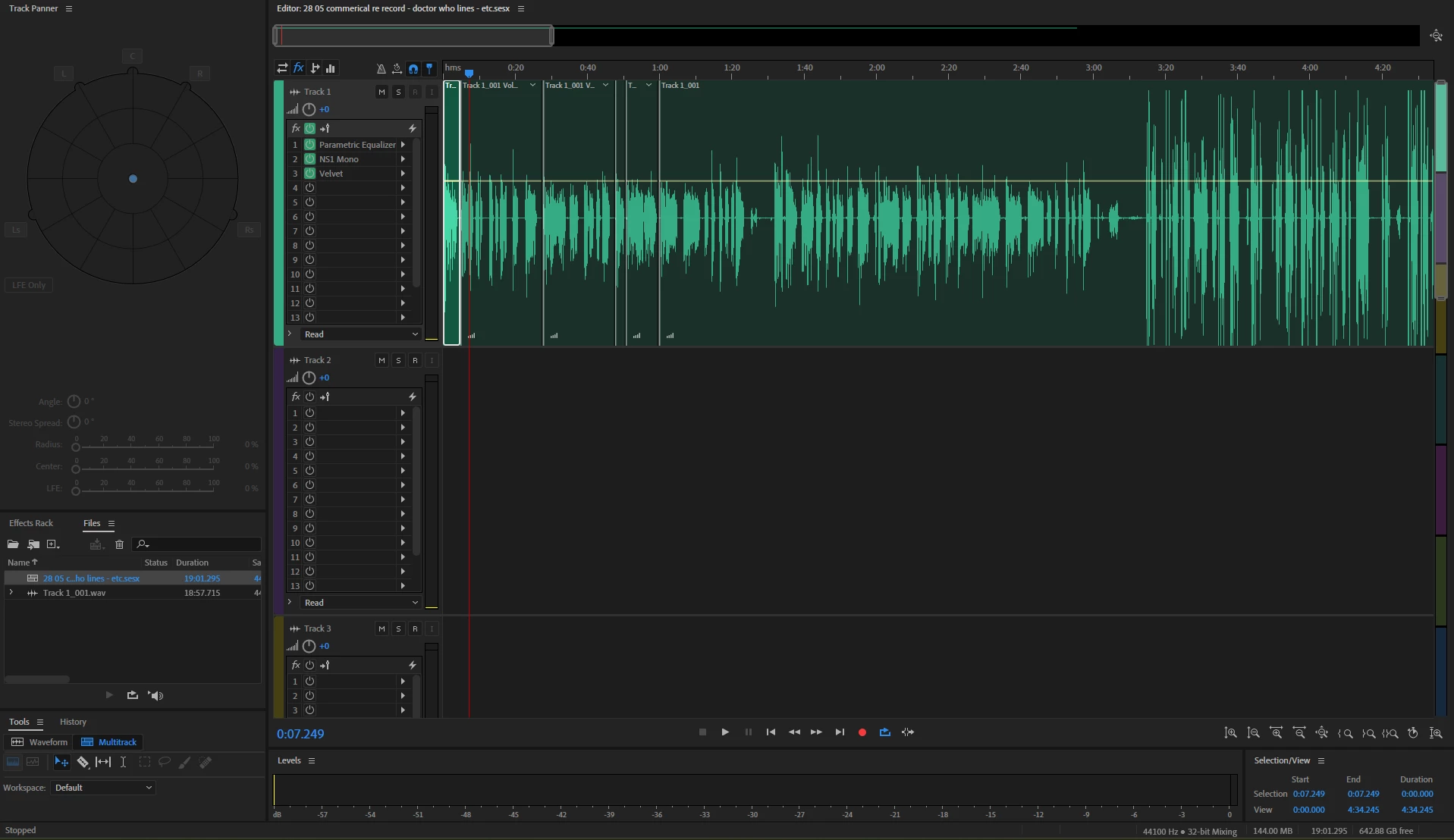
Here’s what I’ve tried so far:
Checked Master (mix) Channel & Track Outputs – No change
Verified Export Settings – Everything seems fine (format, sample rate, bit depth).
Tried Different Formats – WAV, MP3, FLAC—same muted result.
Restarted Audition & Reimported – No change.
Checked Audio Hardware Settings – My system plays other audio files normally.
Bypassed Effects & Plugins – No accidental gating or muting applied.
Reset Preferences – No luck after resetting Audition.

At this point, I’m stuck! Has anyone encountered this issue before, or does anyone have additional suggestions?
I'm now cocnerned that the file has corrupted somehow.


Thanks in advance! 


18 replies

SteveG_AudioMasters_
Community Expert
Community Expert
May 29, 2025

That's a shame. If, instead of doing an export, you do a mixdown to a new file, does the same thing happen?

tom_savvyAuthor
Participating Frequently
May 29, 2025

Unfortuantely thats not worked. Depsite me exporting these files and there clealry being data in it, there is still no sound.

SteveG_AudioMasters_
Community Expert
Community Expert
May 29, 2025

... and there we go. No check in the Track one box,  so it won't be included in the export. Since that appears to be the only track, then silence is what I'd expect!

tom_savvyAuthor
Participating Frequently
May 29, 2025

tom_savvyAuthor
Participating Frequently
May 29, 2025

yes i can

SteveG_AudioMasters_
Community Expert
Community Expert
May 29, 2025

Now you need to click on the mixdown box 'change' to show all of the available settings... can we see that?

tom_savvyAuthor
Participating Frequently
May 29, 2025

Thank you for your time

SteveG_AudioMasters_
Community Expert
Community Expert
May 29, 2025

I'm presuming that you are using Export>Multitrack Mixdown>Entire session. Can you provide a screen-grab of the export dialog box and its Mixdown Options settings?