Eric_istiredofthis
Participant
April 1, 2026

Batch Rename in Bridge is not properly iterating sequence numbers.

  • April 1, 2026
  • 3 replies
  • 46 views

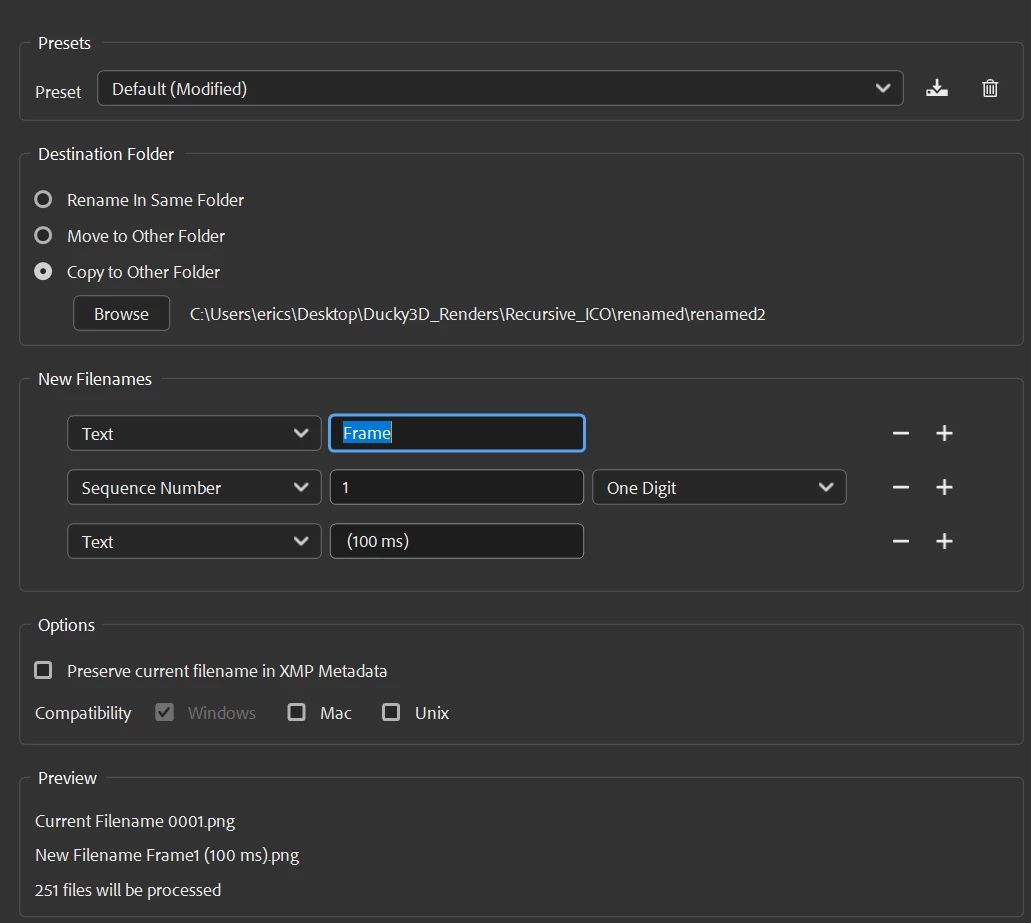
I have a 250 frame sequence currently named, 0001.png - 0251.png


I am trying to use batch rename to change naming to  >>»   Frame1 (100 ms) - Frame251 (100 ms)


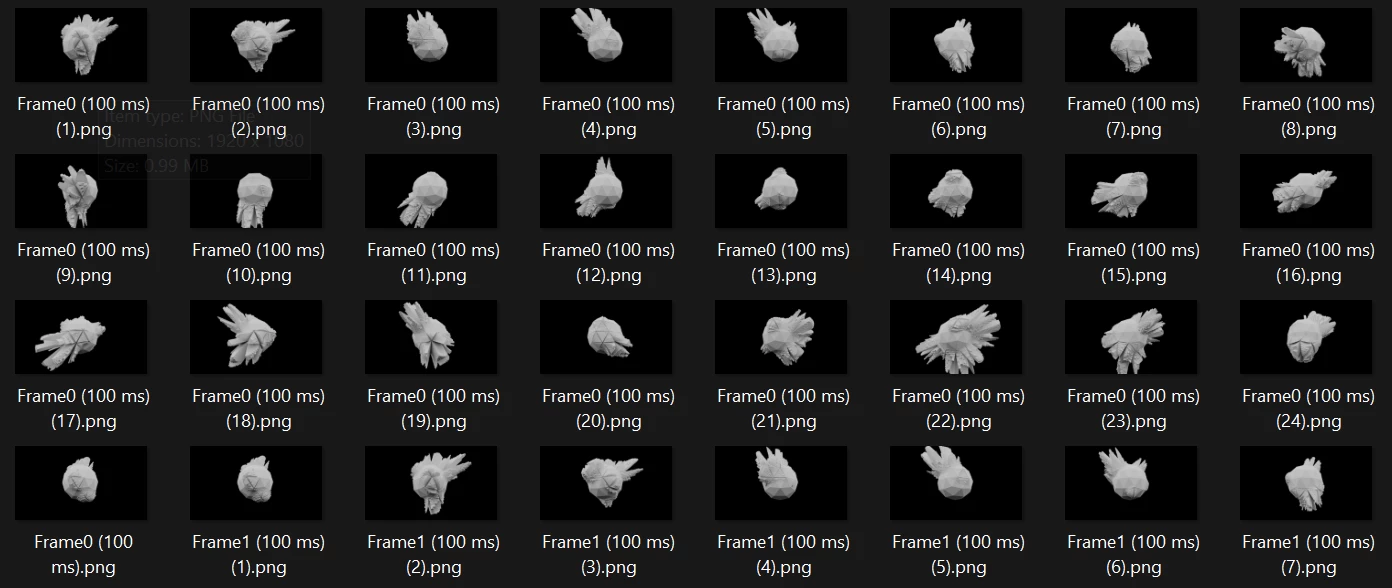
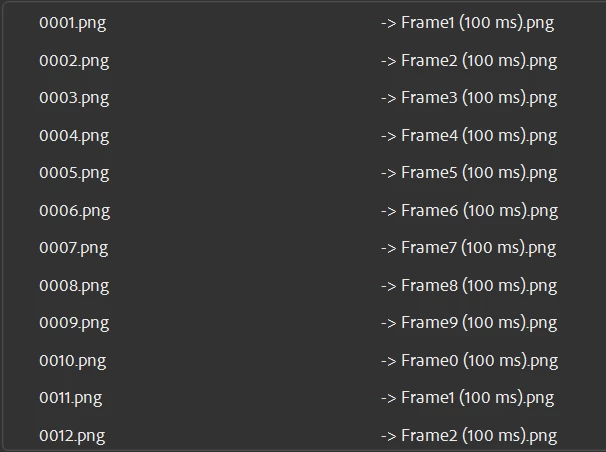
However, Bridge is not iterating the sequence number at all upon execution. The preview shows the desired name change but it will not actually complete the desired operation. It will operate as expected if I choose 4-digit frame padding in the sequencing option, but I need THIS specific naming convention. It would seem to me if the preview can properly iterate, then SURELY this expensive software should be able to complete the action to the same specification. Please fix.


See images:
 

    3 replies

    Stephen Marsh
    Community Expert
    Community Expert
    April 3, 2026

    This isn’t a bug, this topic belongs in questions. As the other replies have stated, you are getting what you’re asking for, which is an incorrect result.


    As an alternative to this flawed setup, by using a regular expression based string substitution rename, one can strip the leading zero and also maintain the original sequence digits - without introducing new sequence numbers, all in a single batch.

    Stephen Marsh
    Community Expert
    Community Expert
    April 3, 2026

    Here it is in a single batch rename operation.


    Find:

    ^0*(\d+)


    Replace:

    Frame$1 (100 ms)


    And here is the final result in Windows Explorer, matching the Bridge Batch Rename Preview:


    The zero padding is usually a good thing to force consecutive numerical sorting,  such as Frame001 (100 ms).png etc.

    Erik Bloodaxe
    Legend
    April 1, 2026

    You only have one digit selected in Sequence Number and that is what your are receiving. Two digits will give leading zeros for 1-9 so if you don't want that you could do the renaming in two stages.

    Eric_istiredofthis
    Participant
    April 1, 2026

    Yes. I mention this in the post. I wanted to rename the sequence without a leading zero because I require the specific naming convention, that I mention IN THE POST. I realize that adobe bridge has had this shortcoming, and so has many of the user base, for years. I’ve already solved the issue by using some free software, despite the fact that I pay $700+ for a subscription to this progressively less relevant software subscription. Thanks.

    Legend
    April 1, 2026

    Its by design. You can strip out the zeros with another step or a script.

    Legend
    April 1, 2026

    You can’t have multiple files with the same name...

    Eric_istiredofthis
    Participant
    April 1, 2026

    You didn’t read the post. Thanks though, I guess.

    Legend
    April 1, 2026

    I did read the post. You want multiple files with the same name. I see duplicates in your example. If you use a one-digit sequence, it will go 1 to 9. That’s how its supposed to work. If you need numbering up to 251, you’ll have to use a larger sequence and strip out the padding later, either with another step in the Batch Rename, with a script, or with a different renaming utility..