


Open for Voting
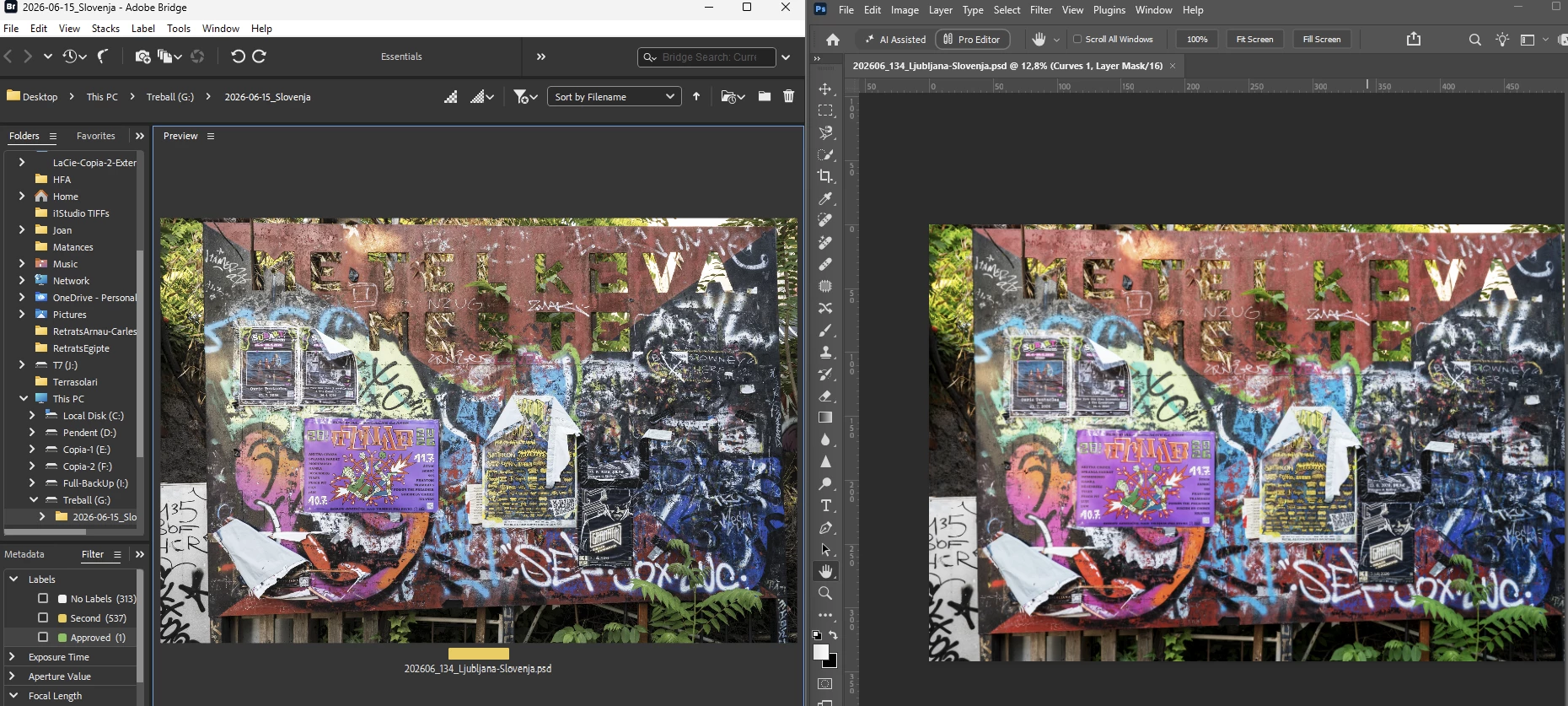
Bridge 16.0.8 displays Adobe RGB and sRGB images with significantly desaturated colors on Windows 11 with calibrated Eizo wide-gamut monitor
Environment
- Windows 11 25H2, OS Build 26200.9457
- Adobe Bridge 16.0.8.10
- Photoshop 27.9
- Camera Raw 18.5
- NVIDIA GeForce GTX 1050 Ti
- Eizo CS2420 wide-gamut monitor
- Current Windows display ICC profile:
CS2420(45622097)05Eizo_100cd_ISO1246.icc
Problem
Adobe Bridge displays my photographs with significantly desaturated/muted colors compared with Photoshop.
The same image looks correct in Photoshop but noticeably washed out in Bridge.
Photoshop document profile is Adobe RGB (1998), 16 bit/channel, with the ICC profile embedded.
Bridge Color Settings are synchronized with Photoshop and use Adobe RGB (1998) + Gamma 2.2.
I also tested JPEG files:
- Adobe RGB JPEG → washed out in Bridge
- sRGB JPEG → also washed out, although slightly closer to Photoshop
I have also:
- Disabled Proof Colors in Photoshop
- Purged the Bridge cache for the affected files
- Set Bridge Preview Size to Standard
- Set Preview Generation to Always Generate
- Confirmed that the Windows display profile is the correct Eizo calibration profile
None of these resolved the problem.
Photoshop displays the colors correctly on the same monitor.
This appears to be a color-management/preview issue in Bridge 16.0.8 on Windows 11 with a calibrated wide-gamut display.
 AdChoices