

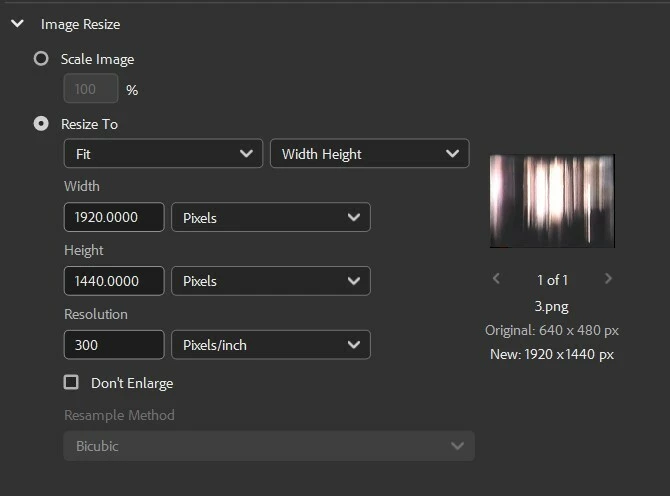
Cannot select resample method for any file type when trying to enlarge an image during an export.
I believe I used to be able to do this in the past, but now as I’m trying to batch export files into larger images, the dropdown is greyed out, and I can’t select it. This has been particularly inconvenient because I’m trying to export a batch of pixel art into larger images, which requires the resample method to be “nearest neighbor”. I have tried a lot of different file types and it seems the dropdown only becomes available if I use “Scale Image” for a smaller size.


 AdChoices