


han015
Participant
July 7, 2026

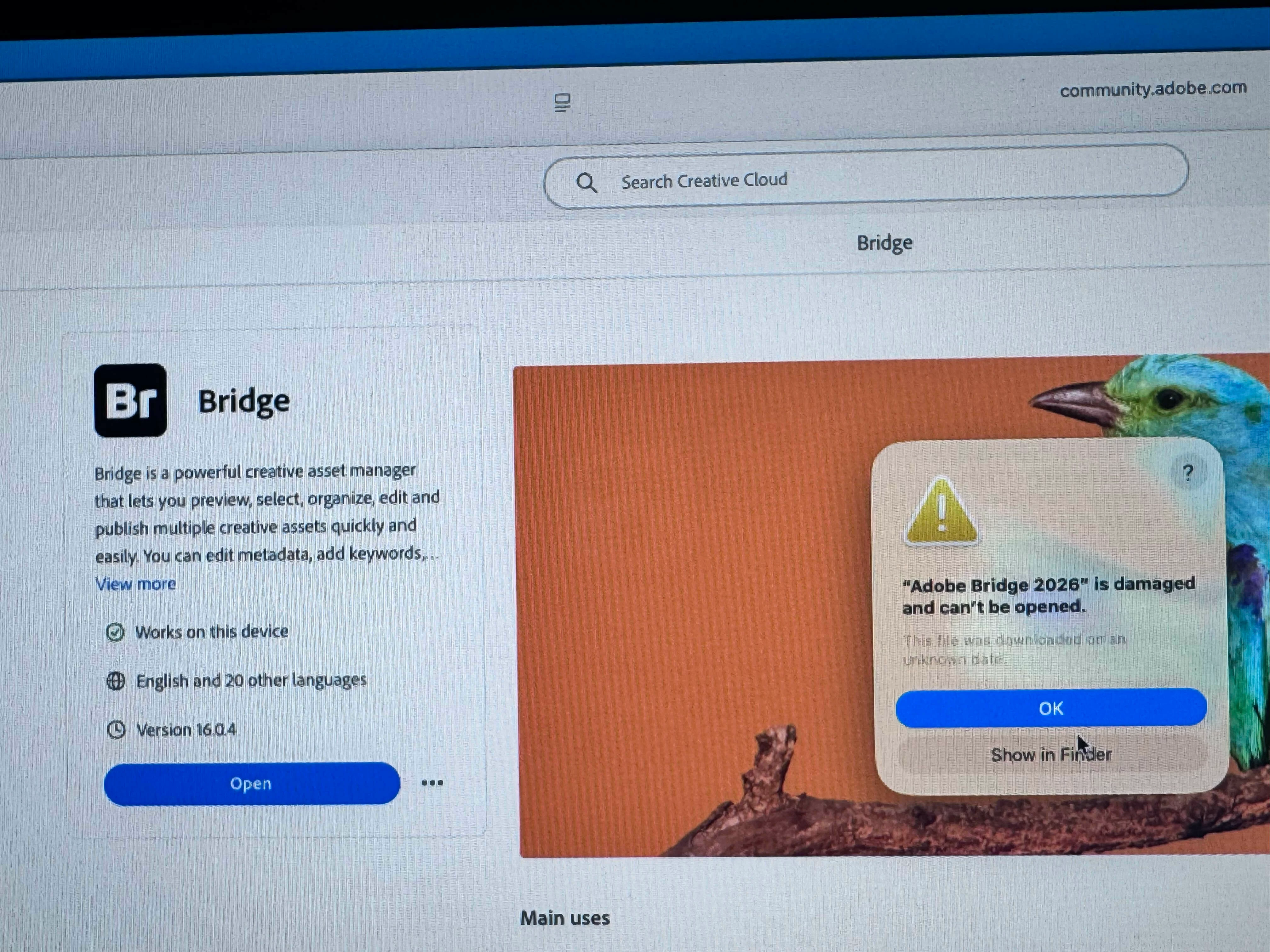
I have Mac mini m2 pro os Macos Tahoe problem is ever time try open Bridge not open
  • July 7, 2026
  • 2 replies
  • 24 views

Mac mini m2 pro os Macos Tahoe problem is ever time try open Bridge not open

I do update new version still  same problem

    2 replies

    Participant
    July 8, 2026

    I have the exact same thing - same error alert on my 32 gig M2 laptop running Tahoe 26.5.1. 
    Tried uninstalling and deleting the folder, reinstalled Bridge and same issue  . . .

    Participant
    July 8, 2026

    UPDATE- just installed Bridge 16.03.21 and it works fine

    Adobe Employee
    July 8, 2026

    Hi ​@han015,
     

    Thank you for your feedback.

    Could you please uninstall Adobe Bridge and delete the ‘Bridge 2026’ folder from the following location:  /Users/<username>/Library/Application Support/Adobe<Bridge 2026>

    After that, reinstall Adobe Bridge. If the issue still occurs after reinstalling, please let us know.


    Thanks,
    Bridge Team