
Known Participant
Nov 17, 2026 4:48 PM UTC
Open for Voting

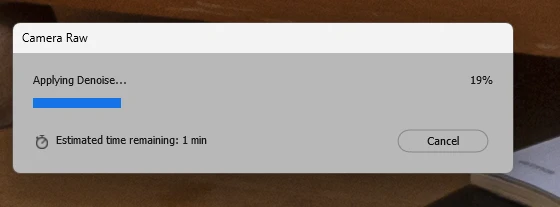
Since a few days, applying Denoise in Adobe Camera Raw (via Bridge) takes much longer. It would take app 7 seconds for a 24MP CR2 from a Canon 5DmkIII, but now it takes appr 1 minute.

Since a few days, applying Denoise in Adobe Camera Raw (via Bridge) takes much longer. It would take app 7 seconds for a 24MP CR2 from a Canon 5DmkIII, but now it takes appr 1 minute. I am on a Windows PC with a NVIDIA GeForce RTX 5070 Ti. In Task Manager, I can see it spinning nicely. In ACR settings, full graphic adapter usage is checked. Please let me know what could cause it. BTW: I updated ACR to 19.0.0.2794 yesterday, but this problem was already happening before the update.
 

    3 replies

    Known Participant
    Nov 19, 2026 2:52 PM UTC

    UPDATE2: The problem came back.  I discovered that restarting the computer did resolve it, but it would come back after a while. Just restarting Bridge and Photoshop did not resolve it; I left Firefox open. Claude suggested that I switch off hardware acceleration in the settings in Firefox, as it will use the GPU, sometimes more then you expect, on open tabs. That seems to have solved it. 🤞

    Translate
    Known Participant
    Nov 19, 2026 10:18 AM UTC

    UPDATE: yesterday, after restart, the problem seems te have been resolved. Earlier restarts did not, so it remains a mistery. But I am happy that it works again. It is even faster then I had estimated: appr 2 to 3 seconds.

    Translate
    Known Participant
    Nov 17, 2026 4:56 PM UTC

    I really love this filter, it is a true improvement of the quality of images shot at higher ISO. And more importantly, it makes it possible to push the exposure of RAW files fro my 5DmkIII 1 or 2 or even more f-stops with acceptable quality loss. So I hope you can help me!

    Translate