johnrellis
Legend
February 25, 2024

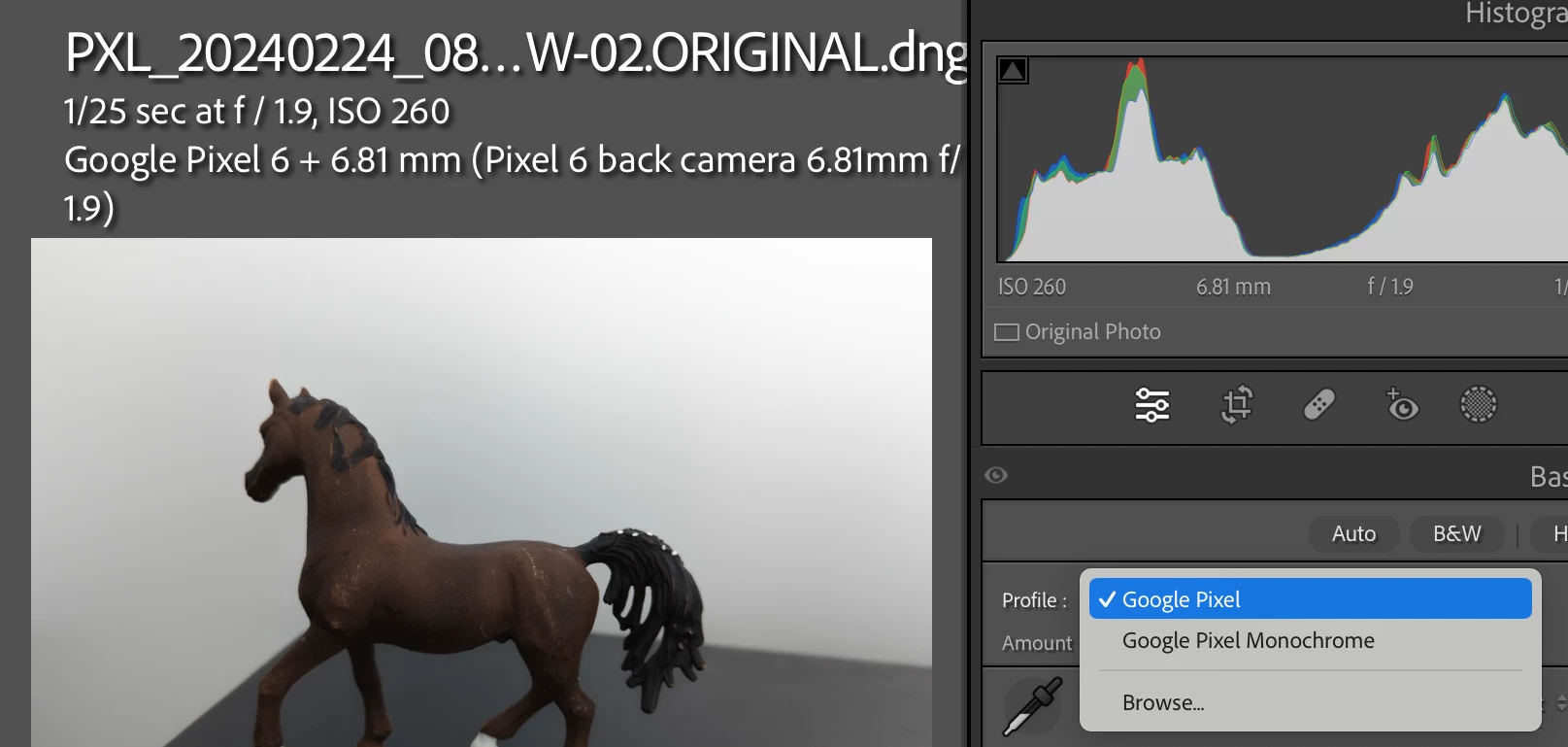
P: Google Pixel 6, 6a, 6 Pro, 7a, and 7 Pro DNGs don't show Adobe camera profiles

  • February 25, 2024
  • 35 replies
  • 5184 views

35 replies

Known Participant
April 14, 2024

Is there a fix incomming in a future update for this? It would be helpful to have profiles included without having to revert to an older gcam version. 

Participant
March 29, 2024
Inspiring
March 23, 2024

Finally!

ColorChecker Camera Calibration (XRite/Calibrite) seems to do a good job at creating a color profile for the 7a.  Works well for Lightroom and Camera Raw. 

https://calibrite.com/us/software-downloads/

Should work fine for other Pixels.

Inspiring
March 23, 2024

There appears to be another problem with the Pixel 7a raw file. DNG Profile Editor does not allow changes on the Color Matrices tab. On the Color Tables tab Saturation is set to max for all colors after creating the color table. These two issues make it difficult to get a half-reasonable profile for this camera.


Works fine for a Sony raw file.


Fixing Lightroom/Camera Raw will not fix this problem obviously.

May point to a problem with the Pixel raw format. 


DNG Profile Editor 1.0.0.47 Beta, both PC and Mac, latest version from https://helpx.adobe.com/ie/camera-raw/digital-negative.html (note: the filename is DNG_Profile_Editor_win_1_0_4.exe).

Inspiring
March 23, 2024

see previous post ...

You can try this profile if you like: https://www.dropbox.com/scl/fo/s3o2rjhvwknlw2z3tb0ue/h?rlkey=pth9f6zzv0nexkri8rgvy85i3&dl=0

You should put it into C:\Users\<username>\AppData\Roaming\Adobe\CameraRaw\CameraProfiles for Windows, or the equivalent folder for the Mac.

(Profile not done in office lighting btw ...)

Inspiring
March 23, 2024

As a workaround until Adobe fixes this problem, if you create and Export a profile using Adobe DNG Profile Editor (this produces a .dcp file in the Camera Raw/Camera Profiles folder) you can then Browse for the profile in Lightroom or Camera Raw. Works perfectly.

Diamond_2429
Participant
March 7, 2024
Participant
March 3, 2024

My mistake.


Hopefully, the fix is as simple as adding the 7 Pro, 7a and 6 to the same code.

johnrellis
Legend
March 2, 2024

@Mick Seymour: "I don't know why @Rikk Flohr: Photography would say 13.2 fixed the problem on the Pixel Pro 7."


I don't think he did. He said in the other thread, "This bug was explicitly written against the Google Pixel 7". The original post in that thread was about the Pixel 7. After an internal report was logged, additional reports about the Pixel 6 were posted; but sometimes the developers working on a bug don't go back to the original threads here to see if there's updated information. The reports about the 7a and 7 Pro came in after LR 13.2 was released.

johnrellis
Legend
March 2, 2024

@Rikk Flohr: Photography, I updated the bug report to include the Google Pixel 7 Pro (with samples provided by @Mick Seymour).