


Max_Ramuschi
Known Participant
December 27, 2013

P: ICC Table Profiles clipped shadows under OSX

  • December 27, 2013
  • 166 replies
  • 3911 views

Hi, I've just found a really bad issue occurring in Lr 5 (but also in all other Lightroom versions) under Mac OSX 10.9 with a calibrated monitor: dark shadows (from a value of 20 to 0) are all clipped (pure black with no detail and no textures) while the histogram remains ok, indicating NO clipped shadows at all. This issue afflics also ACR.

Photoshop for now is the only software under MAC that reproduces dark shadows correctly: Library Module shows a bit darker and shifted shadows than Ps but acceptable, Develop Module is really bad showing brutally clipped shadows (but you work in the Develop Module right?!).

The same problem occurred also in OSX 10.8 but it was related only to LUT profiles, creating a Matrix based profile problems were solved.

Now the issue occurs with both Matrix and LUT profiles, v2 and v4. There's no apparent way to make Lr working right.

Under Windows no problems at all: Bridge, Photoshop, ACR, Lr (Library Module and Develop Module) show the same correct NOT clipped shadows.

I tested 8 different Mac running 10.9 with different GPU, different monitors, different profiling Softwares (Color Eyes Display Pro, Eizo Color Navigator, BasICC Color, i1 Profiler). Same results.
I tried to change the gamma value (2.2, sRGB, L*) problems remain. I tried to change ICC version (v2, v4) problems reamain. I tried to change profile type (LUT, MATRIX) problems remain.

How can a photographer work professionally on RAW images if shadows are bad reproduced?

Why Photoshop can reproduce shadows correctly while Lr isn't able to do that?

Why this happens only on a Mac enviroment?

Is Lr based on ColorSync (that can't handle profiles correctly) while Ps isn't (because it can handle and it has no problem)?

Please Adobe, FIX IT for all professional photographers, we can’t use Lr for serious works under Mac.

Max Ramuschi
Adobe Certified Expert

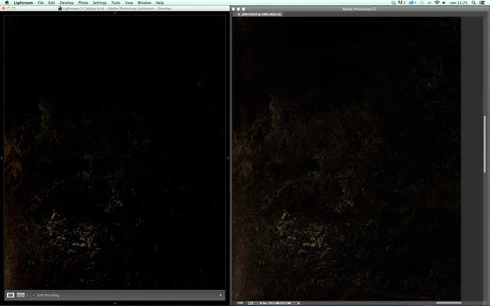
p.s.: Added a 100% Crop screenshots that shows the problem, some photos are even worse...
This topic has been closed for replies.

166 replies

Participant
November 18, 2014
This is another 10 days later after a fix was promised. Any news?
Participating Frequently
November 8, 2014
Hi Eric,

for whatever it's worth, I just reprofiled my monitor w/ Colormunki, using version 2 ICC and LR 5 now matches w/ PS 6. Don't know if this helps or hurts but figured I'd post it. Cheers, Cole

Participating Frequently
November 8, 2014
Thanks for the explanation.
MadManChan2000
Adobe Employee
Adobe Employee
November 8, 2014
It is possible that the older profiles use a different type of gamma curve representation.  I believe it is the internals (how the profile correction data is represented) that is at the heart of the issue, rather than things like the profile version or other basic metadata.
Participating Frequently
November 8, 2014
OK, I'll go w/ that and hope it gets fixed soon. In the meantime, I'll go w/ PS version for printing. Not t be a pest...but if ICC versions are not the culprit, I can't figure out why the visual difference goes away when I revert to older monitor profiles? Here is an older discussion that initially lead me in that direction:

https://forums.adobe.com/message/4440968
Max_Ramuschi
Known Participant
November 8, 2014
Eric is right: EVERY kind of profile is affected. I tried all combinations, v2, v4, table, matrix, etc. Shadows are bad in all cases. And it occurs viewing all kind of images: tiff, jpg, dng, etc.
MadManChan2000
Adobe Employee
Adobe Employee
November 8, 2014
Yes, exactly Massimiliano.
MadManChan2000
Adobe Employee
Adobe Employee
November 8, 2014
Hi Cole, 

No, I do not believe this is related to ICC profile versions.  This issue has to do with specific details of how the gamma encoding curve is represented in the profile.  (Multiple ICC profile versions, including 2.x and 4.x, support the affected gamma curve representations; this is why I do not think the version is relevant here.)  We should have a fix soon.
Participating Frequently
November 8, 2014
I'm having the same issue. Is ir related to ICC versions? (ver. 2 vs. ver. 4). My problem is particularly noticeable when comparing the same image in PS CS6 (or CC 2014) and LR 5. Wondering if LR5 is still operating on ICC ver. 2? Asking because when I switch monitor profiles to those generated via Apple profiler (rather than those generated by ColorMunki), crushed shadows dissipate and image looks the same in both programs. W/ ColorMunki profile, LR 5 crushes shadows andimage is very different than in PS.
Legend
November 7, 2014
We're hoping to sneak this into the next update. Won't be too much longer. Stay tuned.