



LittleGreenDog
Participating Frequently
December 29, 2025

Character Animator Beta requests Media Encoder Beta installation, even though it's installed

  • December 29, 2025
  • 5 replies
  • 128 views

Title pretty much says it, but here are a few more details...


I'm using Adobe Character Animator (Beta), and I need to render out an animation with alpha, but when I choose Export > Video With Alpha Via Media Encoder. I keep getting this message...
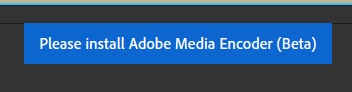
ACA-AME_error.png

AME (Beta) is definitely installed, and I use it routinely with the After Effecs (Beta), so it should work. I even tried launching AME (Beta) before selecting the Export command, but ACA (Beta) still doesn't see it.


Is anyone else seeing this message? Is there anything I can do to force it to see AME (Beta)?


I normally use the release version of ACA because of previous beta issues, so maybe I need to switch back. I hope the file is backwards compatible.


Thanks in advance for any helpful suggestions!


Additional Info: Using ACA (Beta) 25.6 Build 92, and AME (Beta) 26.1 Build 14, Windows 11.


Possibly related: When I open the latest After Effects (Beta) 26.11 Build 3, it informs me that there is a new release, even though there isn't. Not a show stopper, but it's getting annoying. This started a few days ago. I tried clearing the AdobeTemp cache for CC, but that hasn't helped. It's like the latest CC apps on my computer aren't talking to each other. Any tips?


5 replies

LittleGreenDog
Participating Frequently
December 29, 2025

Here's my solution: I exported using the PNG Sequence With WAV option, and then imported the sequence to Ae and rendered the movie file via Adobe Media Encoder.


Rendering to an image sequence and then compiling to a movie file in a separate pass is fine; it's what I normally do for animation in any other program.


However, I hope this Adobe Character Animator Beta and Adobe Media Encoder Beta bug is fixed soon because creating the movie file with alpha directly from Adobe Character Animator was convenient for our  animation tutorial production workflow.


Moving on for now... 😸


D.R. Greenlaw - Artist/Partner, Little Green Dog | (Formerly Lead Digital Animator, DreamWorks Animation)
LittleGreenDog
Participating Frequently
December 29, 2025

Ah! Maybe found a big clue.


When I try to open the ACA (Beta) project file directly in Media Encoder (Beta), I get this error...


DynamicLink.png

If anyone knows what I need to do next to make this work, please let me know. Thanks!


In the meantime, I'll continue posting until I find a fix.


D.R. Greenlaw - Artist/Partner, Little Green Dog | (Formerly Lead Digital Animator, DreamWorks Animation)
LittleGreenDog
Participating Frequently
December 29, 2025

Ugh! I tried opening the file in the release version of ACA 2025, and it crashed. Assuming the beta file isn't compatible with the release version.

So, I need to find a way to render the file from ACA (Beta) to Adobe Media Encoder (Beta or Release, I don't care.)

Any help is appreciated! Thanks!


D.R. Greenlaw - Artist/Partner, Little Green Dog | (Formerly Lead Digital Animator, DreamWorks Animation)
LittleGreenDog
Participating Frequently
December 29, 2025

One more thing: These errors occur on two different computers (desktop and laptop), which leads me to think it's the software and not my computer setup.


D.R. Greenlaw - Artist/Partner, Little Green Dog | (Formerly Lead Digital Animator, DreamWorks Animation)
LittleGreenDog
Participating Frequently
December 29, 2025

Oh, and I also removed and reinstalled CC, ACA(B), AME(B), and AE(B) to see if it would help, but it made no difference in either situation.


D.R. Greenlaw - Artist/Partner, Little Green Dog | (Formerly Lead Digital Animator, DreamWorks Animation)