


Participant
June 24, 2023

Export error with Character Animator.

  • June 24, 2023
  • 6 replies
  • 974 views

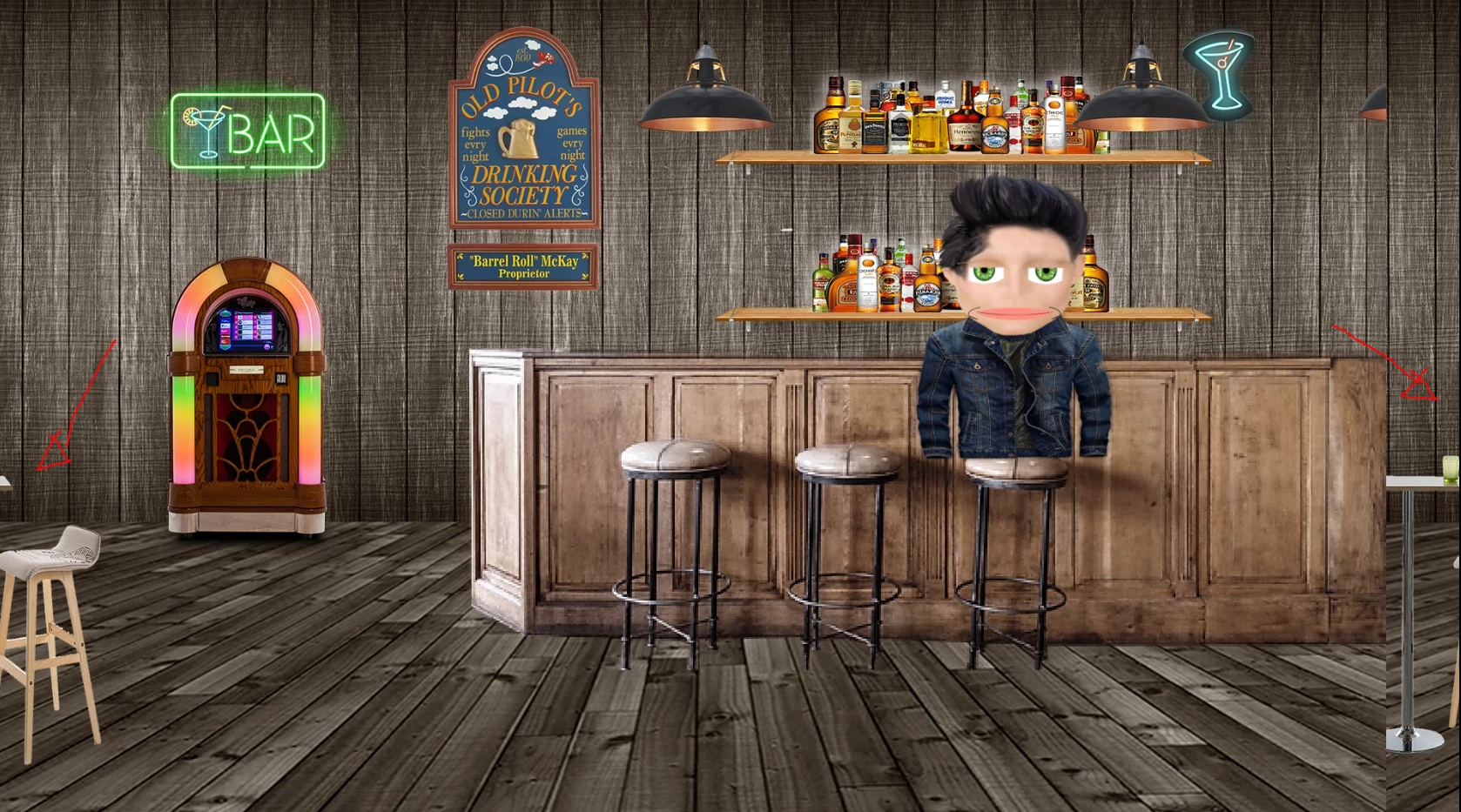
I'm having an issue with exporting scenes in Character Animator. The screen will shift to the left and roll over on the right. I have tried to reinstall the program. Install the latest graphic driver for my Ninvida GPU. Attached is a picture of whats happening. I'm not getting any errors. Not sure what's going on. It has always worked just fine.
6 replies

Community Manager
June 26, 2023

Scratch that, got it to happen now. 

Community Manager
June 26, 2023

Shoot, those are _super_ normal settings. I originally was hoping the screenshot really was the frame resolution because that was the best clue for what might cause it to fail that way. We found a couple of other threads reporting something similar (one via After Effects and one in the forums for Media Encoder itself). My initial experiments didn't repro the bug, but I'm still looking into it.

Any other specs you can include that might be relevant would be helpful (machine specs, OS version, GPU and driver versions, etc)

Thanks again for the report!

Participant
June 26, 2023

The imaged I shared was a screen grab from the windows snipping tool. That will be why it's in a strange resolution. 
The settings I use to export the video are below:

1920x1080

24 fps

Export via Media Encoder

File format H.264

Match Source - High bitrate

Community Manager
June 26, 2023

Also, nice sleuthing on figuring out it is specific to the AME version, that's a good start to narrowing it down!

Community Manager
June 26, 2023

That's really strange, thanks for reporting it. I'm asking around internally to see if somebody knows more about what might cause it or whether it may have been discovered and fixed already internally.

Can you share the scene parameters (resolution, framerate, export format, etc)? I can't tell if the forum resampled your image, but it seems to be 1678 x 933. Is that really the frame size? (it's an unusual size and I thought it might be why the frame buffers seem to be misaligned)

Dan Tull

Character Animator Team


Participant
June 25, 2023

I think I solved it from going back to a previous version in Media Encoder.