Inspiring
July 4, 2023

Export scene not working poperly

  • July 4, 2023
  • 3 replies
  • 346 views

Wassup yall I hope you are doing good

I have a problem.

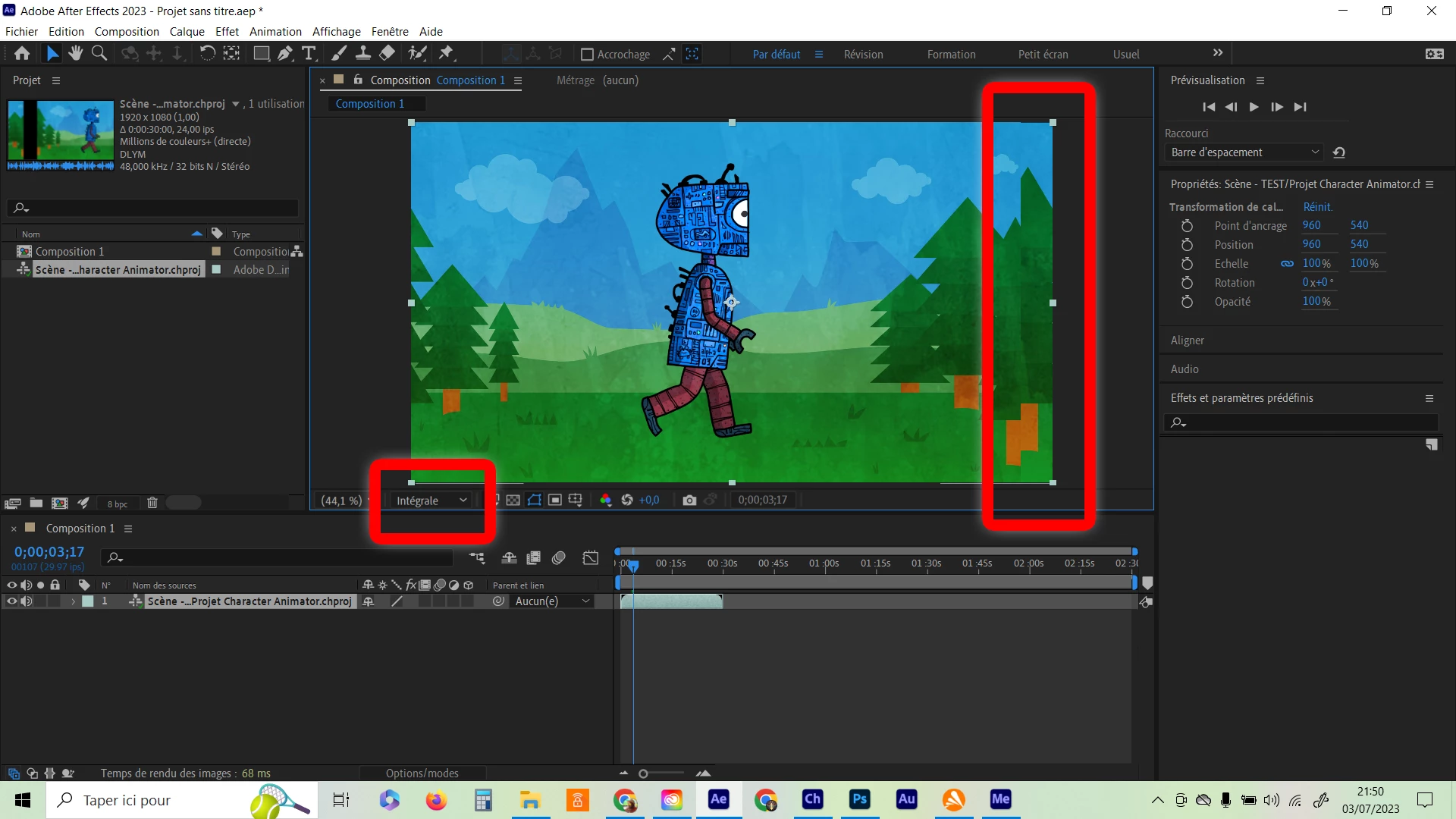
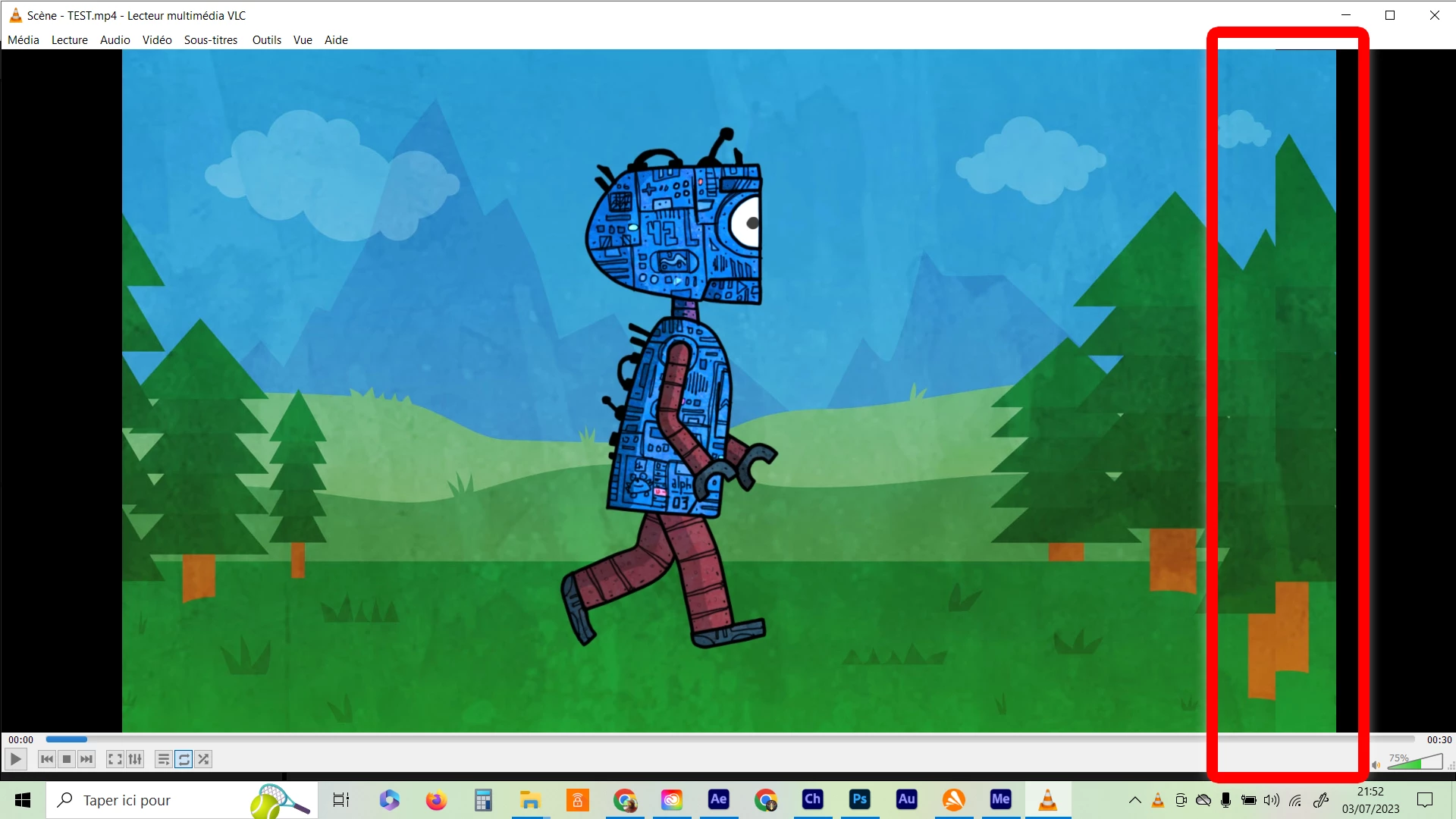
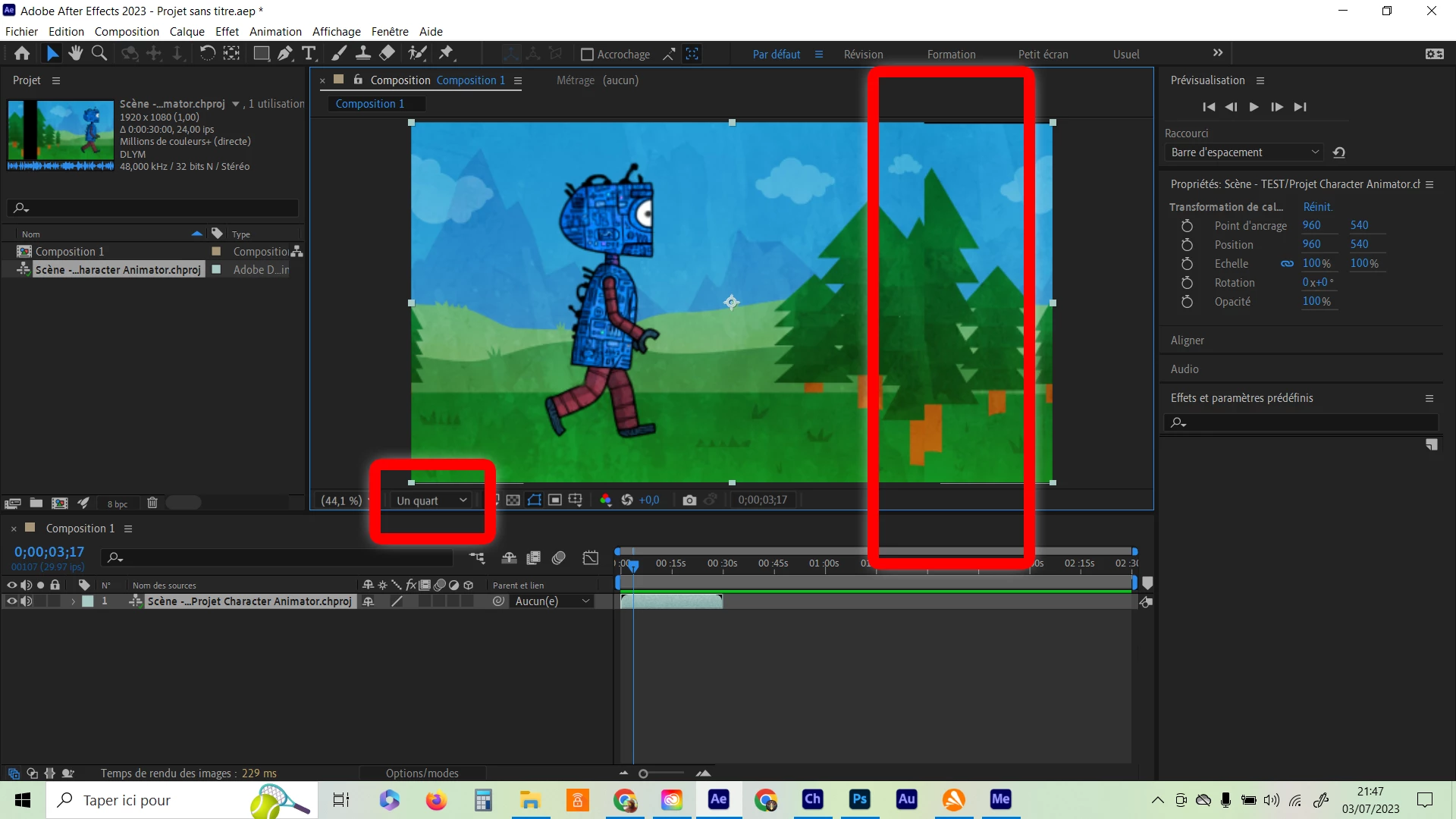
I can't tell why, when i export my scene with Media Encoder, or when i charge my scenes to After Effect, the image of the video is "strangely" separate (exemlples in the images bellow). Plus, In Ae, the separation changes in depend of the resolution i use (watch the images) but never get fixed, welly framed.

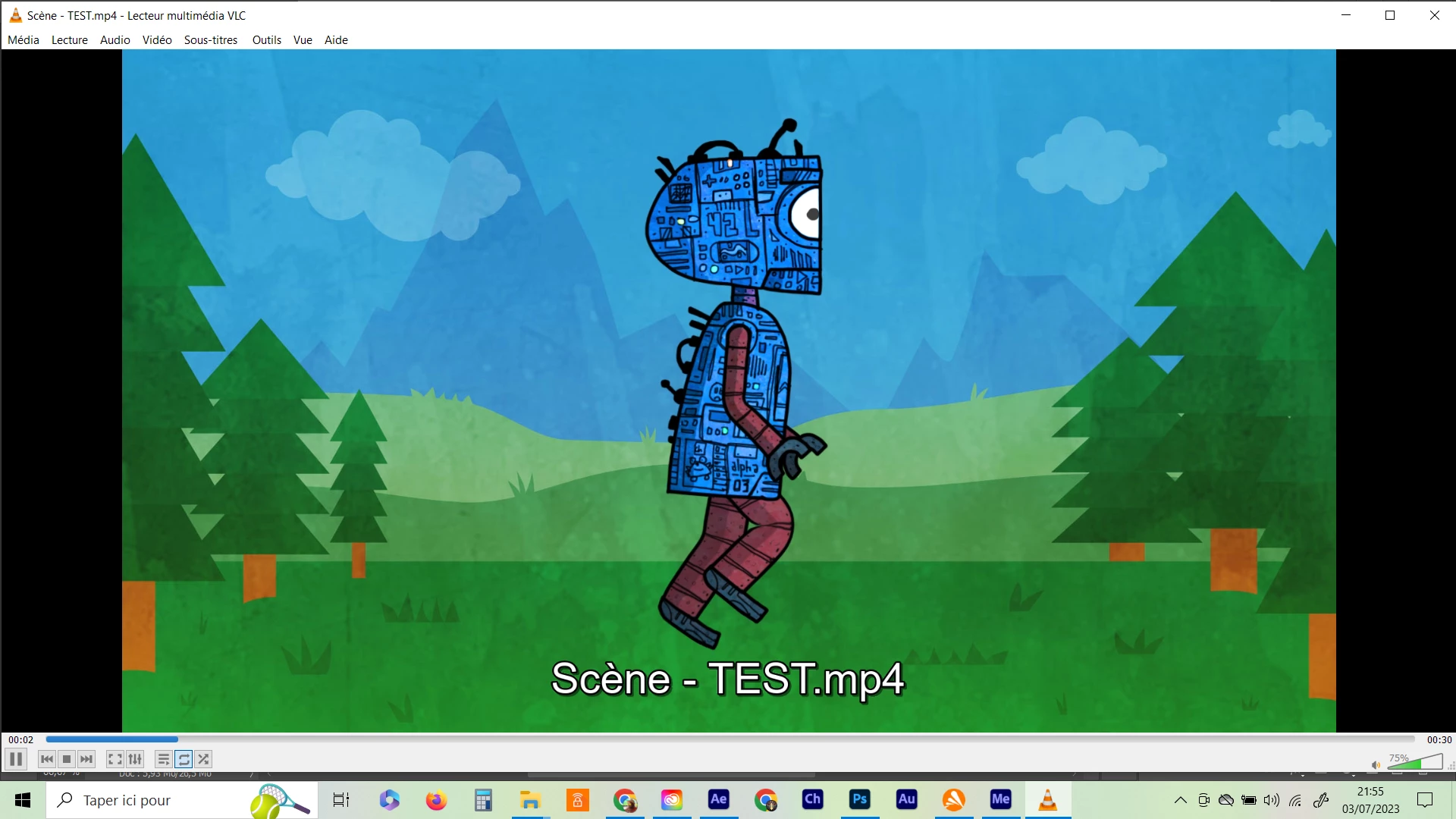
BUT when i use tho option quick export in the menu, the image of the video is welly framed (no separation).

I'm using Ch 23.1, I've tryed to unistall and re install the app, the bug is still there.
I need to charge my Ch scene in my Ae project
Can someone help me please ?
 

3 replies

Participant
July 7, 2023

I have the same problem. The exported file from CE 23.1 seems to have a problem with it. 

Exported scenes have strange position shift problem.

I'm going to try and use the older version of CE and see if that works.

Inspiring
July 4, 2023

I had the same trouble yesterday. I've switched to Ae 23.4 and Ch 23.0, for now, everything seems to work like before. I hope it will help 😉

Inspiring
July 4, 2023

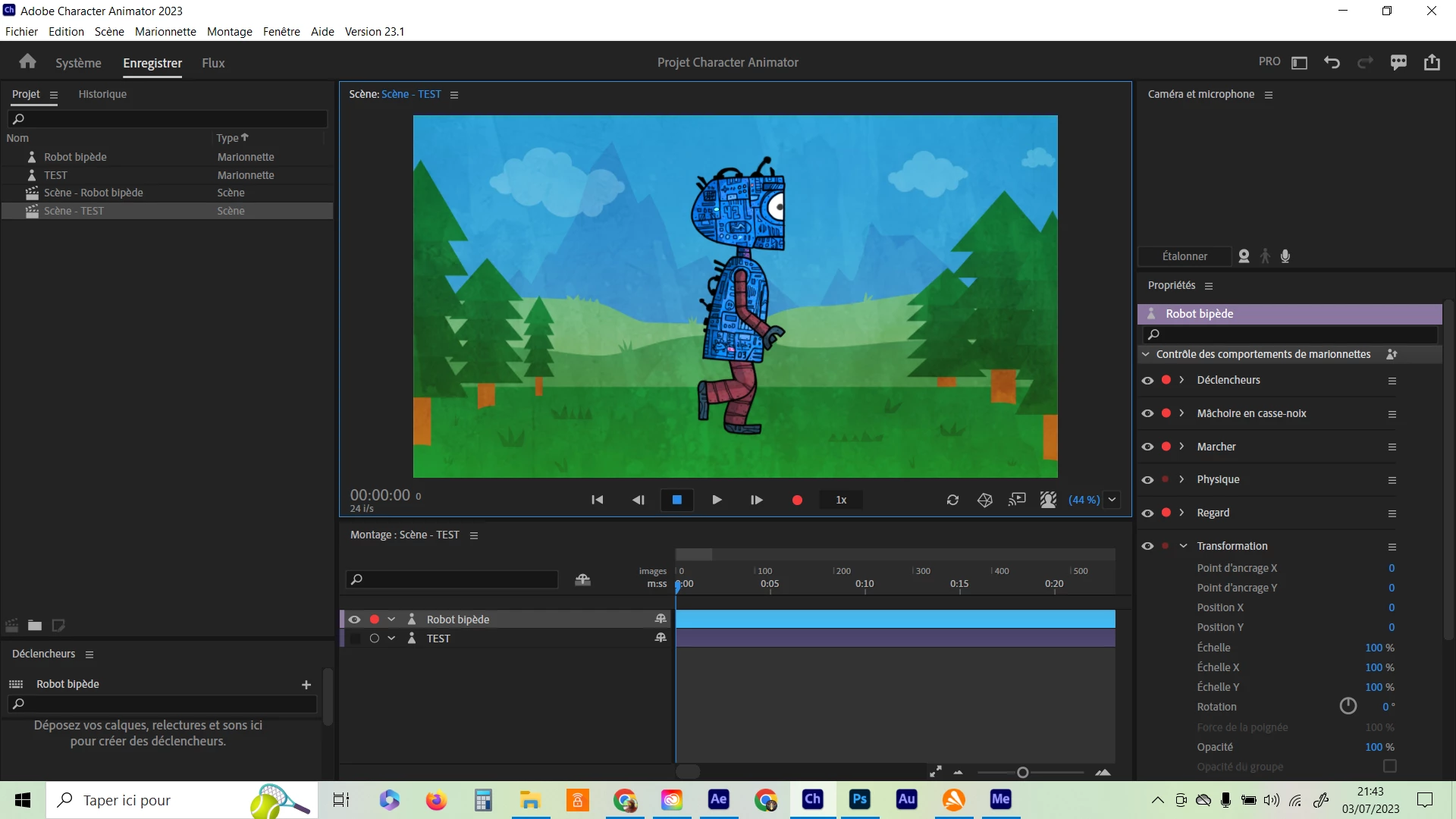
1st picture = how the scene looks in Ch

2nd picture = how it looks in Ae with 1/4 resolution

3rd picture = how it looks in Ae with full resolution

4th picture = how it looks after exporting in Me

5th picture = how it looks with fast exporting from Ch menu