


Participant
January 4, 2026

Impossible d'ouvrir un projet Character Animator

  • January 4, 2026
  • 3 replies
  • 59 views

Bonjour à toutes et tous.

Il m'est impossible de commencer un projet , j'ai à chaque fois ce message.

Si vous avez une idée… je suis preneur ! 

Merci d'avance. 

Patrick


Sur Mac OS Ventura  13.7.8


Erreur dans la version Ch 25.6x95

Erreur inattendue de fichier avec “/Users/patrick/Documents/Adobe/Character Animator/Projet Mark de base/Ch Data/repo.noindex/interprocess.lock”: Operation not permitted.

Si ce projet se trouve sur un serveur de fichiers, copiez-le sur un disque local et ouvrez-le depuis cet emplacement.
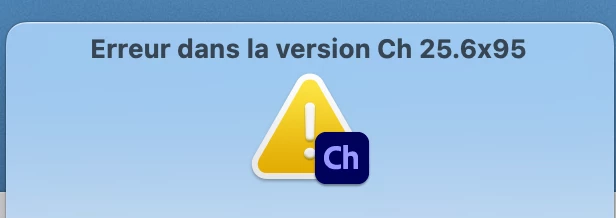


Capture d’écran 2026-01-04 à 19.02.28.png


3 replies

TheOriginalGC
Community Expert
Community Expert
January 5, 2026

I did a little research and discovered that the issue may be caused by attempting to open a file from a cloud or shared drive. If that is the case, you will need to move the file in question to a local drive AND find the temp.noindex folder in the documents/Adobe/Character Animator/ folder and delete it. 


If you are still having problems, please try to describe what steps you had taken before the error appeared. Are you able to launch the program at all? If so, can you create a new project or open one of the included puppets?

Participant
January 5, 2026

Hello and thank you very much for your reply. I tried your solution but it didn't work.

Capture d’écran 2026-01-05 à 15.56.38.png


Erreur inattendue de fichier avec “/Users/patrick/Documents/Adobe/Character Animator/Projet Mark de base/Ch Data/repo.noindex/interprocess.lock”: Operation not permitted.

Si ce projet se trouve sur un serveur de fichiers, copiez-le sur un disque local et ouvrez-le depuis cet emplacement.

TheOriginalGC
Community Expert
Community Expert
January 5, 2026

The program by default tries to open the last-accessed project upon opening, so if there is anything wrong with that project, you might find yourself in a frustratingly endless loop. If that is the case, you can bypass that by holding down the SHIFT key when starting the program and creating a new project from the main menu. Here is a list of the other relevant keyboard shortcuts: Character Animator keyboard shortcuts