


Participant
March 31, 2025

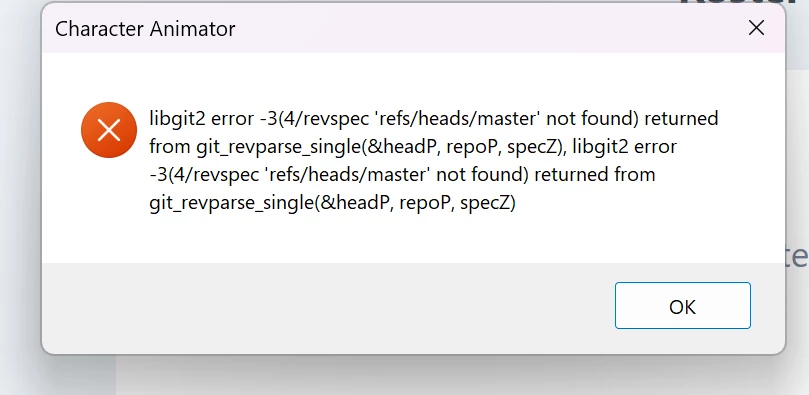
libgit2 error, my old friend

  • March 31, 2025
  • 2 replies
  • 237 views

Just went to open a few files from a project I wrapped at the end of last year and every single one is giving me a libgit2 error in every version of CH I try. They are all local files and have always been. I only copy backups to the cloud. I did move the files to an archive folder about a month ago, but still local. So I'm not sure why anything would've changed if the files were never even opened.


I tried renaming rope files in the data folder as another post suggested, but no luck. Anyone have any other suggestions? Thanks!
2 replies

Community Manager
April 1, 2025

For those playing along at home, with newer projects (ones that have a projectdata.rope file in the Ch Data/repo.noindex subfolder of the project) being unable to find the master ref as in that message almost always means something has happened to cause the projectdata.rope file to not be found. One way that can happen is if it is sync'd/moved/copied while the project is open (the app holds the file and the sync system will wait until it lets go).


In this case, we located the projectdata.rope file and put it back in place and the project was back to good.

Also, it is worth noting that if you do keep your project in a folder that is synchronized this way (iCloud, GoogleDrive, OneDrive, etc), it is worth closing the project/app now and again to make sure it gets a chance to back it all up.


Also, definitely be sure to use a rope based project (any project created since version 4 is rope, but every once in a while, I've seen folks that have an older project that they still use that still has the SQLite database inside instead of a rope file -- newer versions will open and use them and leave the format alone).

Participant
March 31, 2025

I also got this erorr on both my PC and my Mac. I even tried opening from a hard copy backup I found on a portable drive and had the same issues. PLS HALP