


Participant
November 25, 2024

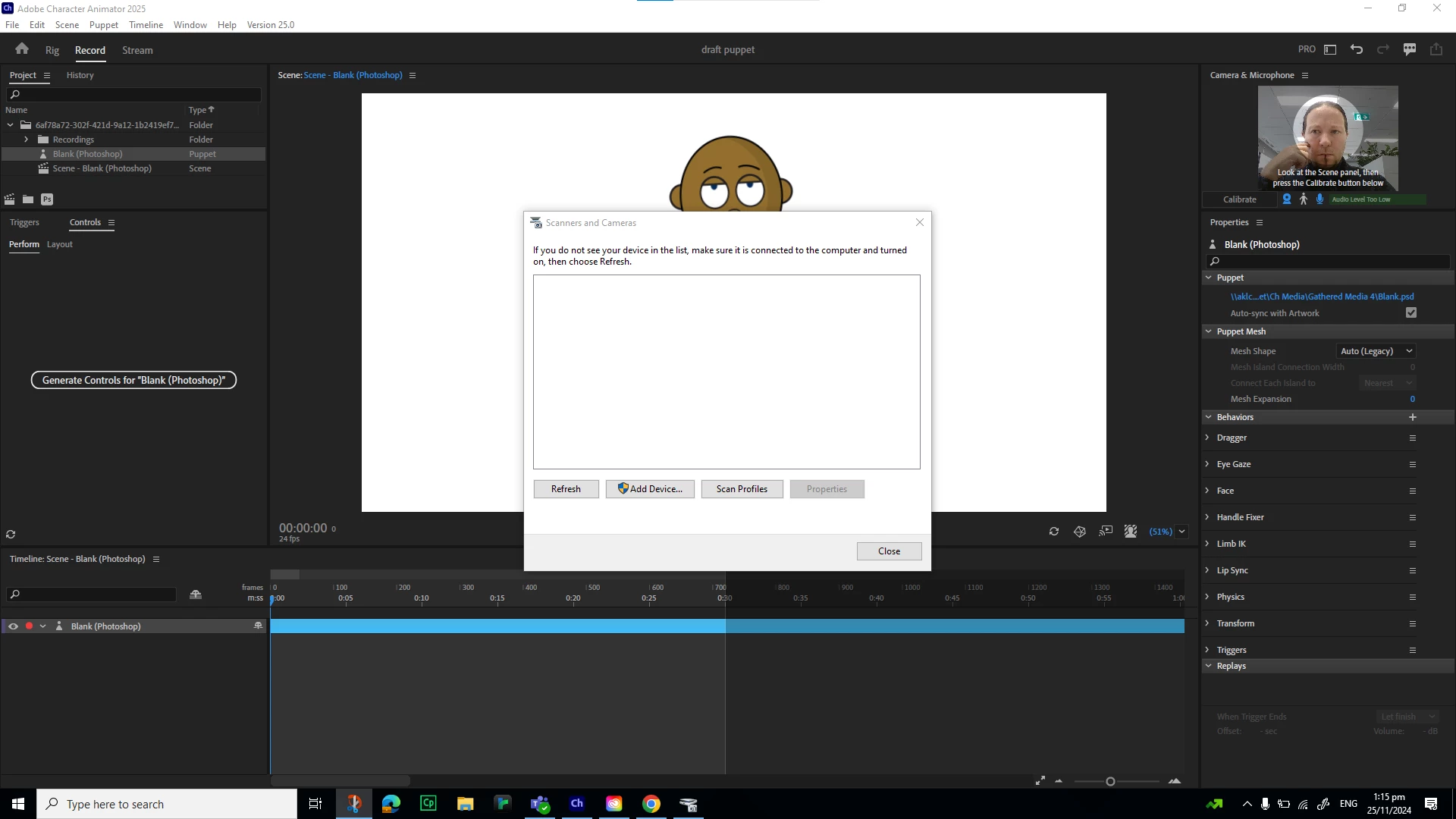
opening original in photoshop - scanner pop up

  • November 25, 2024
  • 7 replies
  • 364 views

Not sure if this is a known issue but none of my searches have revealed anything.

I'm trying to open a puppet that i've used to build 10 other characters previously and no for some reason I'm getting this bizarre issue.

I've tried:
updating character animator
updating photoshop
restarting the programs
restarting my laptop
redownloading the draft puppet
using a different puppet

I'm unsure what's triggering this as it hasn't happened with any of the other puppets i've built in the past and as you can see the camera is working (top right) and I don't use a scanner.

Does anyone know how to prevent this or a work around?


7 replies

Participant
November 25, 2024

I've tried one of my old puppets and had the same issue, I've then tried opening Chloe from the home screen and had the same issue.


I'm sitting with my workplace IT team at  the moment and we have worked out what may have triggered this, at some  stage character animator has been running and I've plugged my phone into  the lap top so it's recognized that as a camera and scanner.


So we've plugged it back in, it immediately pulled it up as an option when we replicated the issue but still won't open the puppet in photoshop.


We've now un-installed and reinstalled character animator, still no joy so IT are rebuilding my profile on the work system in the hopes that this deletes the setting in the background which is looking for the scanner etc.


Will keep you updated.

TheOriginalGC
Community Expert
Community Expert
November 25, 2024

Photoshop won't know what to do with the *.puppet file no matter what you try. Are you able to open up one of the pre-generated characters for editing or do you get the same error?

Participant
November 25, 2024

Photoshop -26.1
Character Animator -25.0
- no further updates available.

When I try to force the file open using photoshop its using the .puppet file because those are the only files that download in the zip file whenever I download the blank puppet.

The files are saved on the laptops c drive.


TheOriginalGC
Community Expert
Community Expert
November 25, 2024

Double-check the versions of CH and PS to make sure you're running the same version of both. Sometimes Adobe products do not communicate well if both are not the same version. I recently tried opening the Chloe character from CH version 25 (build 46) in PS version 26.1.0 release without incident. When you try to open the original puppets in PS, are you opening the *.puppet file or the *.PSD? Where are you storing the cahracters? Are you loading from the cloud?

Participant
November 25, 2024

The error in the first post is what I get when I use any of the command options to edit the original in photoshop regardless of how I try to prompt it.


The error I have in my reply is what I now get if I try to force the file to open directly in photoshop instead of using character animator.


I have no clue why it's prompting for a scanner as it's never done this before and I've made 10 characters previously using the same method.

TheOriginalGC
Community Expert
Community Expert
November 25, 2024

If I understand correctly, you want to open a puppet from CH and edit it in PS? Have you tried right-clicking on the selected puppet and choosing "Edit Original" to open Photoshop for editing? Or does this error appear before you do anything? Character Animator shouldn't be looking for a scanner so I'm not sure why you would get that error.

Participant
November 25, 2024

Oh and I've tried opening the pupper directly in photoshop and got this error: