


Participant
November 22, 2025

11.1.0 Curvature with hard contrast

  • November 22, 2025
  • 2 replies
  • 112 views

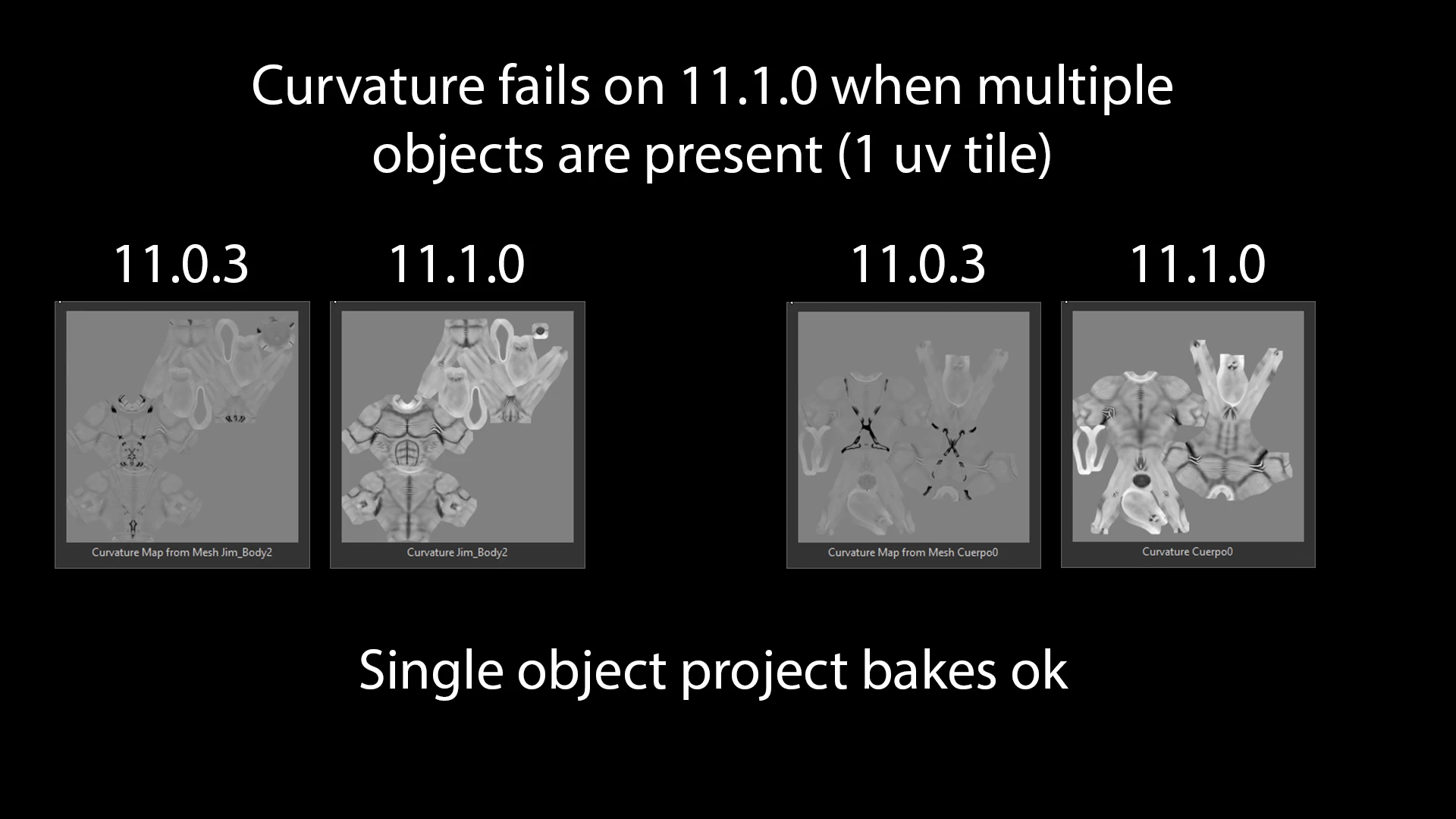
Hi, since the recent 11.1 update any bake gets me a very high contrast curvature map, resulting on hard edges smart masks even on global contrast 0.  (Rolled back to 11.0.3 and bakes fine)

RTX 2060 Super - Win10 - RAM32GB Nvidia Driver 581.29GR
2 replies

Adobe Employee
November 24, 2025

No worries, just trying to understand what i was looking at, I assumed it was an A-B comparison of the issue. Will do a test on our side to see if we can reproduce, if not we might have to ask you for a file that works for both 11.0.3 and 11.1, so we can dig deeper. Would that be OK?

Adobe Employee
November 24, 2025

Hi, can you clarify a bit why the geometry looks different on the left? The left ones seem to include belts and straps in the bake. I think maybe more is going on here and you have something different between your geometry, or match by name?

Participant
November 24, 2025
Hi! Thanks, but thats not related, just showing Two different projects.
Tried everything and changing baking options does not fix this and also it
should not be the solution, not a junior here.

I tried this on 6 different projects. Problem persisist and even ruins
curvature on provious projects where bake was ok.

Also updated drivers and tried studio ready and Game ready drivers.
Being using substance painter professionally since 2011, im sure this is
not a bake config problem.

I have readed this version uses Vulkan...
Might this be a clue?

Thanks

*https://www.diegoev.com/quiensoy* <>
Artista 3D multidisciplinario y educador profesional.
RizomUV Training Partner
<>
Sponsored by Reallusion <>
*Adobe Latam / *Adobe Substance 3D - Protagonista del minidocumental "Adobe
contigo - Esculturas en Buenos Aires"
*Creador de contenidos en:*
youtube.com/diegoev
instagram.com/diegoev_1