


Curvature maps generate inconsistently, leading to asymmetrical edge wear application.
Version: Substance 3D Painter 2025 - Whatever is live on Steam right now.
Platform: PC, Windows 11
Reproduce: Bake all maps for a symetrical angular hard surface model. Apply painted steel smart material. Observe that edge wear is applied asymmetrically, and that the curve map is generated assymmetrically.
Expected result: Curvature map is generated symmetrically for the model regardless of UV island positions.
Actual result: Curvature map has small differences despite being largely correct.
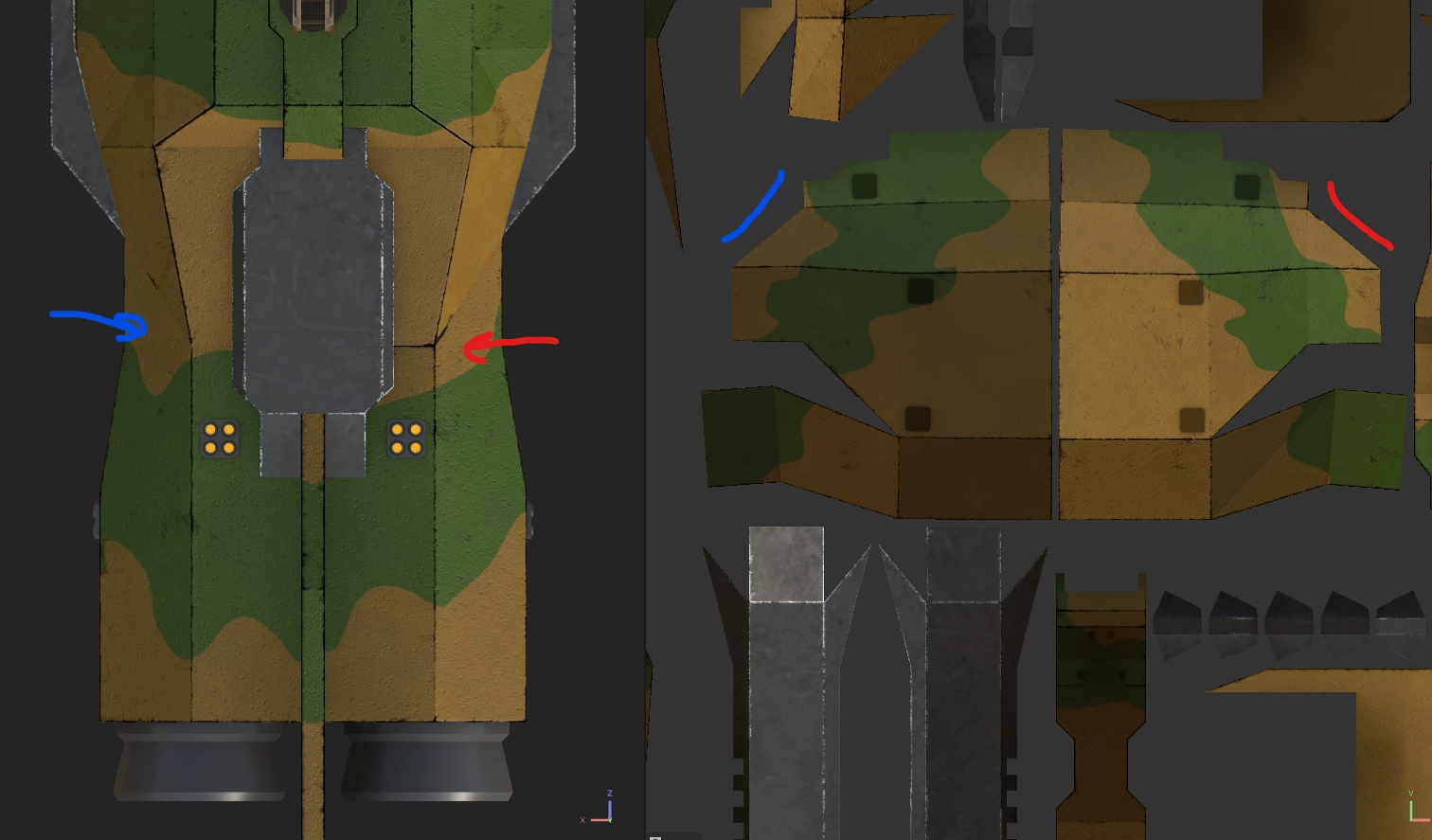
I am encountering an issue where auto-baked curvature maps are generating inconsistently on a symmetrical model. This has resulted in the issue below, where edge wear is asymmetrically applied on the back of the model. Red is where it has applied, blue is where it has not.
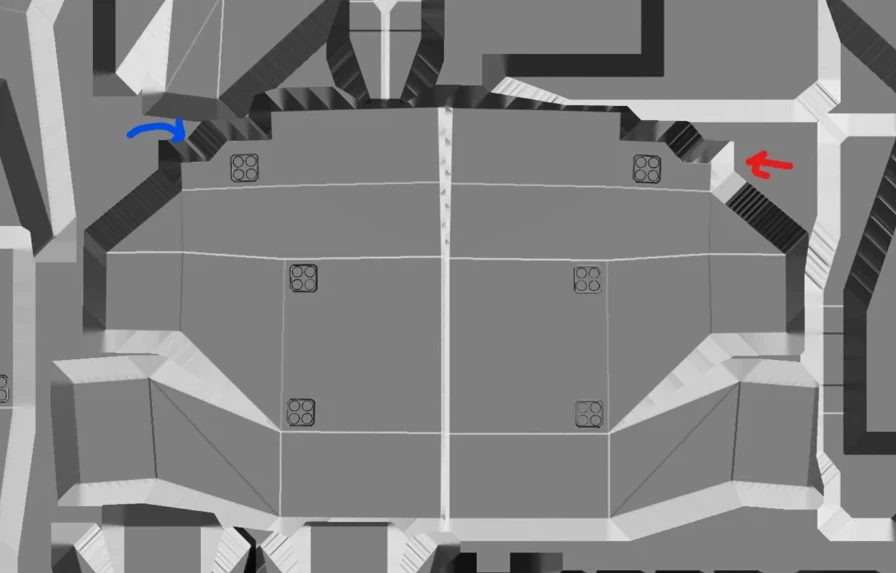
I believe this to be caused by the curvature map baking improperly. This is the curvature map of the same area, and as can be seen from the texture dilation, one side has generated a lighter curvature line, while the other has not.
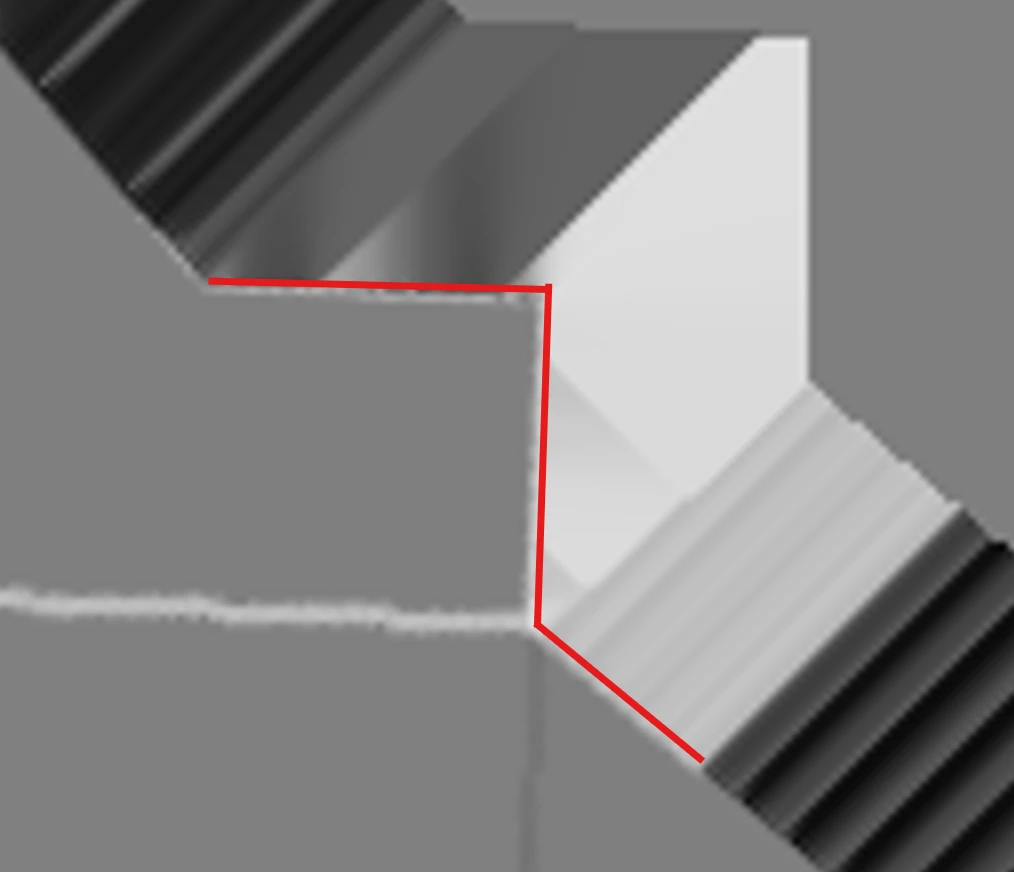
This approximates the edge of the face on this side, the white curvature on this edge can be seen.
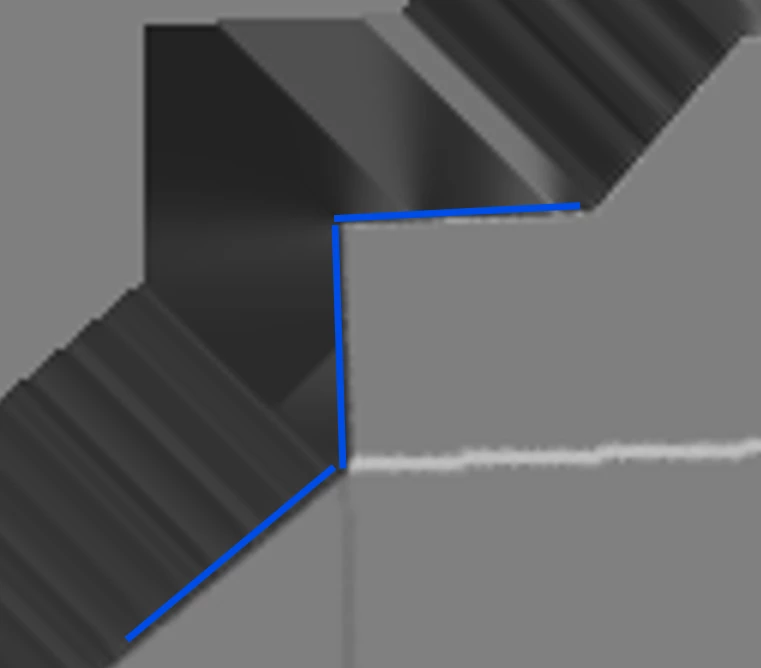
This approximates the edge of the face on the other side, the curvature lightening is much less or non existant.
I am bringing this up because I have encountered this issue a number of times now and it annoys me to know end. Perhaps it is not a bug and I am simply making some sort of mistake, but any level of assistance would be greatly appreciated. Thank you for your time.
Another example of the same issue: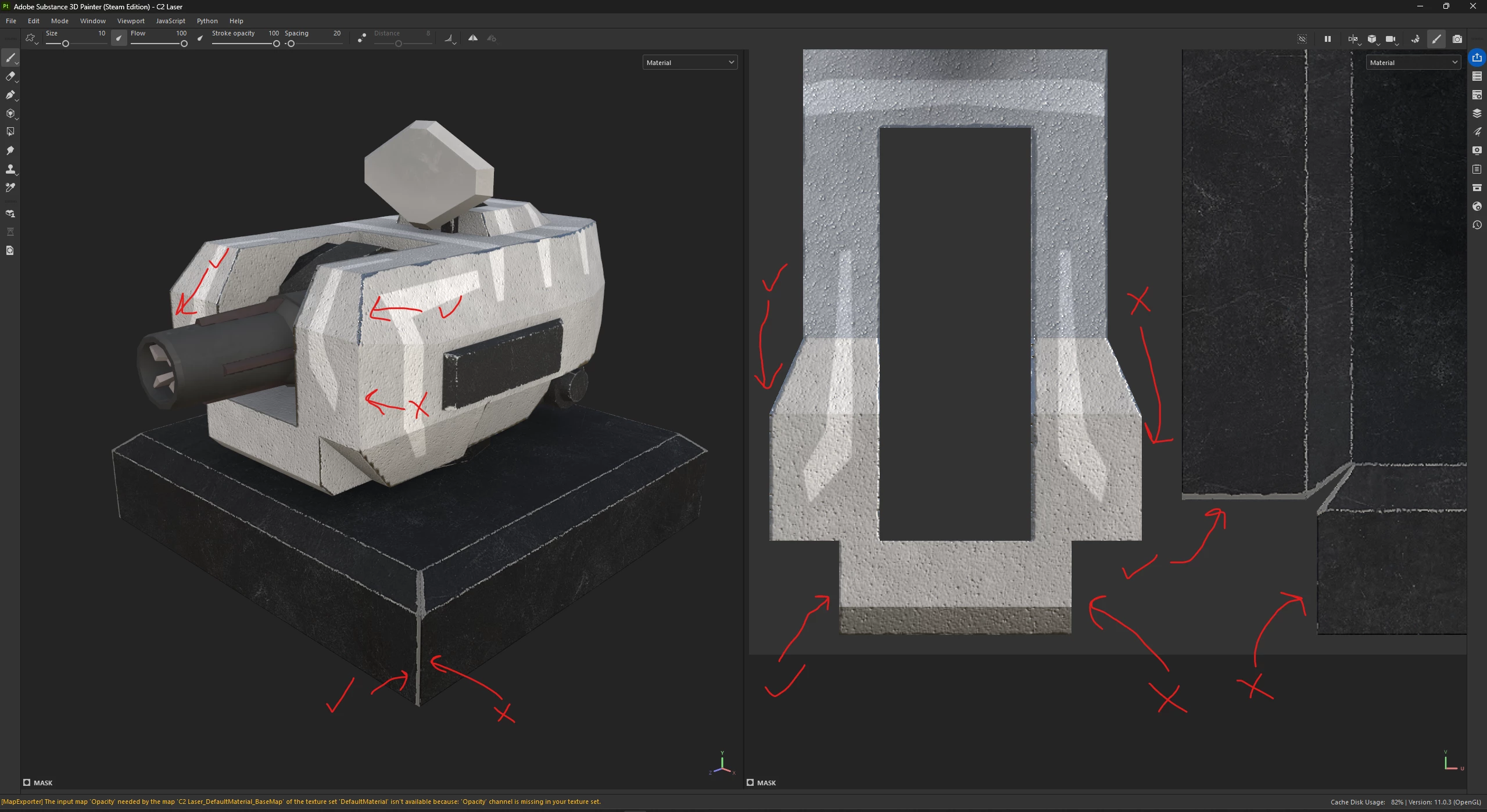
This is not a grunge map issue either, the issue persists regardless of any manipulations of random factors of the edge wears application. Symetrical UVs are also not an option to work around this as the game I am making these models for requires non-overlapping UVs.
 AdChoices